Any thoughts about what's going on here?
ArcGIS Enterprise 11.0, Utility services pointing to ArcGIS Online
- Open map viewer classic
- Add a point through either map notes or a feature layer
- Analysis > Proximity > Create Drive Time Areas
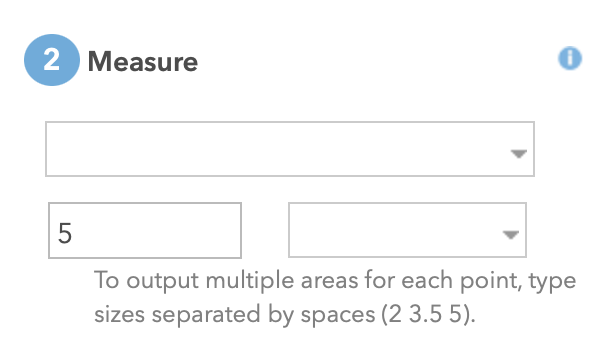
- Most of the time, the Measure dropdown does not populate. It looks like this:
- If I open dev tools, I see a few errors on the console. Like this -
https://foo.thing.com/arcgis/sharing/servers/ff44a2ea21a34a4ba37934010a2f67ed/rest/services/World/Utilities/GPServer/GetToolInfo/execute?f=json&toolName=GenerateServiceAreas&serviceName=asyncServiceArea&token=…. with these errors - Failed to load resource: the server responded with a status of 400 (Bad Request) and[USO] Button detection aborting due to timeout.
- However, if I fiddle with the widget, perhaps close it and reopen it a few times, the measure dropdown will work!
- However, when I run the tool, sometimes it works, sometimes it fails with You do not have permissions to access the utility routingUtilities. Create Drive Time Areas failed.
Am I missing a service timeout setting somewhere? What could be happening?
Thanks!
Rob

