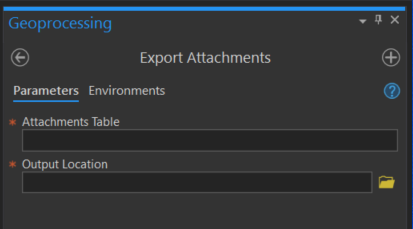
I have a feature class that has several attachments stored in related tables. I've been trying to use this Export Attachments script to store the attachments in a local folder, but things aren't working right.
import arcpy
from arcpy import da
import os

inTable = arcpy.GetParameterAsText(0)
fileLocation = arcpy.GetParameterAsText(1)

with da.SearchCursor(inTable, ['DATA', 'ATT_NAME', 'ATTACHMENTID']) as cursor:
    for item in cursor:
        attachment = item[0]
        filenum = "ATT" + str(item[2]) + "_"
        filename = filenum + str(item[1])
        open(fileLocation + os.sep + filename, 'wb').write(attachment.tobytes())
        del item
        del filenum
        del filename
        del attachment
The tool runs successfully with no errors or warnings. My output location remains empty though. I was thinking that it might just be an indexing issue. This is my attachment table.

I've ran the script as is, and I've also ran it by indexing "filenum" to [0] and "filename" to [4], the ATT_NAME field. I've verified that there are actually attachments in the related table. Does anyone know what I could be doing wrong here? Thanks.
EDIT: I just realized that the input and output just indices to the inputs in the tool. Here's what the tool looks like. Running a script like above without putting anything into the tool won't work...unless I hardcode the parameters (having trouble with that too!).