Hello,
I've a very simple need, however I can't find in the documentation a global description of how to achieve this: we need to daily update data that feeds a service, and this data is in a CSV file hosted on our ArcGIS Server. The first import of the CSV (it contains lat & lon fields) is done manually, using the "Add CSV and create a hosted feature layer" function in Portal.
I'm a beginner regarding Python scripts / API use and all this stuff... What I found for now is that I need to create a View Layer (to avoid possible locks issues when data is overwritten) from the Hosted Feature layer, create a Python script and schedule it (using Windows scheduler) on the machine hosting my ArcGIS Server.
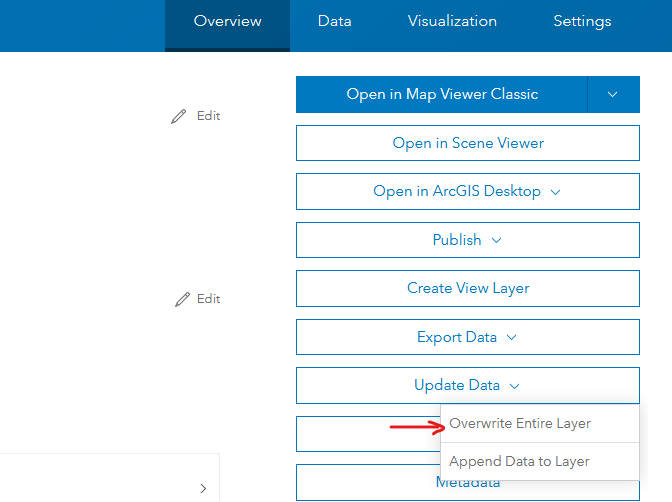
So basically, what I want to script and schedule is the "Update Data" > "Overwrite Entire Layer" Portal function:
- Does the machine hosting ArcGIS Server & Portal need a specific environment/set up? It currently has Python 2.7 (folder C:\python27\ArcGISx6410.9)
- Where can I find tutorial and/or samples of Python script for the "Update Data" > "Overwrite Entire Layer" Portal function? Not bits of code, but a full script that helps to understand the full logic (where to put this script, how to run it, etc). For example this link (https://developers.arcgis.com/python/samples/overwriting-feature-layers/) seems to match, but when I try to run the first lines, it blocks at "ImportError: No module named arcgis.gis". Then when I search for this issue, I find that this code is for ArcGIS API for Python, which is installed along with ArcGIS Pro, but what I need is to use the Python script on the server...
Context: ArcGIS Enterprise server (ArcGIS Server site federated with a portal) 10.9.1 (Windows).
Many thanks!
Martin