Hello,
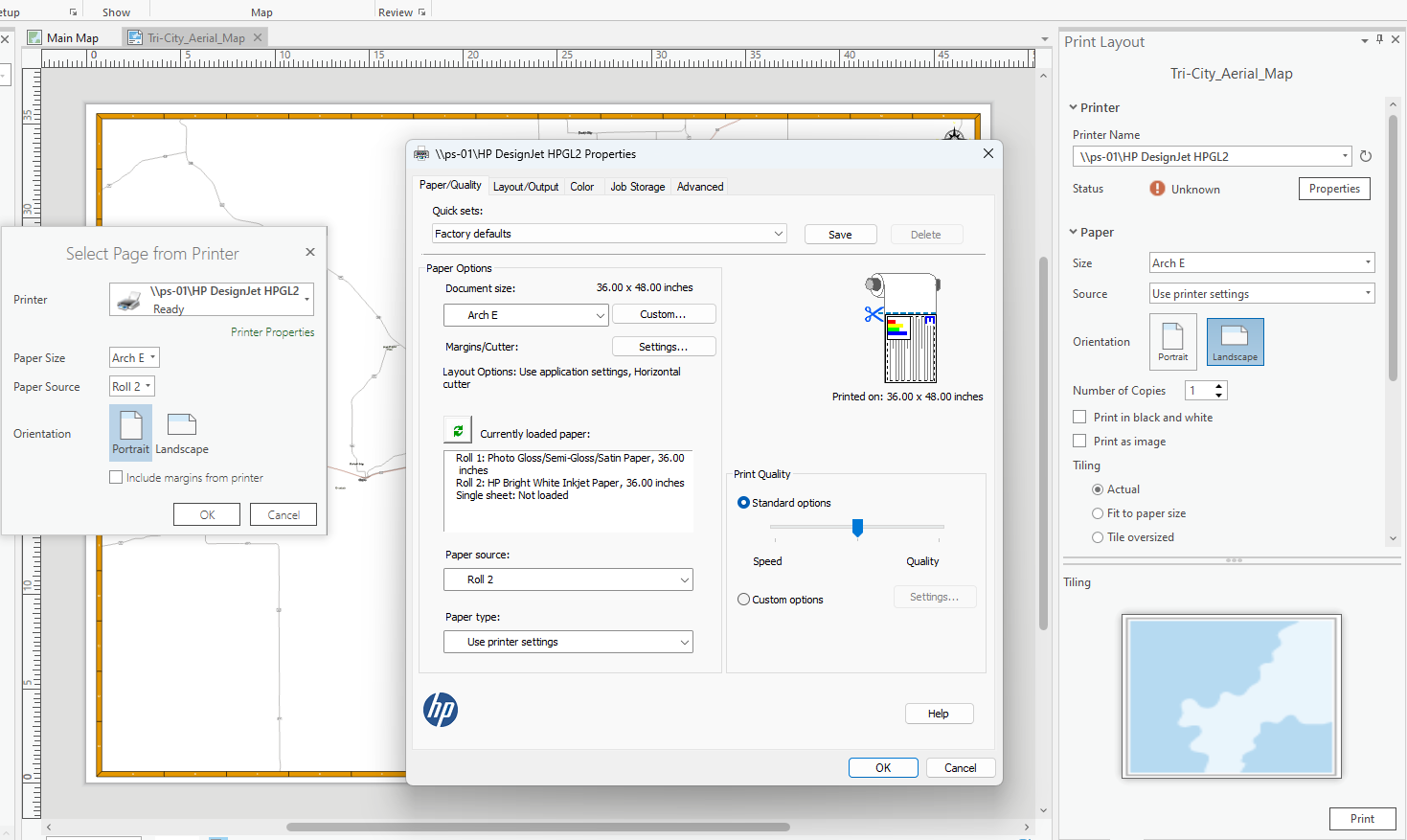
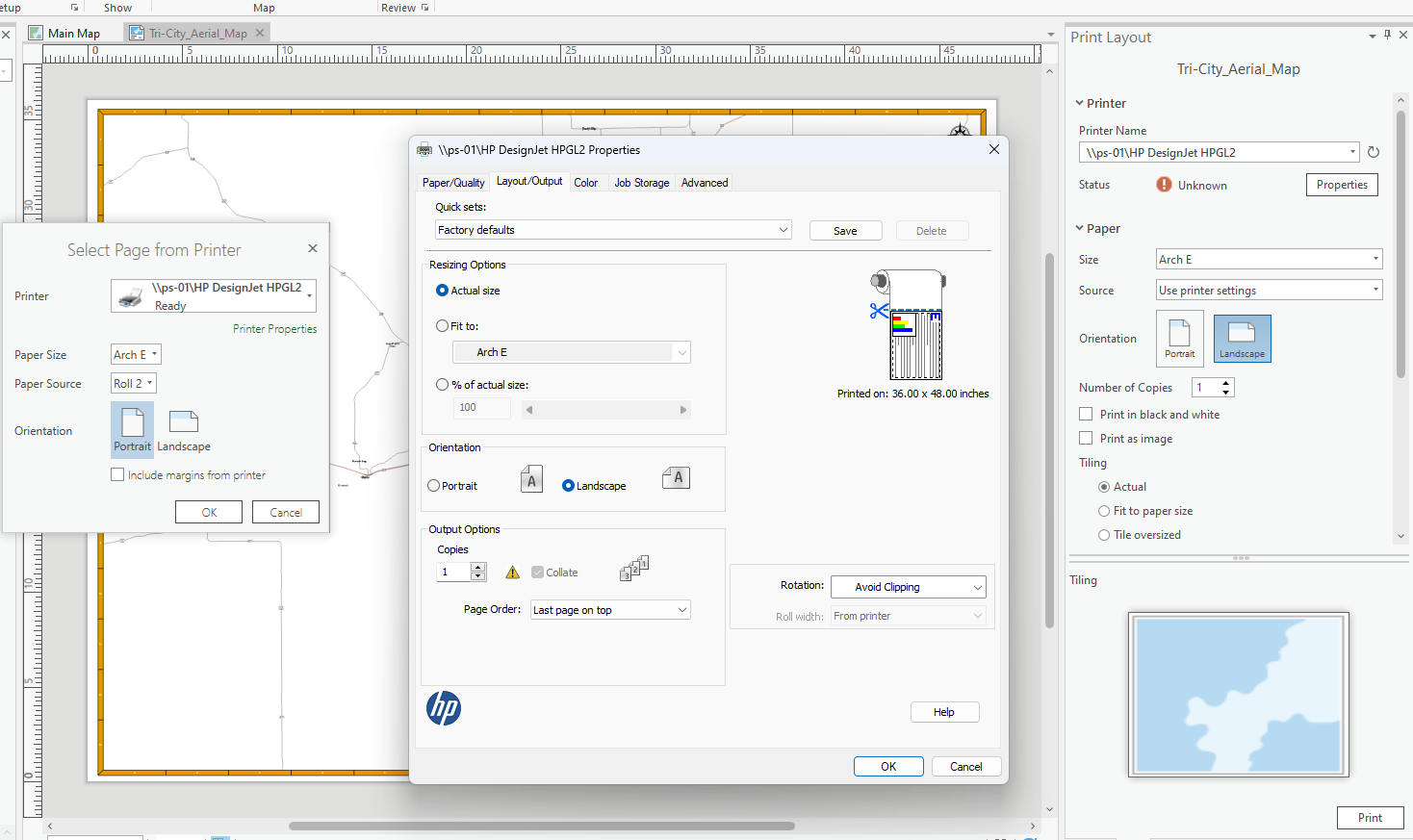
I've set up dimensions and settings for a layout in ArcGIS Pro in order to send to a HP plotter but the the product is short 4 inches in width from what I want, every time. I want to print a layout with the dimensions 36' H x 48' L (ARCH E) but for some reason the paper is just cut off at 44 inches. I am using a 36 inch width paper roll so I use landscape setting and it of course prints sideways to accommodate the settings. When I use the application, HP Click, to throw PDFs in and set up the dimensions there, and print from there, it prints fine. What is going on between ArcGIS pro and the plotter? I'll send pictures of the settings I use in ArcPro. I realize too that it could be a driver issue as well. But if someone has had a similar issue and has solved it, please help!
Thank you,
Ben


