I am slowly migrating the staff using Pro. I have about 20-25 GIS users in my department. I am trying to figure out how to effectively set default folders (gdb and atbx). Right now, there are about 5-6 ArcGIS Pro users.
Should I set the default gdb/atbx for every user (everyone has their own default gdb/atbx)? Or should all of the users set the default gdb/atbx to one location on the shared drive?
I would like your opinions on how you set the default folders up in your organization. What are pro’s and con’s and potential issues? If there were 1-2 users, I would not worry about this issue. Since I have 20-25 users, I would like to know if what I am doing is effective in terms of folder/data organization.
Here is are my current settings:
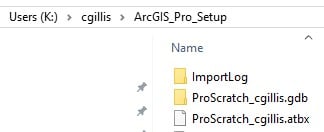
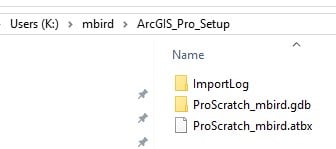
- Under every user's folder name on the shared drive (we use a letter K here), I created a folder called “ArcGIS_Pro_Setup”
- In “ArcGIS_Pro_Setup”, I created “ProScratch_<username>.gdb” and “ProScratch__<username>.atbx”
Here are examples, one folder structure is for user “cgillis” and the other is for “mbird”.
Thank you all for your input.



