I am on Pro 2.5.0
I followed the install instructions as per the Pro Help: Install deep learning frameworks for ArcGIS—ArcGIS Pro | Documentation
I am using the sample image for swimming pools found here: https://www.arcgis.com/apps/MinimalGallery/index.html?appid=99c39f7512d54881bc365583c76c7da6 for the PyTorch swimming pool example.
I created about 10 samples using the Label Objects for Deep Learning.
I saved the samples and the labels and then ran the Export Training data which created the images and labels folder, the other files required for the next step to train the model.
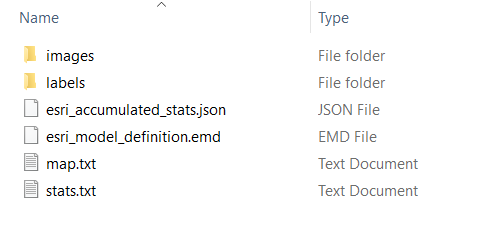
The input folder is never recognized (which is: \deep_learning\redlands_img that contains the above folders and files). I get the following error and cannot seem to fix it. Any help is appreciated. I am including my zip file of output.
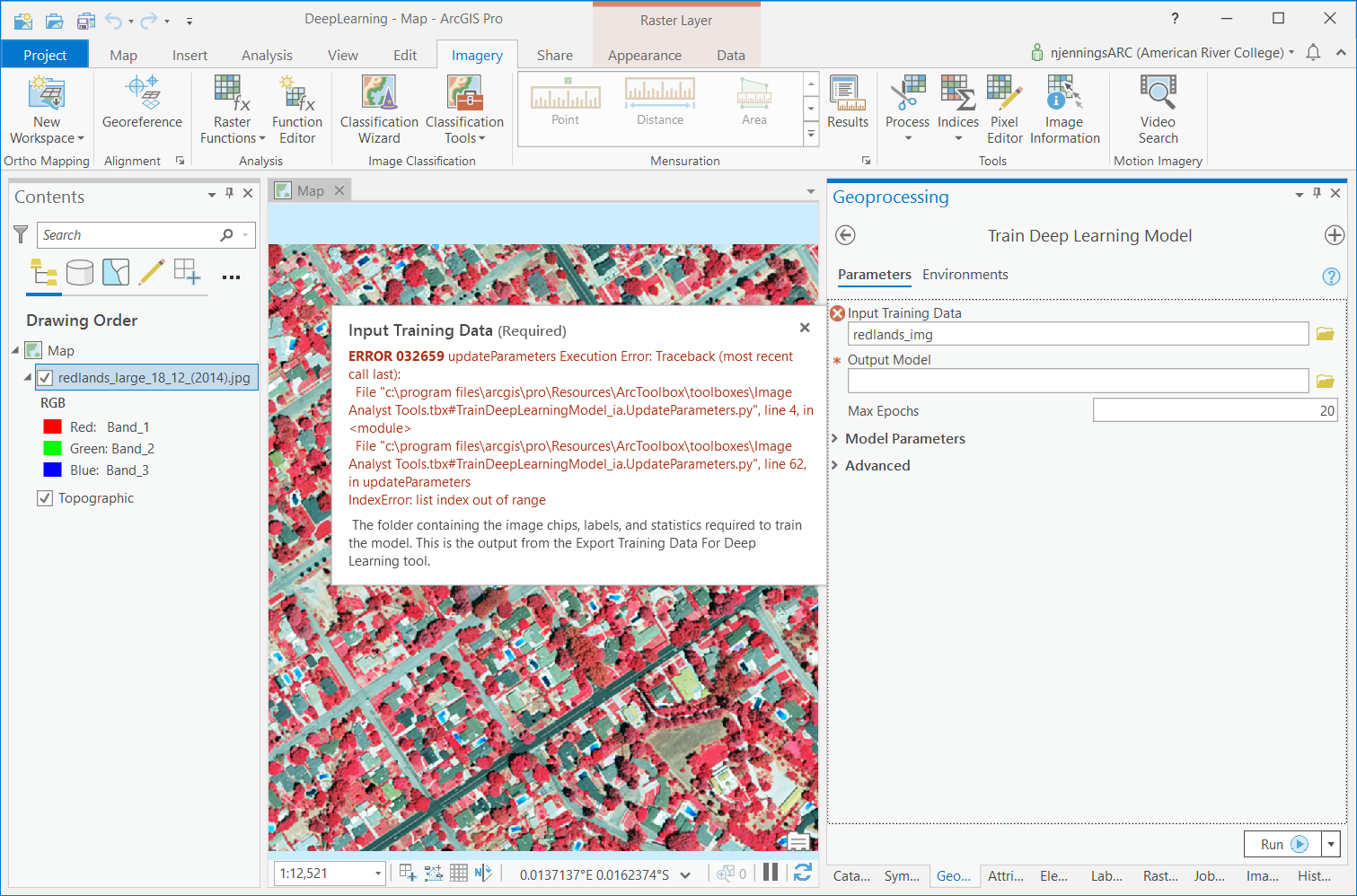
Also, the documentation for the specific tools and the overview don't really provide enough details to set tool parameters or suggestions for different types of scenarios. Some updated material would be most helpful for the deep learning community that support Pro 2.5.
Thank you,
Nate







