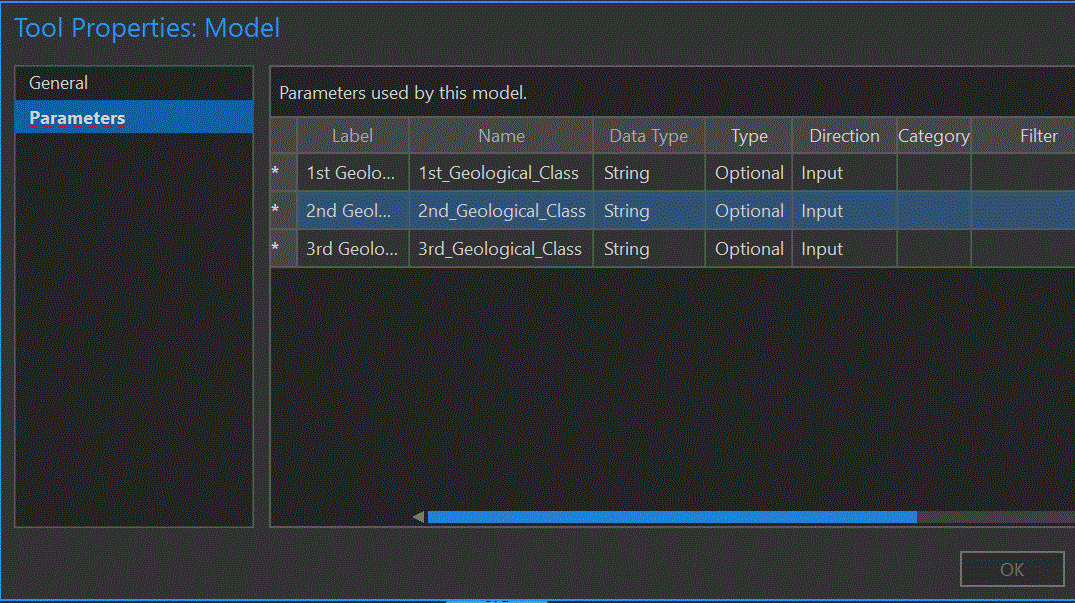
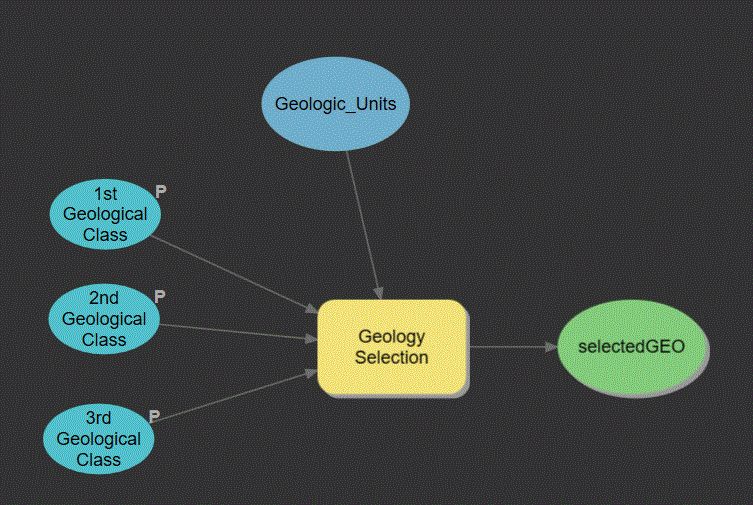
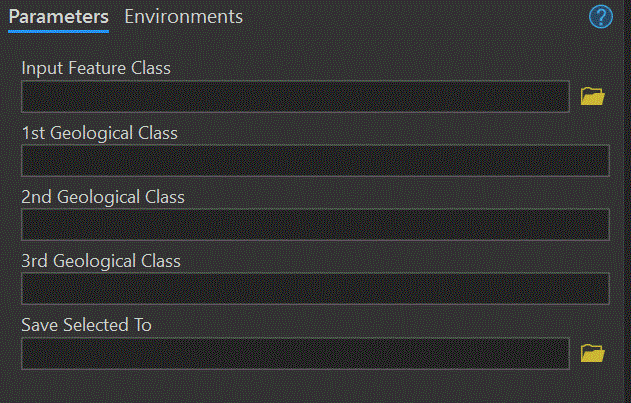
I have not encountered this issue before, and after a month, I do not have a solution. This a snippet of a larger, predictive model. This is one, of two feature classes (there will probably be more added), each has a small python script to eventually allow for a drop-down list when used as a tool. There are also three raster layers (so far), with two variables each, that use scripts and do not have this issue. When I go to Properties, Tool Properties: Model, "Parameters" is underlined in red, the numbers have been replaced by asterisks, and "Ok" is greyed out. When hovering over an asterisk I get "Parameter Name and DataType are required".
This leaves me with a model that I cannot make changes to, including creating the drop-down list that I need to create.
I have tried setting Data Type as feature class and feature layer, I have tried setting Type to Optional and Required, I have tried saving to memory\ (the preferred option) and to the gdb, and I know that it validates, runs, and adds to the map. I have tried searching for this, but have not found anything that specifically addresses this issue. Also, the final tool must consist of fill in the blank or drop-down list with no build an SQL query in the tool interface.