Hello,
I am trying to use arcPy (Python 2.7.13) to register a folder in ArcGIS Enterprise Server 10.5.1 on Windows 2012r2. I have verified my connection file works as well. My python script is based on the example here, which is also below
import arcpy
conn = "C:/config/myConnection.ags"
path = "C:/Data"
arcpy.AddDataStoreItem(conn, "FOLDER", "MYDIR", path, path)
When executing the script I am prompted to accept a cert like the image below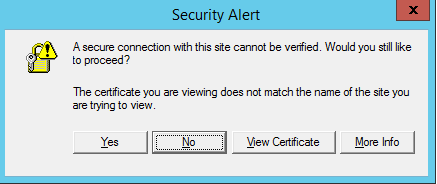
My question is there any way to configure ArcPy with a certificate, so that I do not receive this prompt? I've tried to import the ssl module and set both the cafile and SSL_CERT_FILE environment variables. Also, it seems that clicking either "Yes" or "No" in the Security Alert prompt both cause the script to work.
Any help is greatly appreciated.
Thanks!

