I have a map service (ArcGIS Server 10.2.2) containing a number of layers, each of which I want to add to my Portal (10.5) via the Python API. The server is not federated with the Portal.
If I manually add the URL for the individual layer then it successfully creates a content item and automatically creates a thumbnail for me showing a snapshot of the data.
However if I use the Python API to add the same URL into a different content item then a thumbnail is not generated. When I go to the content item in Portal it shows an error at the top of the page - see image below:
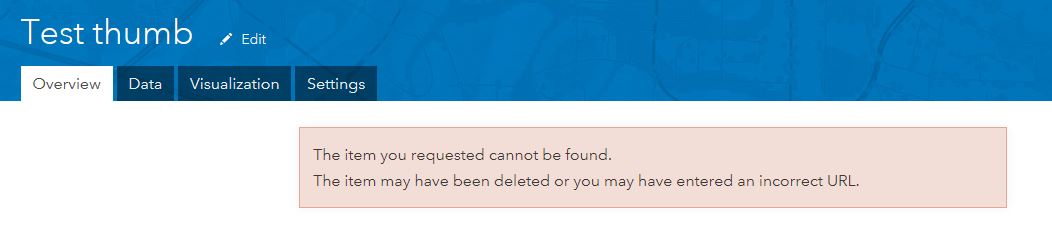
This disappears if I click anywhere near it but returns again if I refresh the page. If I manually edit the thumbnail and upload an image from my PC then I don't see the error again.
So I have two questions:
1. Is it possible for a thumbnail to be automatically generated for me when I create an item via the Python API?
2. If it can't be generated automatically then how can I specify an image file from my PC to be uploaded instead? Or can the image only be referenced by a URL?
For info a sample of my code is below.
layer_properties={
'title':'Test thumb',
'description':Test description.',
'snippet':Test summary.',
'tags':test',
'type':'Feature Service',
'url':'https://myserver/mywebadaptor/rest/services/environmental/designations/MapServer/7'
}
myLayer = gis.content.add(item_properties=layer_properties)
myLayer
I've looked at the API reference here but there is no example for me to follow
http://esri.github.io/arcgis-python-api/apidoc/html/arcgis.gis.html#contentmanager
Thanks
Gareth

