Hi
I am making a rule of some powerlines (which should be used as a .rpk to symbolize a polygon (powerline path) in ArcGIS Pro) I am having some issues with the rule file/best practice in ArcGIS Pro, and hope that some of you could help me out here 
Here is what I do:
- I have created a simpel .cga script:
version "2015.2"
attr avstand = 200 // gap between the poles
attr hoyde = 30 // hight
attr bredde = 20 // width
attr farge = "#808080" // color
hatta = "assets/Sketchup/LyseMastNormal5.dae" //asset (both powerline and pole merged)
@InPolygon
@StartRule
trase -->
alignScopeToGeometry(yUp, any, longest)
split(x){~avstand: alignScopeToGeometry(yUp,0) lagHoyspent}*
lagHoyspent -->
alignScopeToGeometry(yUp, world.lowest, longest)
r(90,90,90)
#t(0,0,0)
s(bredde, hoyde, avstand) center(x)
i(hatta)
color (farge)
- Which results in this in city engine:
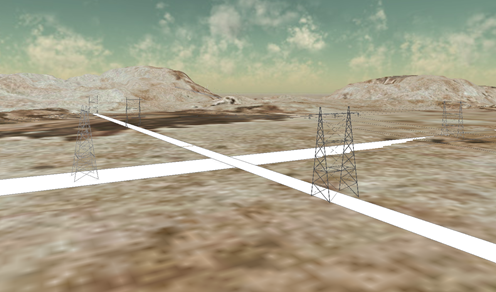
The rule in a tilted direction
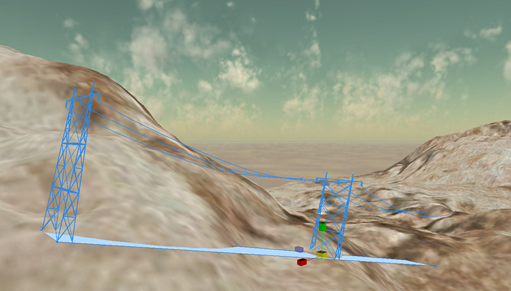
Just the asset, a collada file .dae
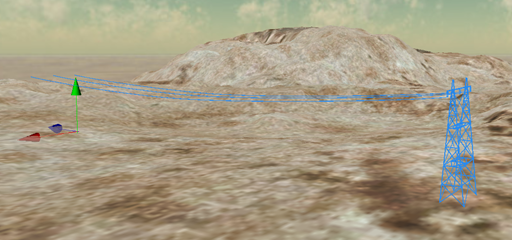
- I export the rule as a .rpk file
- Open arcgis Pro and creates a polygon on a flat surface (water)
- I then assign the. rpk as a procedural layer to the symbology of my polygon feature class
- And voila, everything works like a charm:
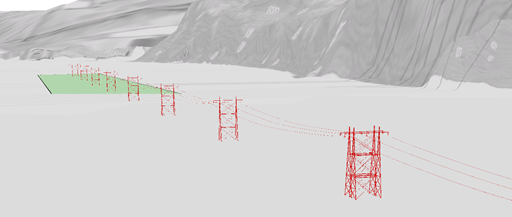
Unfortunately, the terrain here in Norway is not as flat as shown in the picture, we got steep hills and mountains where the powerline’s are going, and here is where the problems are starting.
- Here is what happens when I create a polygon in an area with some relief (the elevation of the feature class is set to “on the ground”):
The Powerline is floating in the air
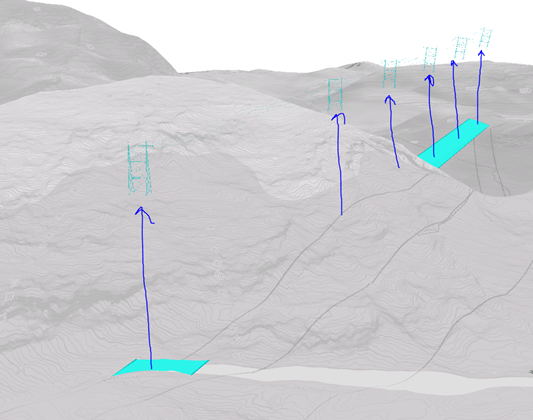
My questions:
How can you “snap” the symbols /powerlines to the polygon when not flat?
How can you aligne the polygon to the surface (in arc scene the function floating on a custom surface) in arcgis Pro?
Interpolate surface won’t do it
And since I am presenting procedural symbols the feature class must be visualized as a polygon in the 3d Layers.
Regards
Jørn





