Hi,
I'm trying to create a Web App that uses a Hosted Feature Layer view. I can successfully create the Hosted Feature Layer View in Portal 10.7.1 and preview (figure 1 below)
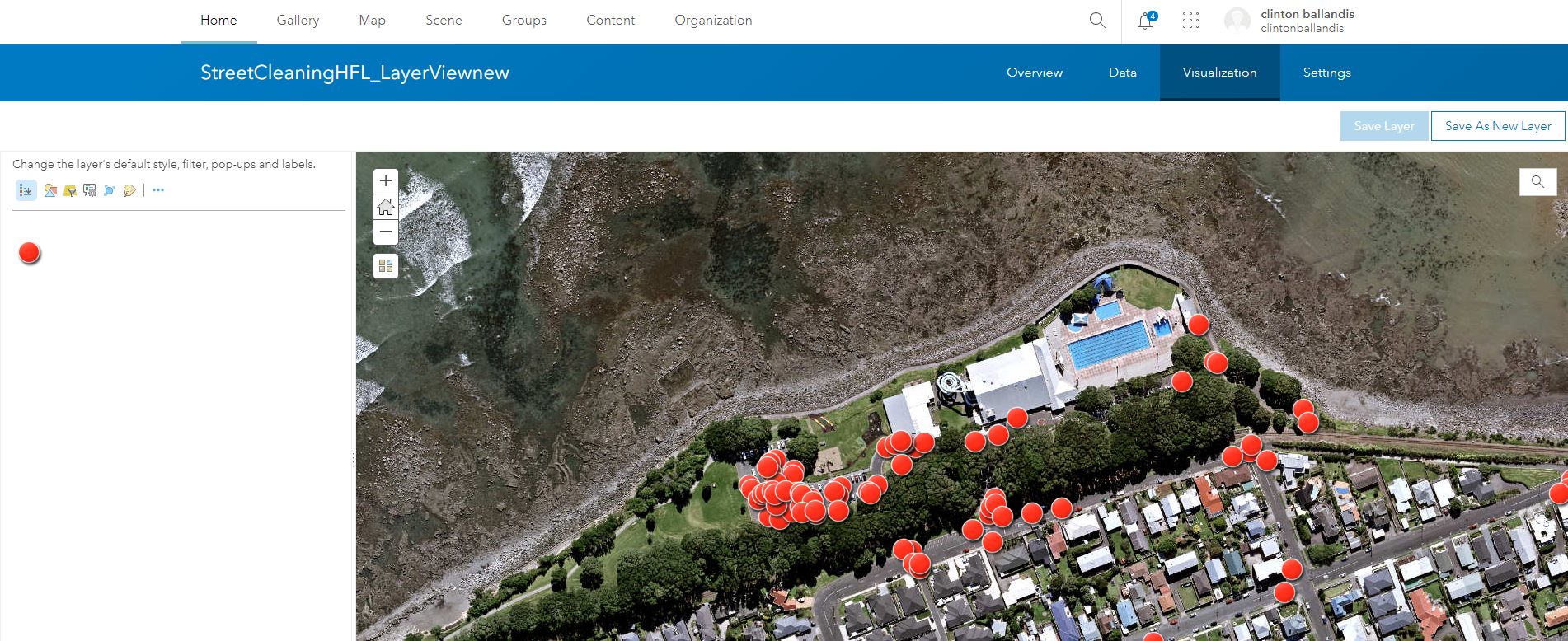
(Figure 1: Hosted Feature Layerview)
I can successfully add the Hosted Feature Layer View to a webmap (figure 2 below)
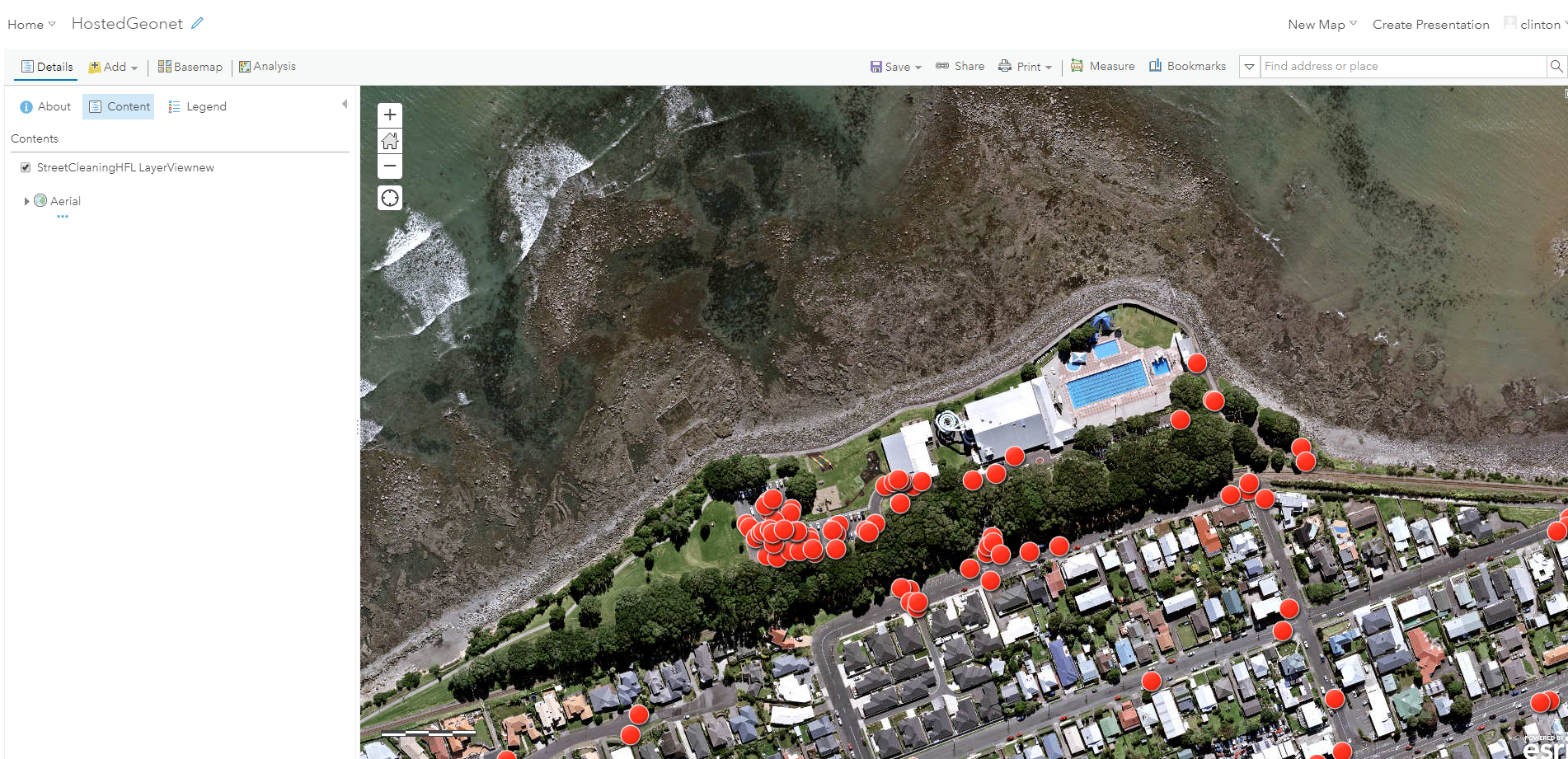
(Figure 2: Hosted Feature Layer View in Web Map
However when I use Web App builder to create an app using the web map above the hosted feature layer view symbology doesn't draw (figure 3). If I open the attribute table there are features present and I can zoom to the location of each feature and expose the popup (figure 4).
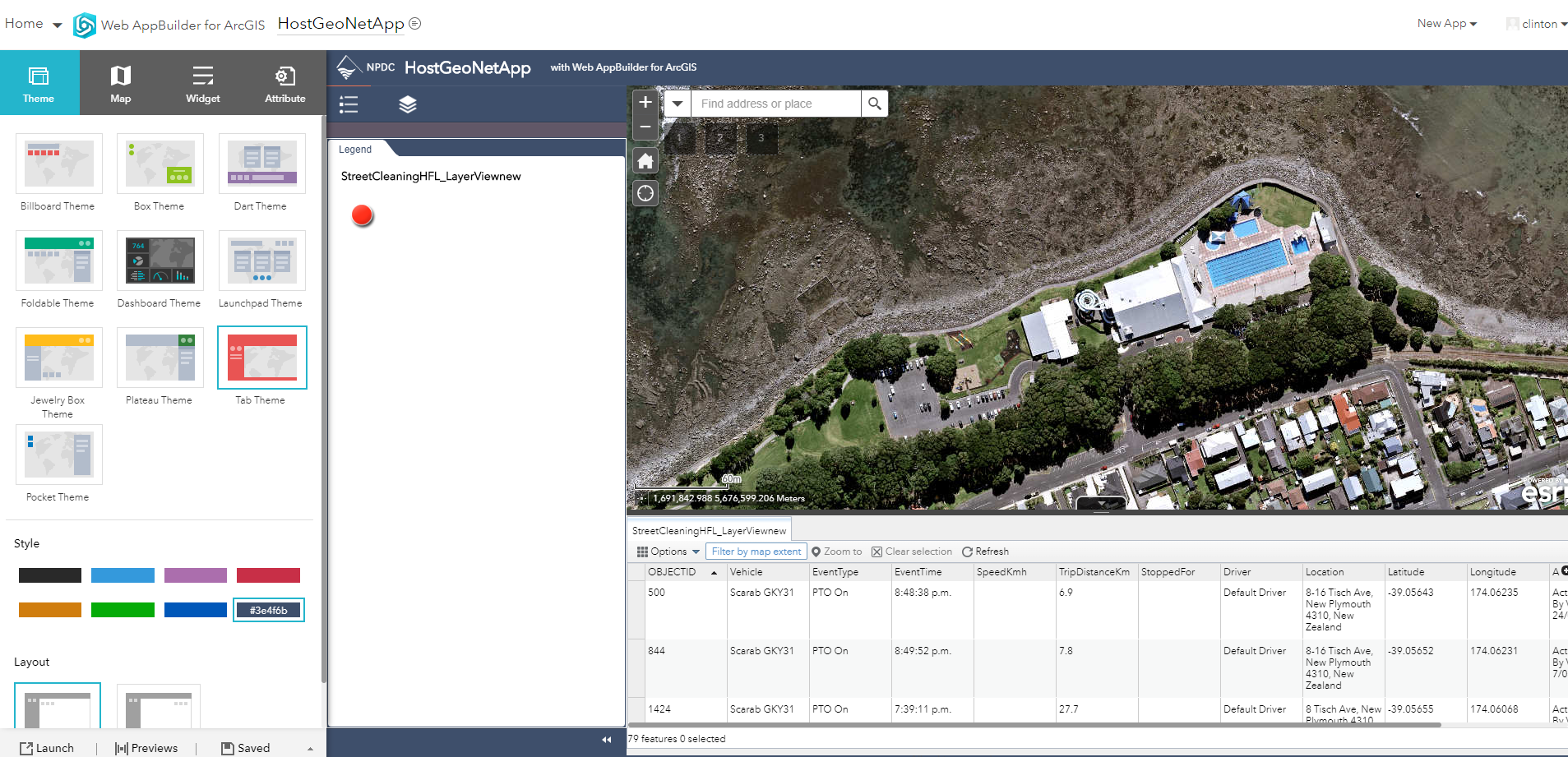
(Figure 3: Hosted Feature Layer View Symbology not drawing in Web App Builder)
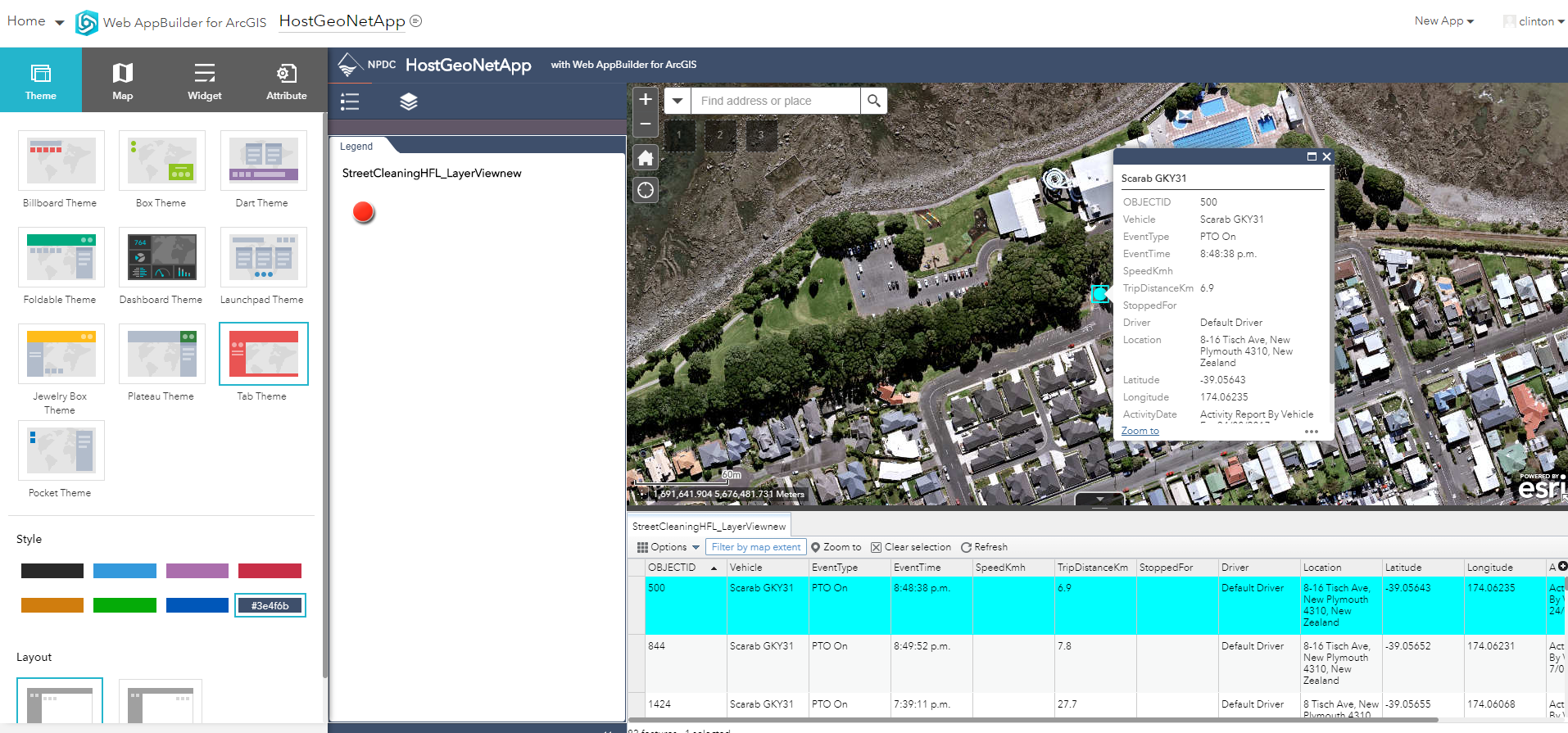
(Figure 4: Hosted Feature Layer View features visible in attribute table and with popup)
Is this a known issue ? or having I missed something fundamental in how to use hosted feature layer views ??
Any help appreciated.
Thanks,
Clinton


