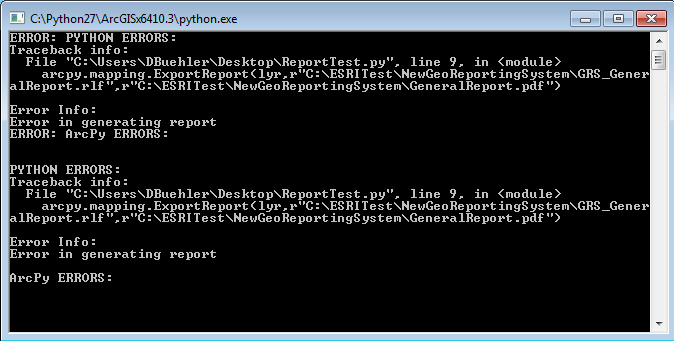
The goal is run a report via python script periodically via a scheduled task. If there is a better method for scheduling I am all ears, but the crux of my issue is getting the python script to run outside of ArcMap. It runs fine within ArcMap, but as a standalone script it throws errors. Below is my code and an image of what errors it giving me. Any help is much appreciated.
import arcpy
import sys
import traceback
mxd = arcpy.mapping.MapDocument(r"C:\ESRITest\NewGeoReportingSystem\GeoReportingGC.mxd")
try:
  df = arcpy.mapping.ListDataFrames(mxd)[0]
  for lyr in arcpy.mapping.ListLayers(mxd,"",df):
  if lyr.name == "Concerns":
  arcpy.mapping.ExportReport(lyr,r"C:\ESRITest\NewGeoReportingSystem\GRS_GeneralReport.rlf",r"C:\ESRITest\NewGeoReportingSystem\GeneralReport.pdf")
except arcpy.ExecuteError:
    # Get the tool error messages
    msgs = arcpy.GetMessages(2)

    # Return tool error messages for use with a script tool
    arcpy.AddError(msgs)

    # Print tool error messages for use in Python/PythonWin
    print msgs

except:
    # Get the traceback object
    tb = sys.exc_info()[2]
    tbinfo = traceback.format_tb(tb)[0]

    # Concatenate information together concerning the error into a message string
    pymsg = "PYTHON ERRORS:\nTraceback info:\n" + tbinfo + "\nError Info:\n" + str(sys.exc_info()[1])
    msgs = "ArcPy ERRORS:\n" + arcpy.GetMessages(2) + "\n"

    # Return python error messages for use in script tool or Python Window
    arcpy.AddError(pymsg)
    arcpy.AddError(msgs)

    # Print Python error messages for use in Python / Python Window
    print pymsg + "\n"
    print msgs
finally:
    del mxd