I'm trying to symbolize selections using a GraphicsLayer derived from a FeatureLayer. When I change the opacity of the FeatureLayer and get a graphic based on whatever polygon I have clicked on, it sets the opacity of the GraphicsLayer to the same as the FeatureLayer, even if I set the opacity to something different on the GraphicsLayer.
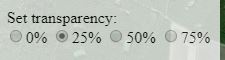
When they click on a radio button here, the opacity of the FeatureLayer changes to reflect their choice:
<SPAN class="token function">on</SPAN><SPAN class="punctuation token">(</SPAN><SPAN class="token function">query</SPAN><SPAN class="punctuation token">(</SPAN><SPAN class="string token">'input[name="setOpacity"]'</SPAN><SPAN class="punctuation token">)</SPAN><SPAN class="punctuation token">,</SPAN> <SPAN class="string token">"click"</SPAN><SPAN class="punctuation token">,</SPAN> <SPAN class="keyword token">function</SPAN> <SPAN class="punctuation token">(</SPAN>evt<SPAN class="punctuation token">)</SPAN><SPAN class="punctuation token">{</SPAN>
<SPAN class="keyword token">var</SPAN> opacity <SPAN class="operator token">=</SPAN> evt<SPAN class="punctuation token">.</SPAN>target<SPAN class="punctuation token">.</SPAN>id<SPAN class="punctuation token">;</SPAN>
<SPAN class="keyword token">switch</SPAN><SPAN class="punctuation token">(</SPAN>opacity<SPAN class="punctuation token">)</SPAN><SPAN class="punctuation token">{</SPAN>
<SPAN class="keyword token">case</SPAN> <SPAN class="string token">"100-percent"</SPAN><SPAN class="punctuation token">:</SPAN>
featureLayer<SPAN class="punctuation token">.</SPAN>opacity <SPAN class="operator token">=</SPAN> <SPAN class="number token">1</SPAN><SPAN class="punctuation token">;</SPAN>
<SPAN class="keyword token">break</SPAN><SPAN class="punctuation token">;</SPAN>
<SPAN class="keyword token">case</SPAN> <SPAN class="string token">"25-percent"</SPAN><SPAN class="punctuation token">:</SPAN>
featureLayer<SPAN class="punctuation token">.</SPAN>opacity <SPAN class="operator token">=</SPAN> <SPAN class="punctuation token">.</SPAN><SPAN class="number token">25</SPAN><SPAN class="punctuation token">;</SPAN>
<SPAN class="keyword token">break</SPAN><SPAN class="punctuation token">;</SPAN>
<SPAN class="keyword token">case</SPAN> <SPAN class="string token">"50-percent"</SPAN><SPAN class="punctuation token">:</SPAN>
featureLayer<SPAN class="punctuation token">.</SPAN>opacity <SPAN class="operator token">=</SPAN> <SPAN class="punctuation token">.</SPAN><SPAN class="number token">5</SPAN><SPAN class="punctuation token">;</SPAN>
<SPAN class="keyword token">break</SPAN><SPAN class="punctuation token">;</SPAN>
<SPAN class="keyword token">case</SPAN> <SPAN class="string token">"75-percent"</SPAN><SPAN class="punctuation token">:</SPAN>
featureLayer<SPAN class="punctuation token">.</SPAN>opacity <SPAN class="operator token">=</SPAN> <SPAN class="punctuation token">.</SPAN><SPAN class="number token">75</SPAN><SPAN class="punctuation token">;</SPAN>
<SPAN class="keyword token">break</SPAN><SPAN class="punctuation token">;</SPAN>
<SPAN class="punctuation token">}</SPAN>
<SPAN class="punctuation token">}</SPAN><SPAN class="punctuation token">)</SPAN><SPAN class="punctuation token">;</SPAN><SPAN class="line-numbers-rows"><SPAN></SPAN><SPAN></SPAN><SPAN></SPAN><SPAN></SPAN><SPAN></SPAN><SPAN></SPAN><SPAN></SPAN><SPAN></SPAN><SPAN></SPAN><SPAN></SPAN><SPAN></SPAN><SPAN></SPAN><SPAN></SPAN><SPAN></SPAN><SPAN></SPAN><SPAN></SPAN><SPAN></SPAN></SPAN>Next, if I select a polygon on the map (via clicking), I create a new graphic of that polygon and set the symbol to be a blue outline. Then I add it to a GraphicsLayer, set the opacity to 1, and then add it to the map. But the opacity remains at 25/50/75 percent or whatever is selected by the user on the FeatureLayer. Is this happening because the graphic is derived from the FeatureLayer? Is there a way to fix this?
view<SPAN class="punctuation token">.</SPAN><SPAN class="token function">on</SPAN><SPAN class="punctuation token">(</SPAN><SPAN class="string token">"click"</SPAN><SPAN class="punctuation token">,</SPAN> <SPAN class="keyword token">function</SPAN><SPAN class="punctuation token">(</SPAN>evt<SPAN class="punctuation token">)</SPAN><SPAN class="punctuation token">{</SPAN>
<SPAN class="keyword token">var</SPAN> screenPoint <SPAN class="operator token">=</SPAN> <SPAN class="punctuation token">{</SPAN>
x<SPAN class="punctuation token">:</SPAN> evt<SPAN class="punctuation token">.</SPAN>x<SPAN class="punctuation token">,</SPAN>
y<SPAN class="punctuation token">:</SPAN> evt<SPAN class="punctuation token">.</SPAN>y
<SPAN class="punctuation token">}</SPAN><SPAN class="punctuation token">;</SPAN>
view<SPAN class="punctuation token">.</SPAN><SPAN class="token function">hitTest</SPAN><SPAN class="punctuation token">(</SPAN>screenPoint<SPAN class="punctuation token">)</SPAN><SPAN class="punctuation token">.</SPAN><SPAN class="token function">then</SPAN><SPAN class="punctuation token">(</SPAN>getGraphics<SPAN class="punctuation token">)</SPAN><SPAN class="punctuation token">;</SPAN>
<SPAN class="punctuation token">}</SPAN><SPAN class="punctuation token">)</SPAN><SPAN class="punctuation token">;</SPAN>
<SPAN class="keyword token">var</SPAN> graphicLyr <SPAN class="operator token">=</SPAN> <SPAN class="keyword token">new</SPAN> <SPAN class="token class-name">GraphicsLayer</SPAN><SPAN class="punctuation token">(</SPAN><SPAN class="punctuation token">{</SPAN><SPAN class="punctuation token">}</SPAN><SPAN class="punctuation token">)</SPAN><SPAN class="punctuation token">;</SPAN>
<SPAN class="keyword token">function</SPAN> <SPAN class="token function">getGraphics</SPAN><SPAN class="punctuation token">(</SPAN>response<SPAN class="punctuation token">)</SPAN><SPAN class="punctuation token">{</SPAN>
graphicLyr<SPAN class="punctuation token">.</SPAN><SPAN class="token function">removeAll</SPAN><SPAN class="punctuation token">(</SPAN><SPAN class="punctuation token">)</SPAN><SPAN class="punctuation token">;</SPAN>
<SPAN class="keyword token">var</SPAN> selectionSymbol <SPAN class="operator token">=</SPAN> <SPAN class="punctuation token">{</SPAN>
type<SPAN class="punctuation token">:</SPAN> <SPAN class="string token">"simple-fill"</SPAN><SPAN class="punctuation token">,</SPAN>
style<SPAN class="punctuation token">:</SPAN> <SPAN class="string token">"none"</SPAN><SPAN class="punctuation token">,</SPAN>
outline<SPAN class="punctuation token">:</SPAN> <SPAN class="punctuation token">{</SPAN>
color<SPAN class="punctuation token">:</SPAN> <SPAN class="punctuation token">[</SPAN><SPAN class="number token">56</SPAN><SPAN class="punctuation token">,</SPAN> <SPAN class="number token">247</SPAN><SPAN class="punctuation token">,</SPAN> <SPAN class="number token">247</SPAN><SPAN class="punctuation token">]</SPAN><SPAN class="punctuation token">,</SPAN>
width<SPAN class="punctuation token">:</SPAN> <SPAN class="number token">2</SPAN>
<SPAN class="punctuation token">}</SPAN>
<SPAN class="punctuation token">}</SPAN>
<SPAN class="keyword token">var</SPAN> graphic <SPAN class="operator token">=</SPAN> <SPAN class="keyword token">new</SPAN> <SPAN class="token class-name">Graphic</SPAN><SPAN class="punctuation token">(</SPAN><SPAN class="punctuation token">{</SPAN>
geometry<SPAN class="punctuation token">:</SPAN> response<SPAN class="punctuation token">.</SPAN>results<SPAN class="punctuation token">[</SPAN><SPAN class="number token">0</SPAN><SPAN class="punctuation token">]</SPAN><SPAN class="punctuation token">.</SPAN>graphic<SPAN class="punctuation token">.</SPAN>geometry<SPAN class="punctuation token">,</SPAN>
symbol<SPAN class="punctuation token">:</SPAN> selectionSymbol
<SPAN class="punctuation token">}</SPAN><SPAN class="punctuation token">)</SPAN><SPAN class="punctuation token">;</SPAN>
graphicLyr<SPAN class="punctuation token">.</SPAN><SPAN class="token function">add</SPAN><SPAN class="punctuation token">(</SPAN>graphic<SPAN class="punctuation token">)</SPAN><SPAN class="punctuation token">;</SPAN>
graphicLyr<SPAN class="punctuation token">.</SPAN>opacity <SPAN class="operator token">=</SPAN> <SPAN class="number token">1</SPAN><SPAN class="punctuation token">;</SPAN>
map<SPAN class="punctuation token">.</SPAN><SPAN class="token function">add</SPAN><SPAN class="punctuation token">(</SPAN>graphicLyr<SPAN class="punctuation token">)</SPAN><SPAN class="punctuation token">;</SPAN>
<SPAN class="punctuation token">}</SPAN><SPAN class="punctuation token">;</SPAN><SPAN class="line-numbers-rows"><SPAN></SPAN><SPAN></SPAN><SPAN></SPAN><SPAN></SPAN><SPAN></SPAN><SPAN></SPAN><SPAN></SPAN><SPAN></SPAN><SPAN></SPAN><SPAN></SPAN><SPAN></SPAN><SPAN></SPAN><SPAN></SPAN><SPAN></SPAN><SPAN></SPAN><SPAN></SPAN><SPAN></SPAN><SPAN></SPAN><SPAN></SPAN><SPAN></SPAN><SPAN></SPAN><SPAN></SPAN><SPAN></SPAN><SPAN></SPAN><SPAN></SPAN><SPAN></SPAN><SPAN></SPAN><SPAN></SPAN></SPAN>


