Hello,
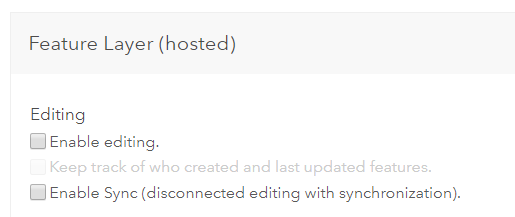
I have ArcGIS Enterprise Base Deployment installed on a virtual machine. Both Server and Portal use Web Adaptors and they are federated. It has been in a use for a while when I experienced an error while changing capabilities of feature hosted layer in Portal. When I want to 'enable editing' in settings and save it I got an error:
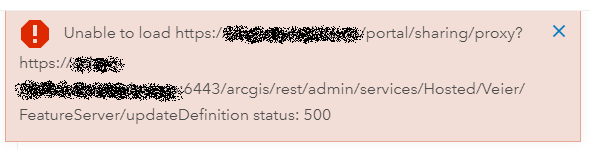
I am using an external URL but everything is working as it should, certificates are also fixed. Error appears with all the layers hosted on portal. What is more, even though a layer is set as editable (from before), it figures as an empty setting in Portal.
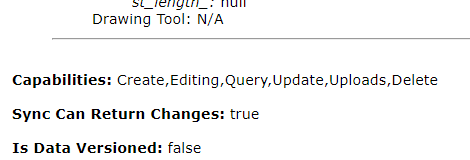
I also found a message which comes in portal log files when I try to change capabilities:
<Msg time="2019-01-07T10:17:59,295" type="SEVERE" code="219999" source="Sharing" process="2188" thread="16" methodName="" machine="xyz" user="" elapsed=""> URL 'https://xyz:6443/arcgis/rest/admin/services/Hosted/Veier/FeatureServer?token=J5vz3shs-eMJbTtJSTEIiOEjoWM9TDKV3dW5phLxa_bV7d_5ckHI5l_SCLP5Tyt4jjU-ss210u9lTEtQx3u50tRvOMR5o38JN3WUoDf4GeU0P-B0TFcYm99us-cJekNLzBUz02_VZyiFzC5gTP8AeBRPk5zngAM6wxULlr50utTIqyXIpaMBKR4TG2iJus-gsasP3Tp5a1n0yJn38VQu8hqsukqC7Ckny3YfdUqotNg.&f=json' is not accessible: Error. java.security.cert.CertificateException: No name matching xyz found.</Msg>
I struggled with this error for a week, so decided to reinstall the whole environment. Everything was installed on Friday and the error disappeared - I tested couple of times, with different feature layers, from different machines, users, with different capabilities - no problem. I came to an office today, wanted to change capabilities and the error came again.
Has anyone experienced something similar?
I would appreciate any help.
Aleksandra



