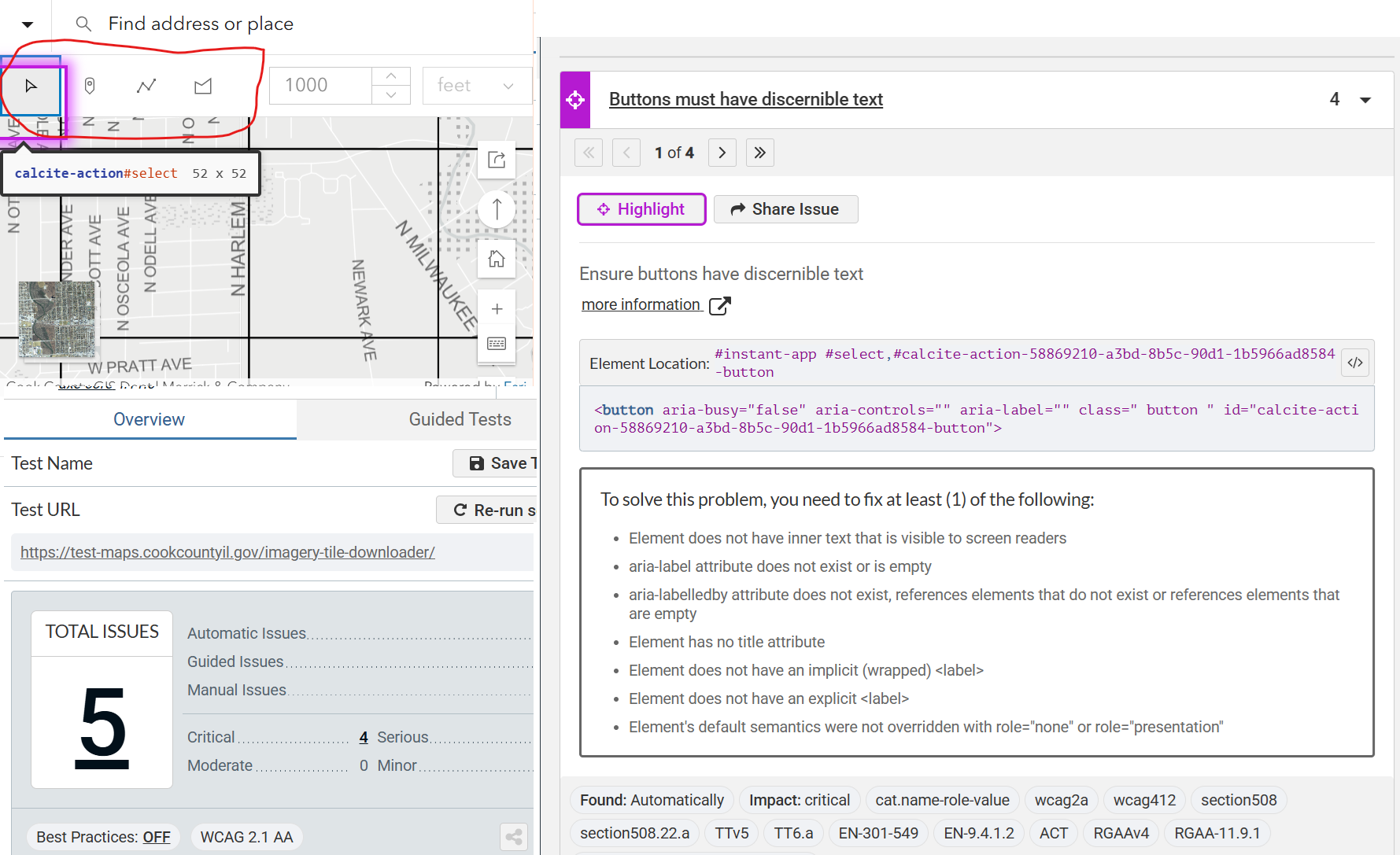
We’re currently working on updating our applications to meet WCAG accessibility standards and are reviewing all of them as part of this process. One challenge we’re facing is identifying which accessibility issues we can address ourselves and which fall under Esri’s responsibility.
Has anyone else encountered similar challenges? How are you approaching this? Any tips or best practices would be greatly appreciated!
It looks like this issue has been solved in the recent AGO release from 2/25/2026. Inspecting the source html there is now labels for these buttons.
This post cross reference in other part of forum:https://community.esri.com/t5/accessibility-questions/accessibility-issues-buttons-must-have-discernible/m-p/1684725#M394
It is solved for this app but I'm seeing a similar issue across other applications in our portfolio. Similar issue post for reference:
https://community.esri.com/t5/arcgis-instant-apps-questions/accessibility-issues-ensure-role-quot-img-quot/m-p/1690311
In my experience, web maps are a bit of a nightmare for accessibility compliance, but admittedly my experience is limited.I recommend maybe posting on this board as well if you haven't already 🙂https://community.esri.com/t5/accessibility/ct-p/accessibility
Přihlášení členové mohou přispívat, sledovat aktualizace a další. Jste tu noví? Zaregistrujte si bezplatný účet.
Find useful guides, FAQs, and documents to help you navigate and make the most of Esri Community.