We have a series of hosted view layers which require their filters to be added/amended. Previously we have been able to share these layers in Shared Update groups to allow other users other than the item Owner to update the view (via Settings > Update View). However, today I have tried to repeat this process, and after clicking on Update View, the initial screen loads but the header ('1. Choose layers' and '2. Define view...') is greyed out, and none of the left-hand bar loads, meaning that the user cannot set or amend the view filters or fields. I have checked the user permissions, group and item settings and sharing and as far as I can tell, these are correct.
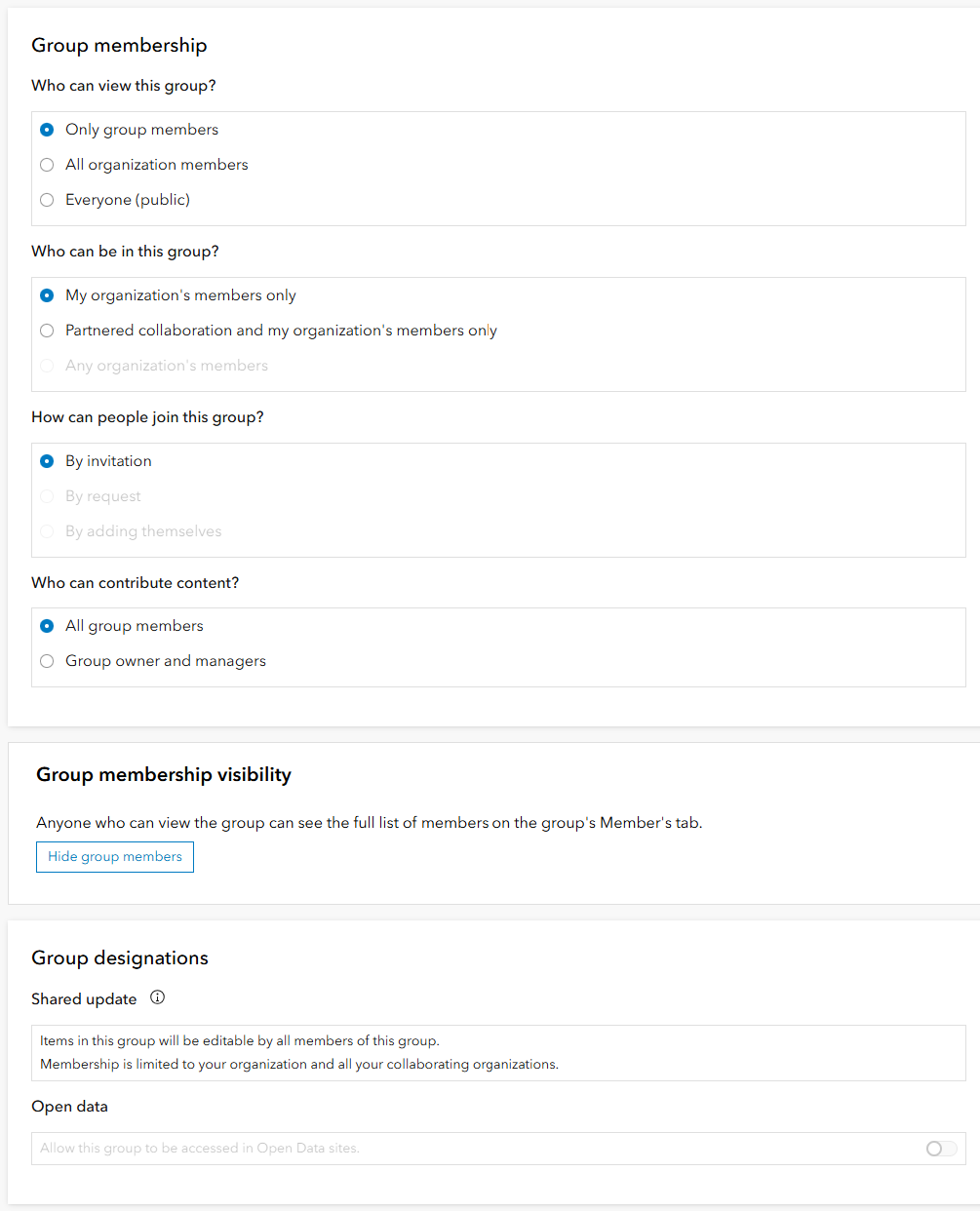
The Group settings are as follows:
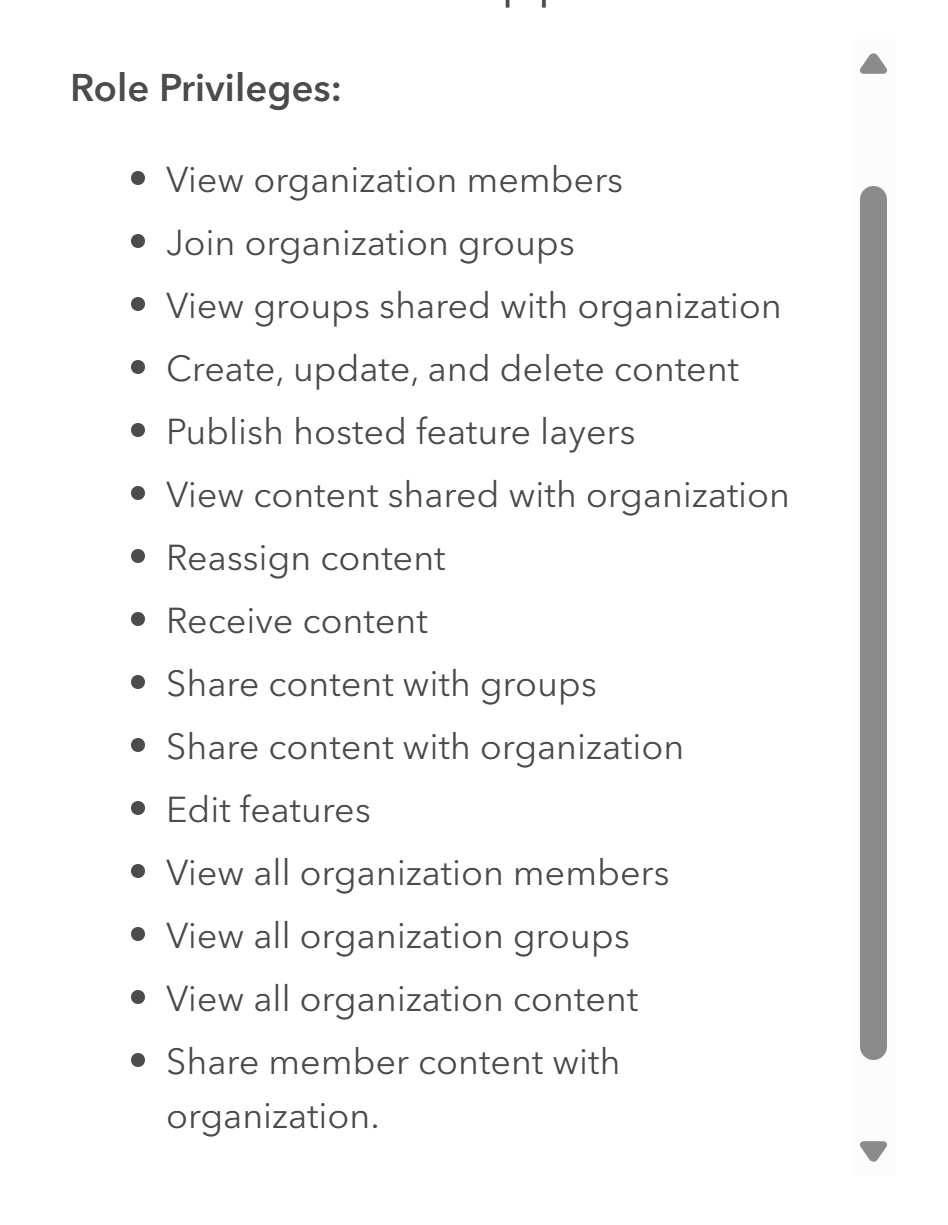
The user is a Creator type with the following role privileges:
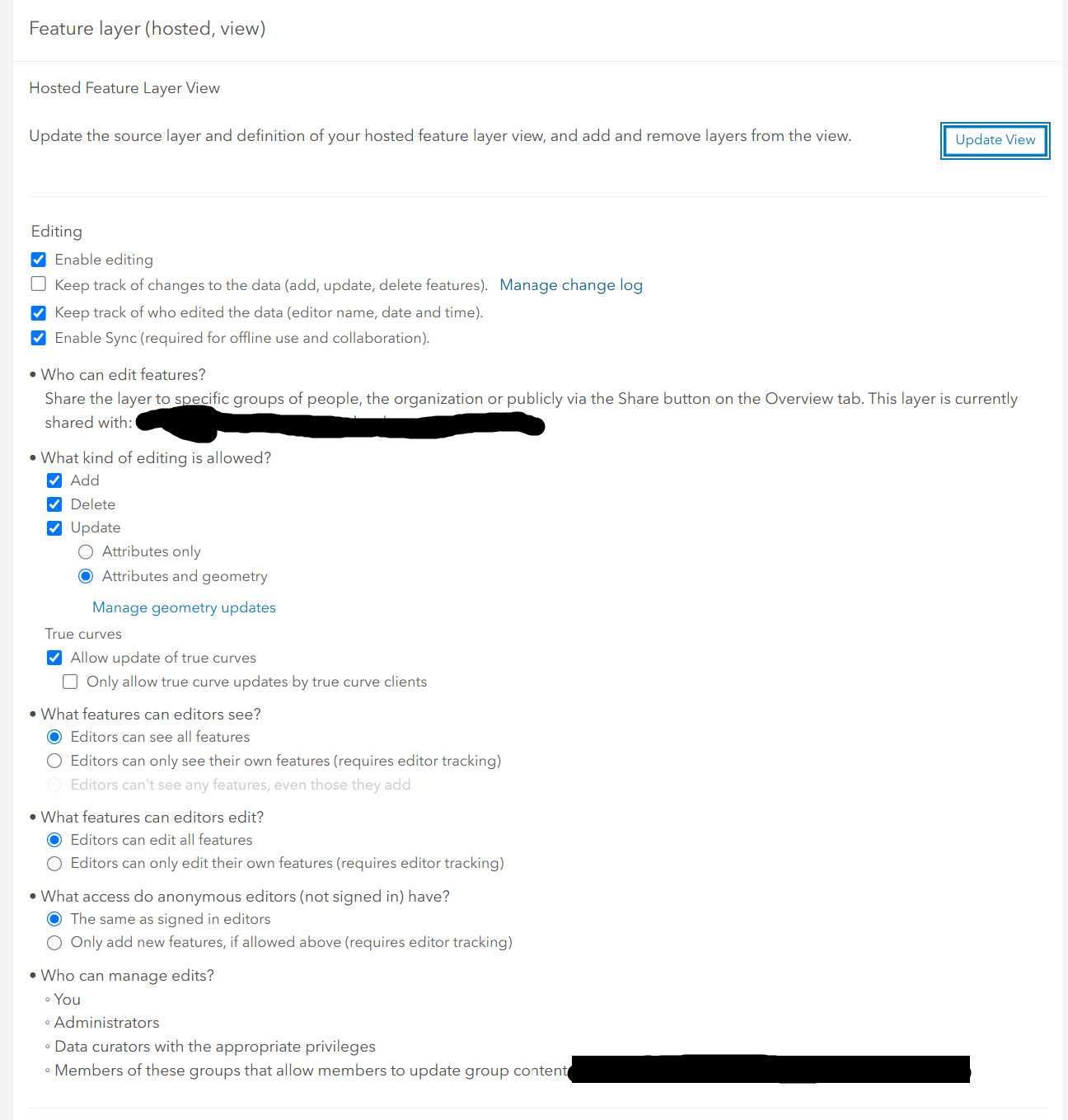
The item settings are as follows:
Here is an example of the greyed out view the user experiences:
 Greyed out header and no left-hand bar
If this is no longer supported, the only alternative I can think of is to reassign ownership of the layer to the user doing the editing. However from testing this it looks like I would have to also reassign ownership of the 'parent' layer and not just the view, which is far from ideal. The documentation doesn't provide much detail on this specific issue, so I'm hoping you knowledgeable folks might have some ideas.
P.S. can't log with support right now as My Esri is down at the time of writing this.
Many thanks.


