I'm running the Feature to Point tool in ArcGIS Pro 3.4.2 on a set of polygons in order to create centroid points within those polygons. The tool keeps throwing an error when it gets to a very, very small polygon in my feature class (see screenshot below for visual and note the length and area fields, UTM coordinates).
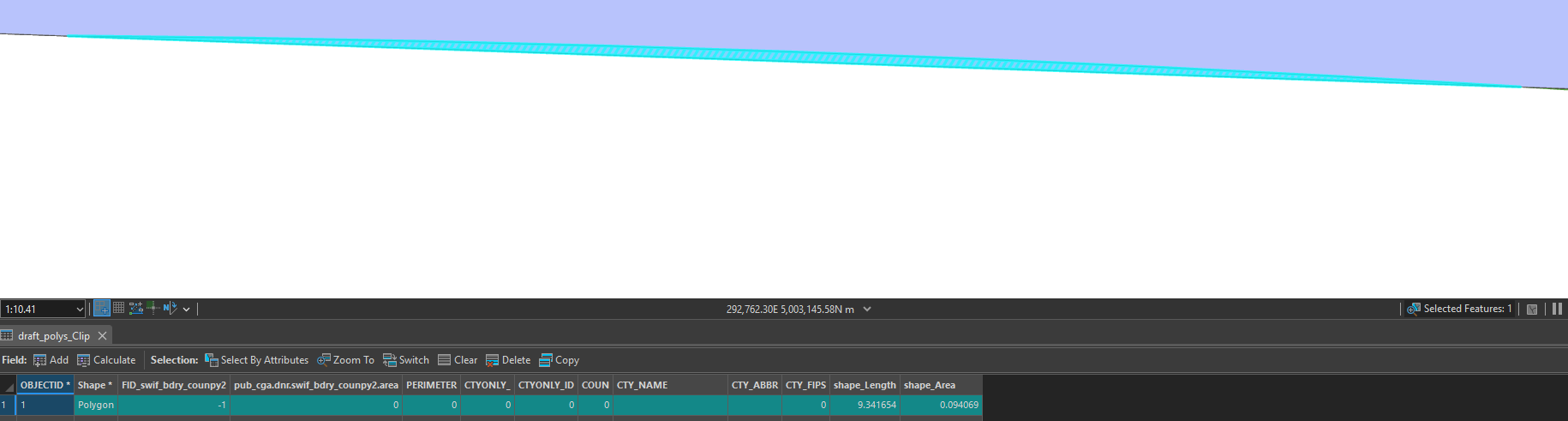
The error thrown suggests there could be something wrong with the geometry and that I should run the Repair Geometry tool. I have done so, but there's no indication of any geometry errors and the Feature to Point tool still throws the same error afterwards.
Is this a known bug with this tool? Or is there some sort of minimum geometry threshold required to run the tool? I haven't found anything in the tool documentation, but I did find an older blog post from someone experiencing the same issue with the tool on ArcGIS 10.1 (https://gis.stackexchange.com/questions/204341/feature-to-point-for-very-small-polygon-in-arcgis-desktop-gives-error-000072-ca).
I should note that when I delete this polygon from my feature class the Feature to Point tool runs as expected.






