Hello!
We are puzzled with a labeling situation in printed web maps. Here's the situation --
- We want to give our user the ability to create their own map exhibits with a web app
- The labeling and symbology of some layers is a little complicated, so we're using map image layers
- To get things just so... the users sometimes rotate the maps, to get the area of interest to fit best for a letter sized page
Here's the puzzle --
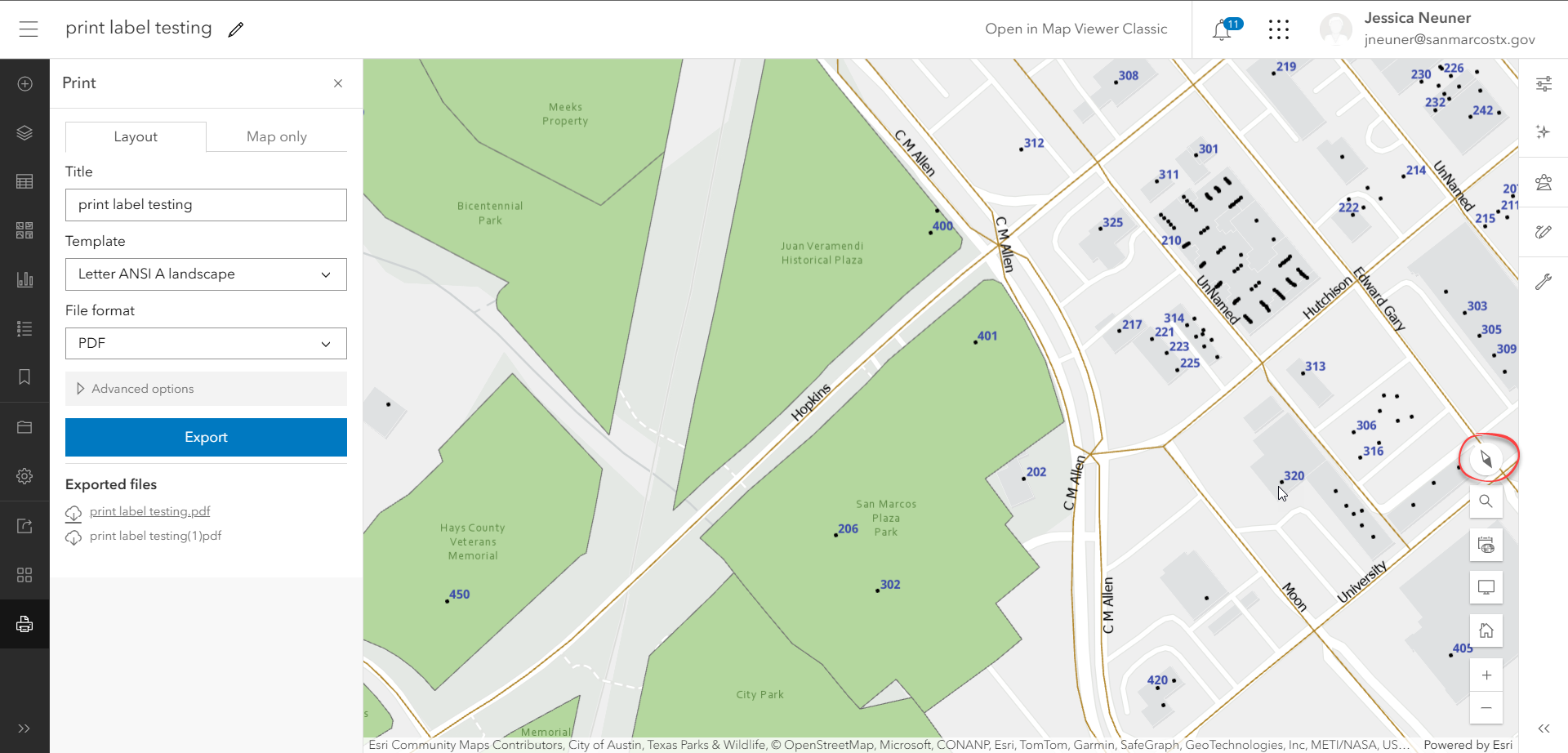
- when the map is rotated -- those labels look great in the web map. they rotate just fine
- BUT - once the map is printed, they might be upside down
Here's a simple example of my rotated web map -- labels looking as expected --
and the output pdf from the print request, everything is upside down.
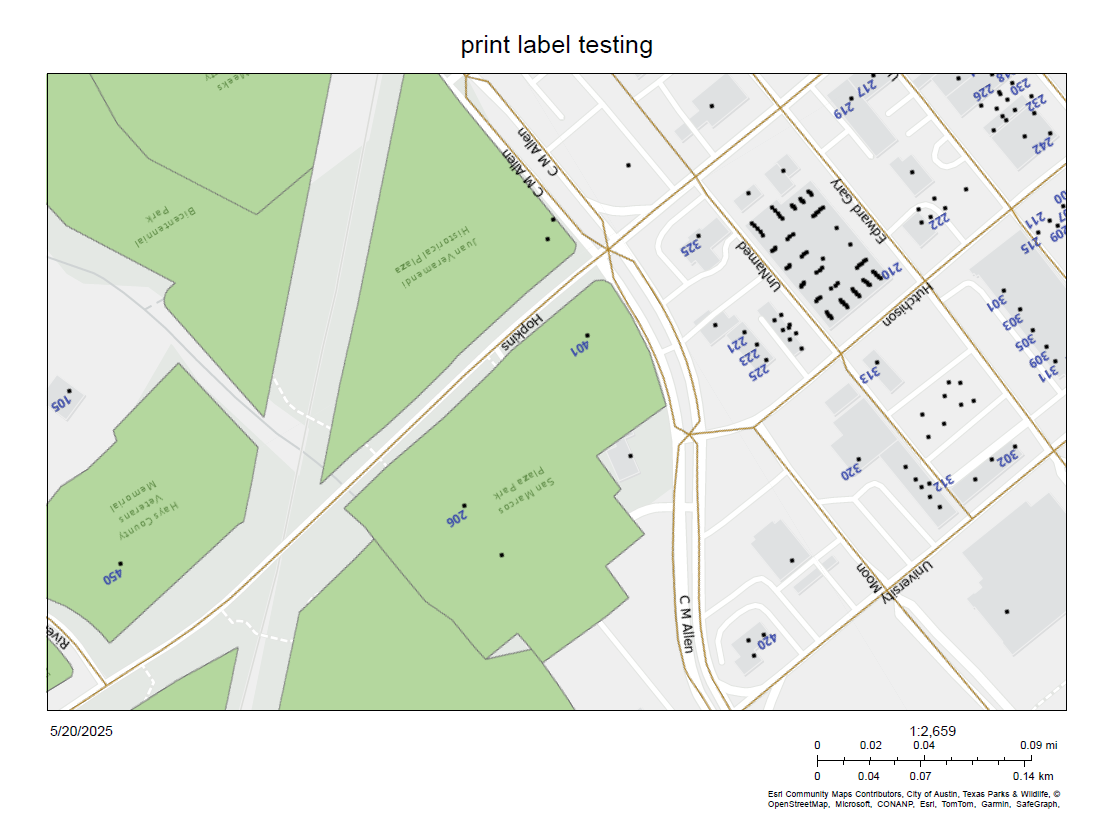
Is there a setting in the print service or map service that would queue the map service to get those labels to align with the rotated map frame in the export web map request?
environment: portal / server version 11.3
thanks for any assistance you can offer!


