I have made my python script tool. I have several questions I am hoping to get answers for:
(Note: I am using ArcGIS Pro 3.1)
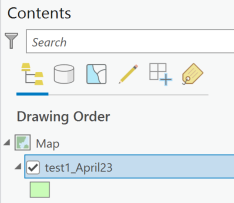
1. The tool generates the desired layer in the current geodatabase. It has to be added to the content pane manually for display. However, I want the layer to be added to the display automatically upon generation. I have added the below code to the tool but there is error when it gets to the last line:
# ArcGIS map interface
aprx = arcpy.mp.ArcGISProject("CURRENT")
m = aprx.listMaps()[0]
m.addLayer(layer_name)
ERROR:
File "C:\Program Files\ArcGIS\Pro\Resources\ArcPy\arcpy\utils.py", line 191, in fn_
return fn(*args, **kw)
File "C:\Program Files\ArcGIS\Pro\Resources\ArcPy\arcpy\_mp.py", line 2560, in addLayer
return convertArcObjectToPythonObject(self._arc_object.addLayer(*gp_fixargs((add_layer_or_layerfile, add_position), True)))
ValueError: test1_April23
test1_April23 layer generated and it exists in the current geodatabase! I don't understand why m.addLayer(layer_name) is causing an error! How else should I accomplish this task of automatically adding the generated layer to contents for display?
2. When I share the python script tool with other people, I understand I can just zip the toolbox and the script file together and send it away. The issue is that the toolbox will look for the script at a designated directory. If that directory does not exist, the tool will have no associated code; unless the operator copies and pastes the code from the script file I sent them. Is there a way to avoid this requirement, so the operator does not have to manually open the script file to copy/paste the code?
3. Could the python script tool be shared with everybody through ArcGIS Enterprise?



