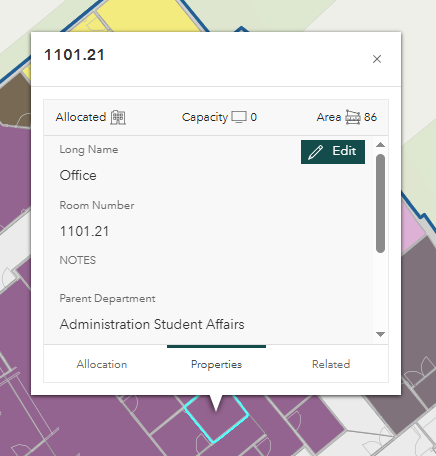
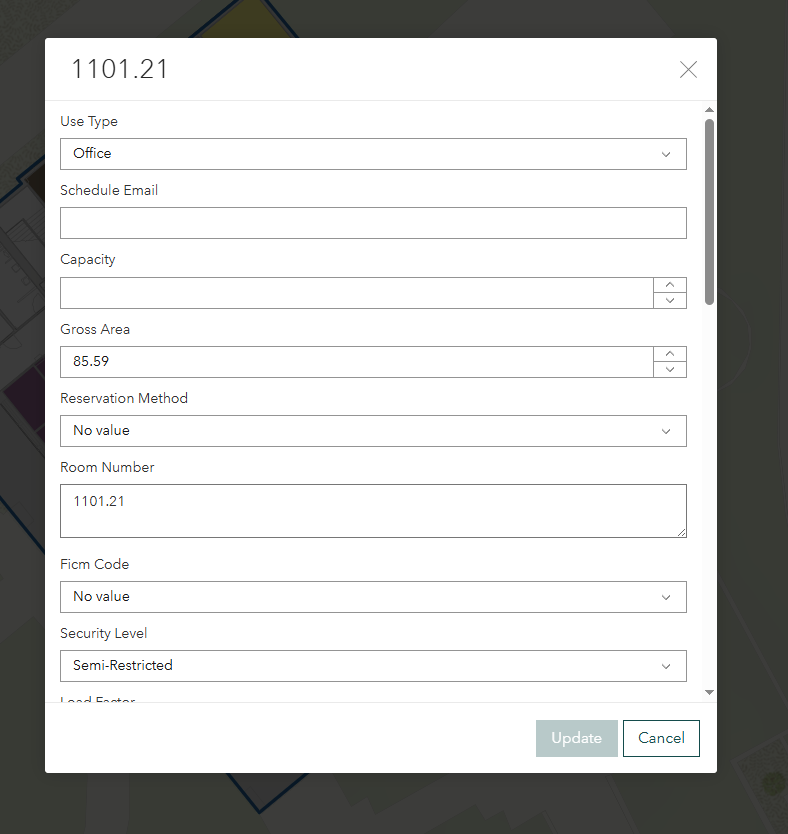
I am trying to figure out how to configure the form in the Space Planner application that pops up from the Edit button in the units pop up.
After a whole lot of messing around, I finally figured out how to configure the pop up but I cannot figure out how to edit which fields appear in the Edit form pop up. We need to restrict this so our users do not accidently edit certain data, but we would like them to be able to change room names, parent departments and make notes (not comments), but other things such as room numbers, gross area, and restriction level should not be changed by our users.
Is there a way to do this? I have tried creating a form in the map used by the Space Planner app and in a map with the plan's WFL, but it does not carry over. It does not seem that I can create a form just for the WFL, it needs to be within a map. There are no form settings within the Space Planner application settings that I can find either.