I have a custom print service published from ArcGIS Pro 3.4.2 to Enterprise 11.2. The print service is working as expected except for the Legend. When I use this service in a Print Widget tool in Experience Builder, I see the option to "Include Legend". If I leave this un-checked and run the tool, the legend is not included but the border and background of the legend are. So there is a white box with a black border with nothing inside. When the box is checked to include the legend, the legend appears properly as expected. I see the same behaviour in Map Viewer if I set the custom print service as the default in Organization > Settings > Utility services.
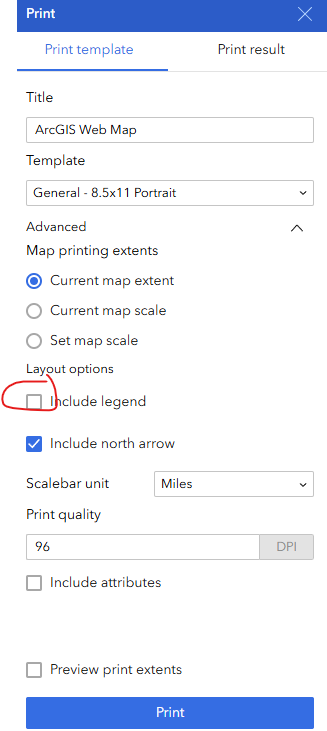
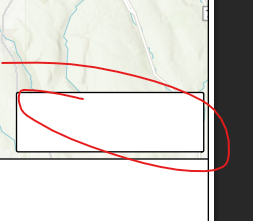
Is there any way to have the "Include Legend" option not show the border and background of the legend element when it is un-checked?


