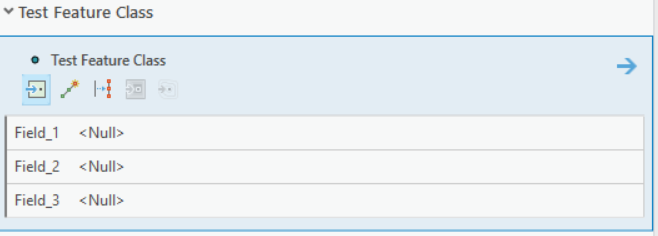
I am currently creating a feature editing template in my code and adding it to a layer. I want my users to be able to edit certain attribute values in the Create Features dock pane when the template is active. Normally I would achieve this by right clicking the template, going to properties -> attributes and checking "Prompt for attribute value" on the ones I want to show up in the dock pane when the user selects the template.
Currently I am able to successfully create and add the EditingTemplate to my layer. But when I activate my new template either through code or through the GUI, the fields for which I have set defaults to do not show up like I want them to. I have inspected edit template community sample as well as the API documentation and I don't see a clear way to do this. Can anyone point me in the right direction?
Below is an example of what I am talking about. I want to make the fields show up like this but totally from the back end when I configure my EditingTemplate and add it to my layer via code.