Hello ArcGIS Online Community,
I am working with data that is in decimal form that needs to be converted to whole numbers. I am following the instructions from the page Calculate field values (Map Viewer). The 5th step tells me to click on the menu in the column containing the values I want to calculate, then click the option for "Calculate field".
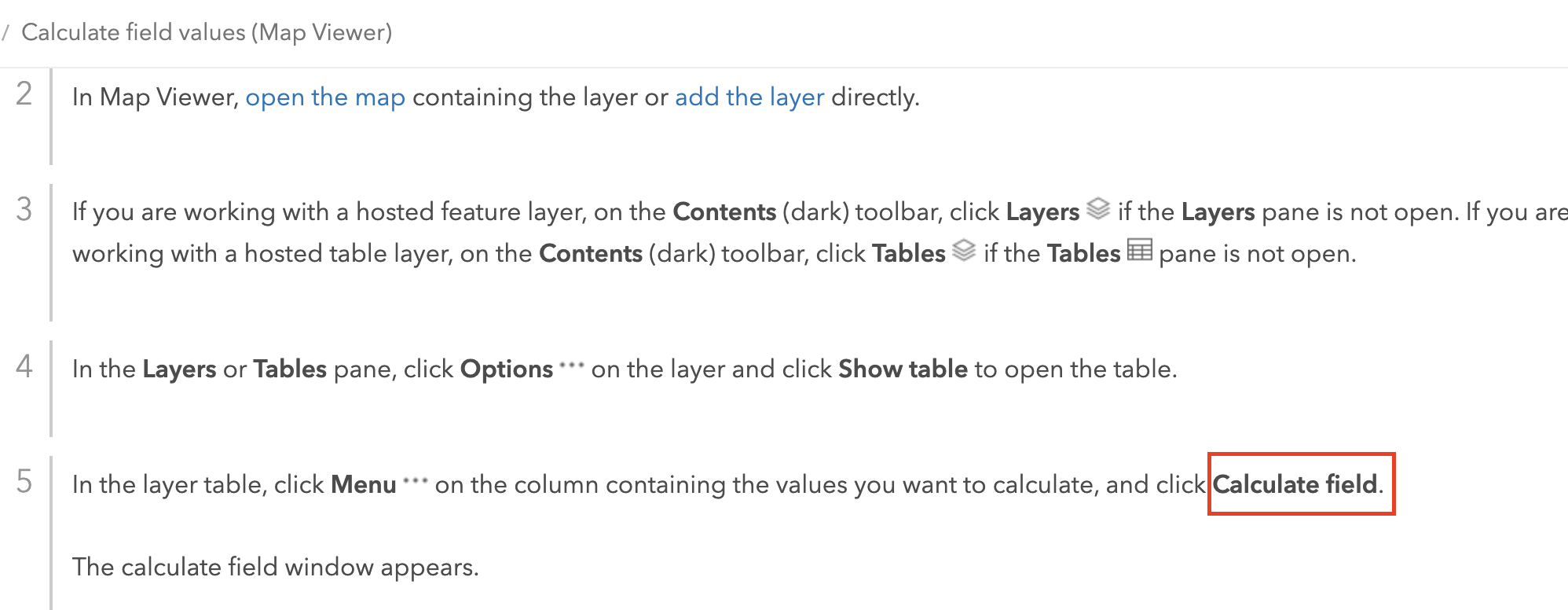
The problem is that I do not see an option to "Calculate field". This is what my screen looks like when I try to find this option:
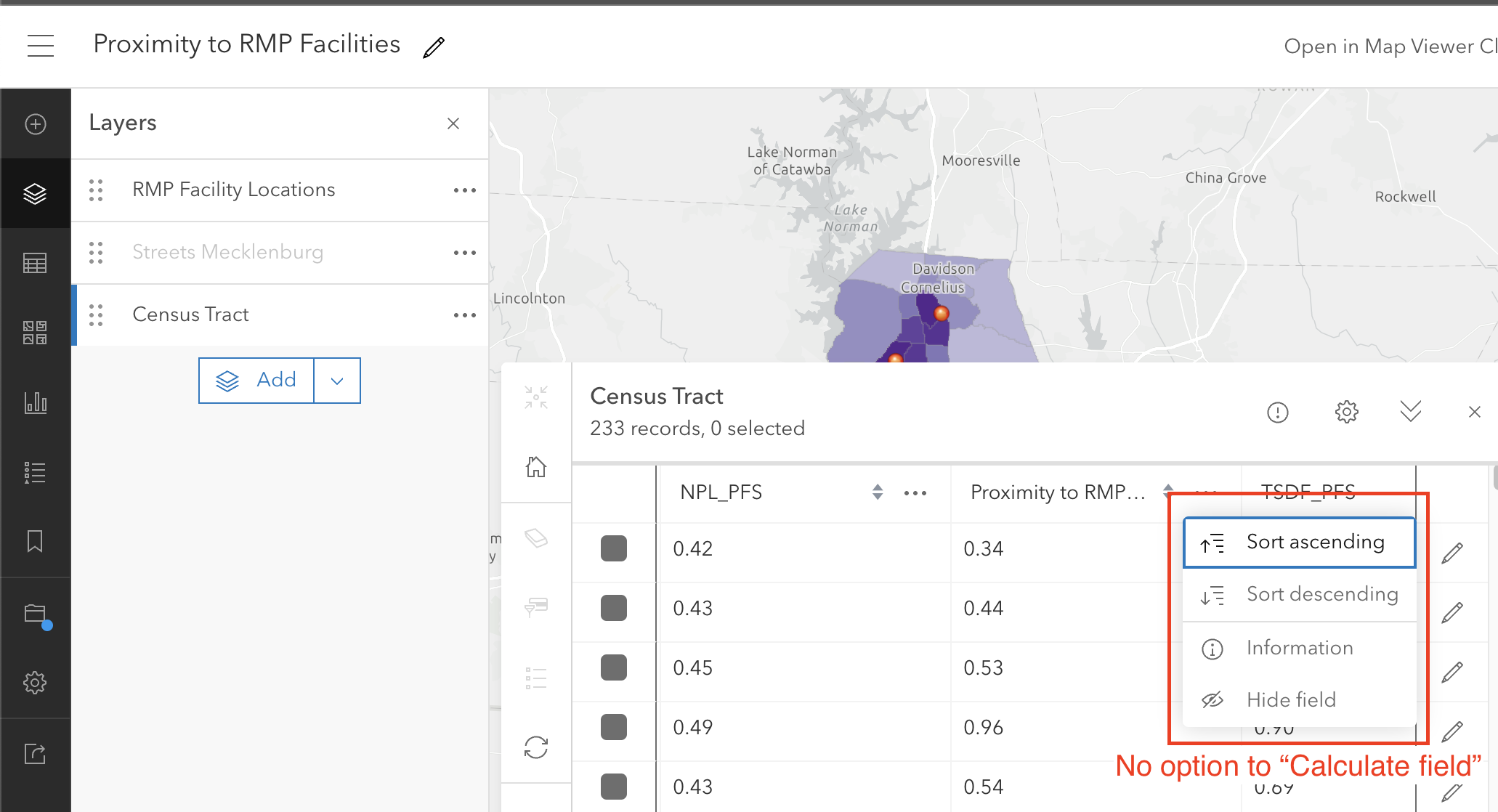
I am using a 2020 MacBook Pro. Could this be an issue with the laptop? Should I try using a desktop computer? Could this be an issue with my assigned privileges?
Any suggestions for how to fix this or a different way to convert my data are much appreciated.
Thank you for your consideration,
Maya


