Hi ESRI community,
Our ArcGIS Enterprise 11.3 upgrade failed because the hosting server encountered a Tomcat server.xml issue. To understand why it happens, here are some specific questions (refer to the Question section below). It would be much appreciated if someone could shed some light.
Background
Upgrade the existing production environment of ArcGIS Enterprise from 10.9.1 to 11.3.
- Standard multiple machine deployment, e.g. one server for Web Adaptor, one server for ArcGIS Portal, one server for ArcGIS Hosting GIS Server, one server for Configuration Store, etc.
- Windows Server 2019.
- All machines have met the system requirements, e.g., there is more than enough disk space on all servers, the ArcGIS server must have the correct .Net desktop runtime installed, etc.
- The plan is to manually upgrad each component following the official doc and recommended upgrade order, e.g.,
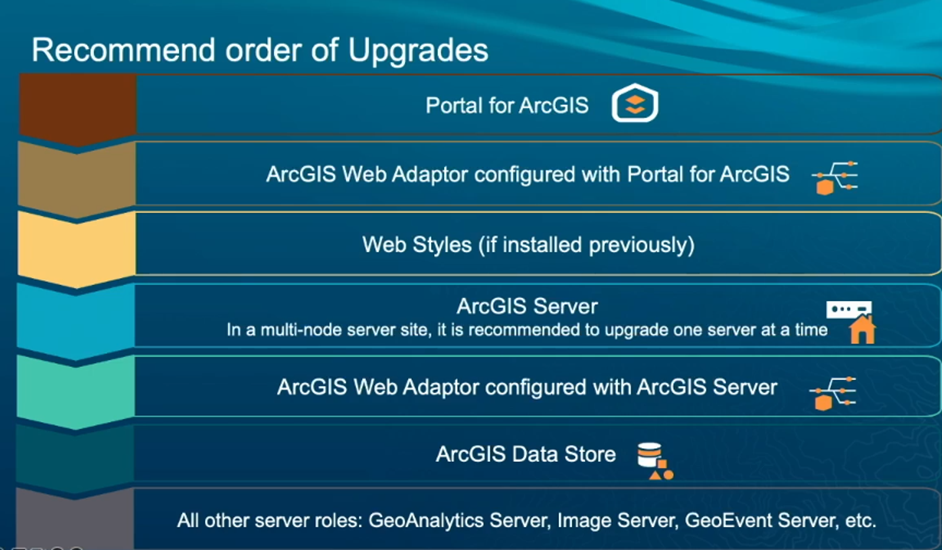
- After Portal was successfully upgraded, we continued to upgrade the hosting ArcGIS Sever by running the Windows installation file, e.g.
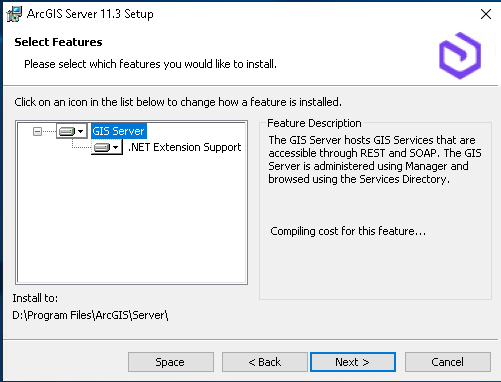
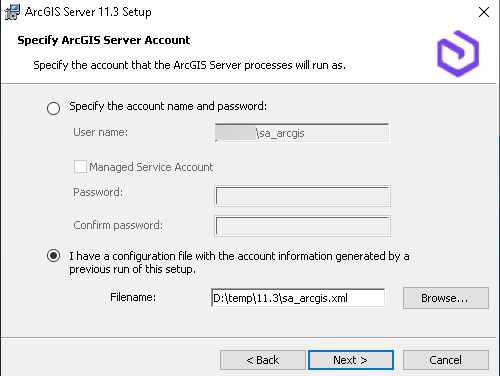
- The above ArcGIS Server 11.3 installation took about 1 hour to complete. There were no errors, and the installation was successful.
Issue
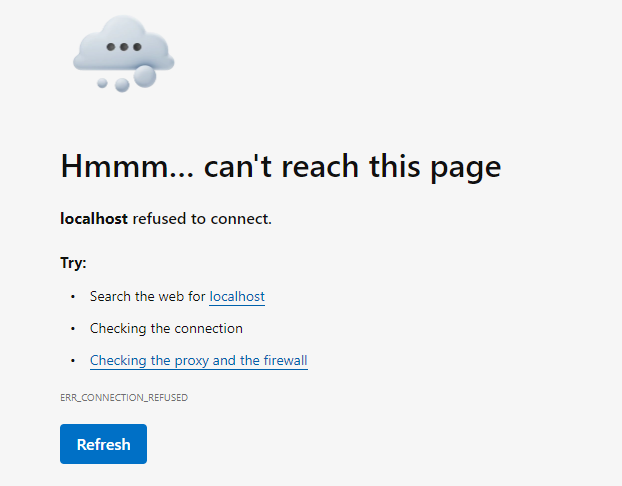
After the above steps, a browser session was triggered, trying to connect to the ArcGIS Server Manager website to complete the upgrade, but it couldn’t be loaded. Tried https://localhost:6443/arcgis/manager/ or https://servername.xyzxy.local:6443/arcgis/manager, and both showed the same error in browser like below. It looks like the ArcGIS Server's Tomcat server is down.
Some facts to help diagnose
1. Windows Service shows ArcGIS Server Windows Service is running under Local System.

2. In the Task Manager, ArcGIS.exe is running with no ArcSOC.exe processes running.
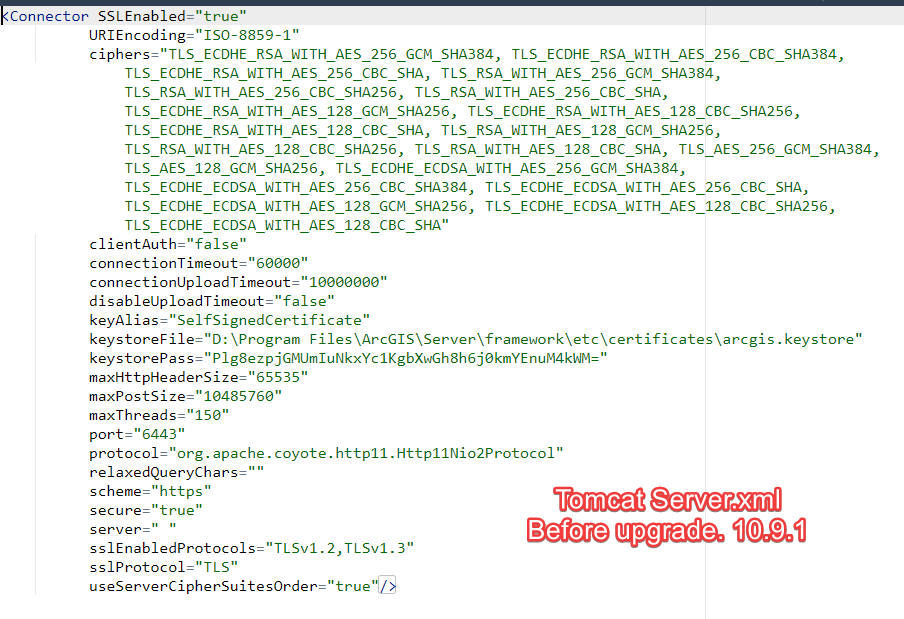
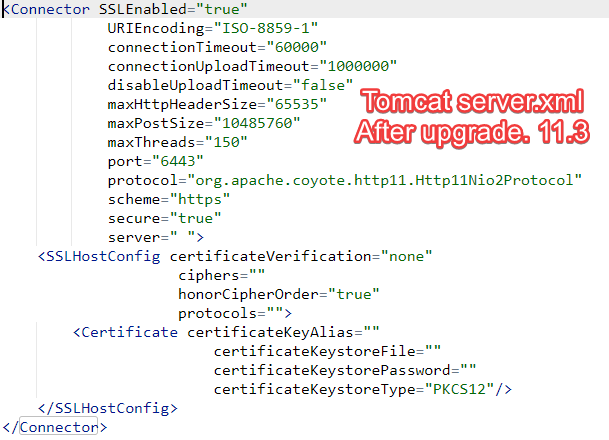
3. Tomcat server.xml seems corrupted after the upgrade. For the last part of the file, the <Connector> section here is before VS after the upgrade.
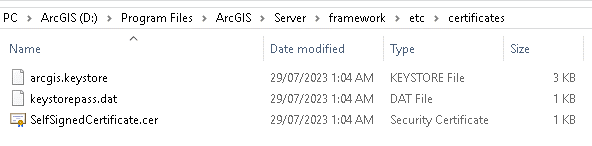
4. The certificates folder “<ArcGIS Server Root>\Server\framework\etc\certificates” should contain three files, but it had six files after the upgrade, including one lock file for each file below.
5. An ESRI technical document https://support.esri.com/en-us/knowledge-base/how-to-fix-an-arcgis-keystore-or-server-xml-corruption-000021875 provided a ‘workaround’ to fix the problem. It worked. But I must copy the DEV environment keystore and certificates to the production one, which concerns me for future upgrades.
6. We have MS Defender working hard during the installation processes. For about 15 minutes, the installation showed ‘not responding’. After checking with our IT team, we found nothing abnormal was captured for the failed server in the Defender report.
Questions
1. During the installation of the ArcGIS Server, a domain service account was nominated to run it. But the Windows Service shows it is running under the Local System after installation. Is this expected? The 10.9.1 ArcGIS Server Windows service is running under the specified domain account.
2. Are there any known conflicts between MS Defender, the antivirus software and the ArcGIS server installation process?
3. If we rule out the low disk space factor on both the server and the configuration store server, what may have caused a corrupted server.xml while upgrading?
4. To avoid the corrupted server.xml issue, is there anything extra I should check before the upgrade?
5. If it happens again, what is the recommended exercise? If we use this workaround, what is the implication of copying the key store and DEV certificates to PROD, as the certificates are issued to different FQDNs?
I would appreciate any information on any of the above questions.
Thanks in advance.
Hua

