Hello @UmaHarano , @Wolf ,
Hope you are doing well.
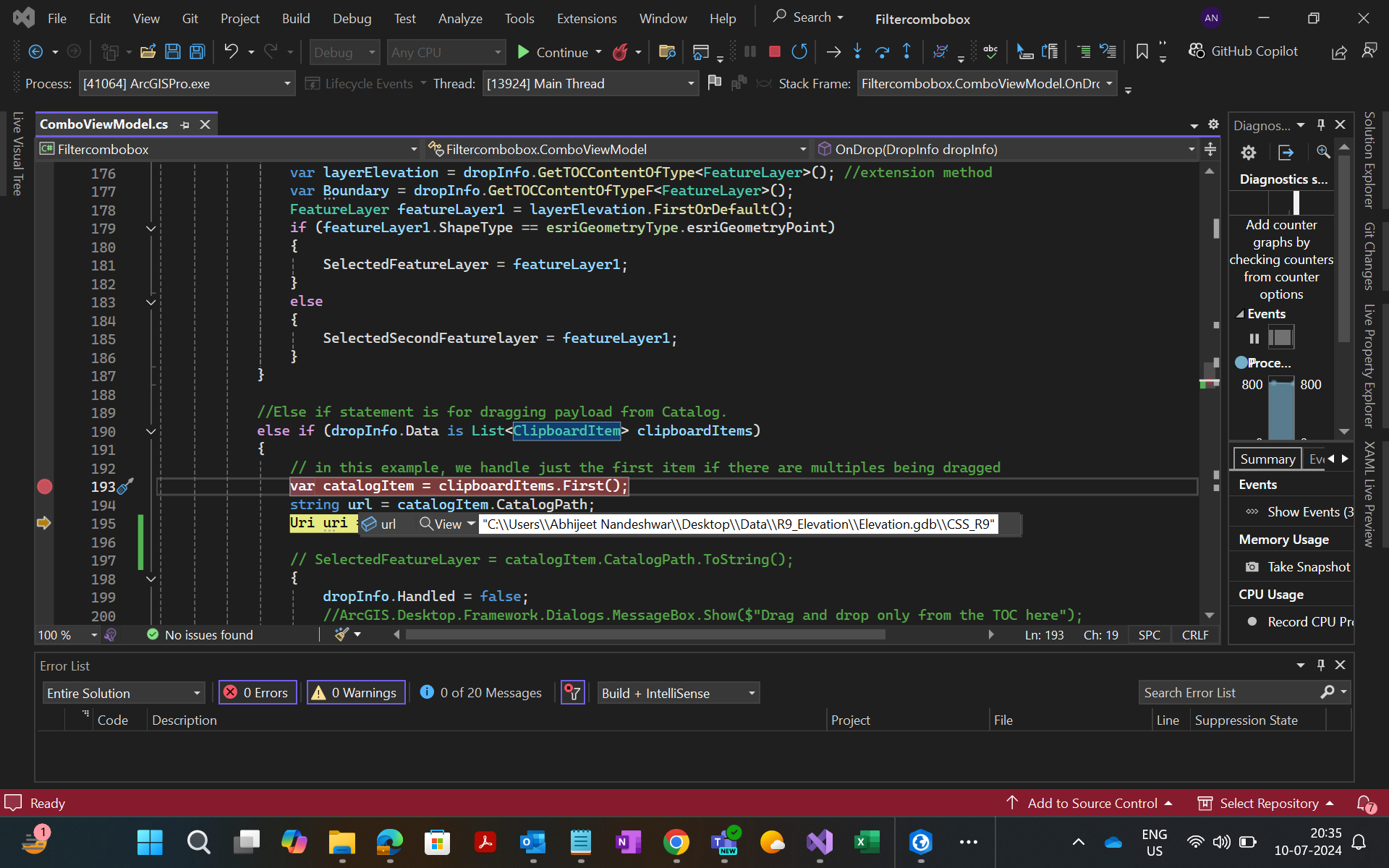
I am trying to Drag a feature class from the Catalog pane and trying to drop into a combo box using drag and drop functionality. However, I tried tweaking the sample https://github.com/Esri/arcgis-pro-sdk/wiki/ProConcepts-Framework#dropping-on-a-pane for my goal but I didn't helped.
I am able to get the path of the feature class. but I don't know how I can proceed further to populate it as feature class. I have attached the screenshot of my goal.
 else if (dropInfo.Data is List<ClipboardItem> clipboardItems)
 {
     // in this example, we handle just the first item if there are multiples being dragged
     var catalogItem = clipboardItems.First();
     string url = catalogItem.CatalogPath;
     Uri uri = new Uri(url);

     // SelectedFeatureLayer = catalogItem.CatalogPath.ToString();
     {
         dropInfo.Handled = false;
         //ArcGIS.Desktop.Framework.Dialogs.MessageBox.Show($"Drag and drop only from the TOC here");
         return;
     }
Looking forward for your suggestion.
Regards,
Abhijeet
 MY GOAL