Hello ArcGIS Pro Team,
Here are some enhancement requests that I have for the Layouts team:
Layer Locking from Right Click Menu:
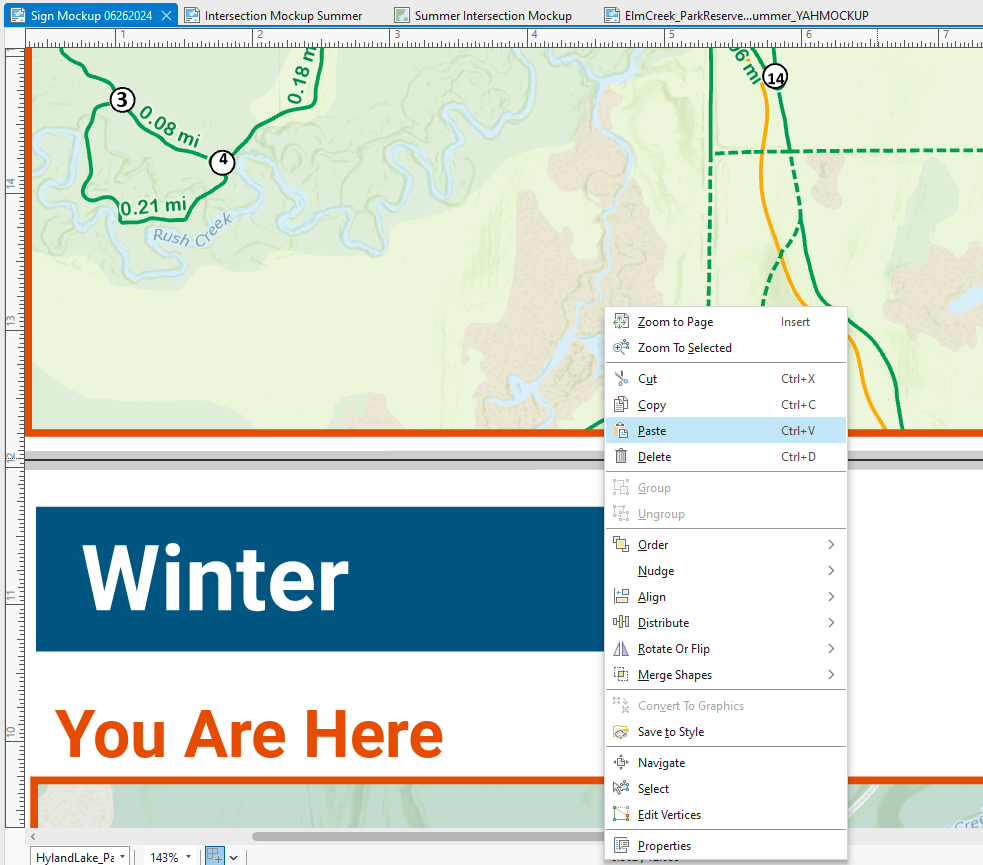
Ability to Right Click > Lock Layout Layer : This makes it easy to quickly lock and unlock layers without needed to scroll through the TOC
Layout Element Boundary When Locked:
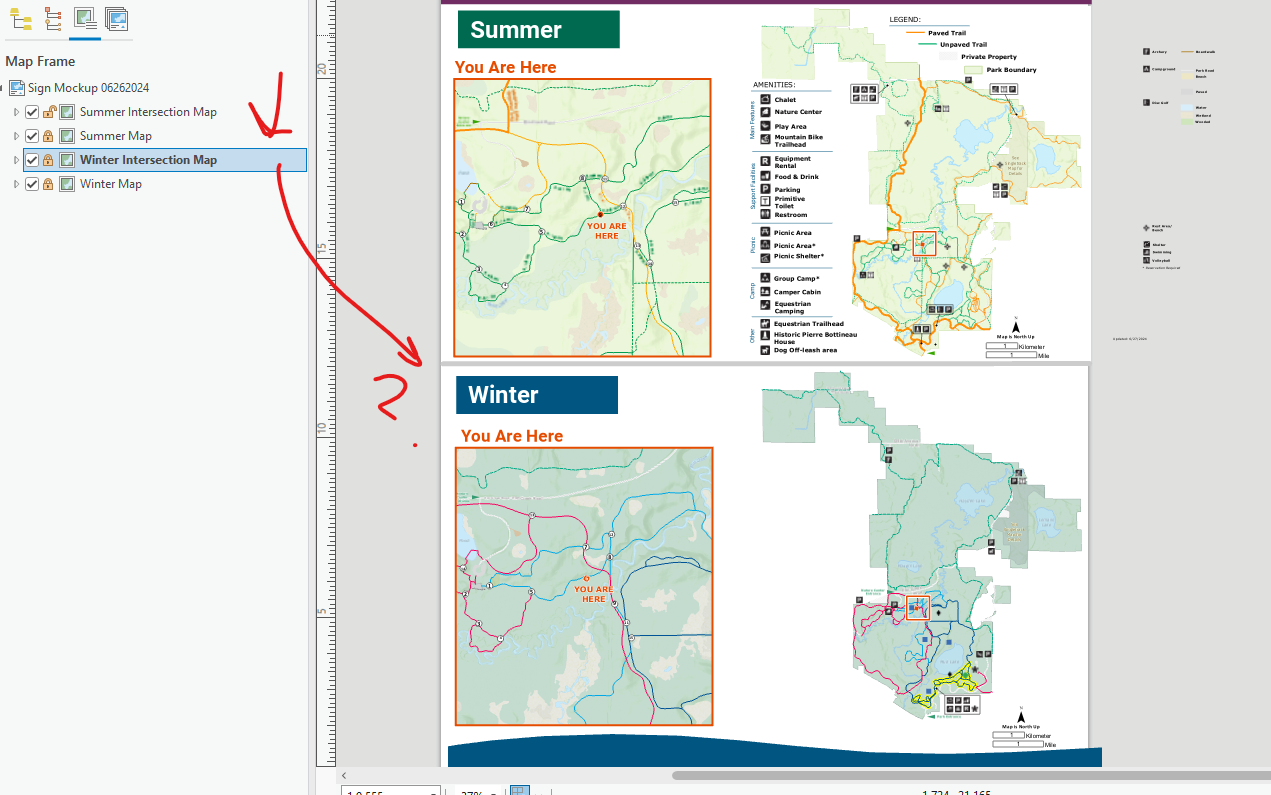
When an element in the is locked and selected in the TOC there is no visual indicator as to where it is within the layout. When locked, please show the element boundary. Vice versa, the ability to still select a locked element in the layout and see it hightlighted in the TOC.
Example with locked map frame below (would like this for all element types):
Show "Move" Cursor Crosshairs when zoomed out or create shortcut to show the Move Cursor:
When zoomed out it's incredibly frusterating to try to select and move elements around, especially small ones. This is imparitive when looking at a layout as a whole and finding balance. Currently users need to zoom in far enough for the move cross-hair cursor to show up > move> then zoom back out to view layout.
This is a request that I've been begging for a while now. 🤞
Right-click Paste to a specific spot:
When pasting content from one Pro layout to another, it would be helpful to be able to control the location to where the paste applies. Currently when pasting, the content only shows up in the location of the prior layout. Please add a way to paste to a specific spot.
Please don't hesitate to reach out if you have any questions, I'm happy to add more details.
Thanks,
Amanda Huber



