Hello, everyone!
I've been following the Load data into the ArcGIS utility network tutorial and after some days, I've encountered this issue that doesn't allow me to complete the final step.
The Execute Data Load tool does not fail but finishes very quickly displaying the message "No rows to process".
I have already upgraded the ArcGIS Pro to the 3.1 version used in the tutorial, I've checked the Excel worksheets to make sure all data sources are correct, but no matter what I do I still get the same result.
Has anyone seen this behavior before?
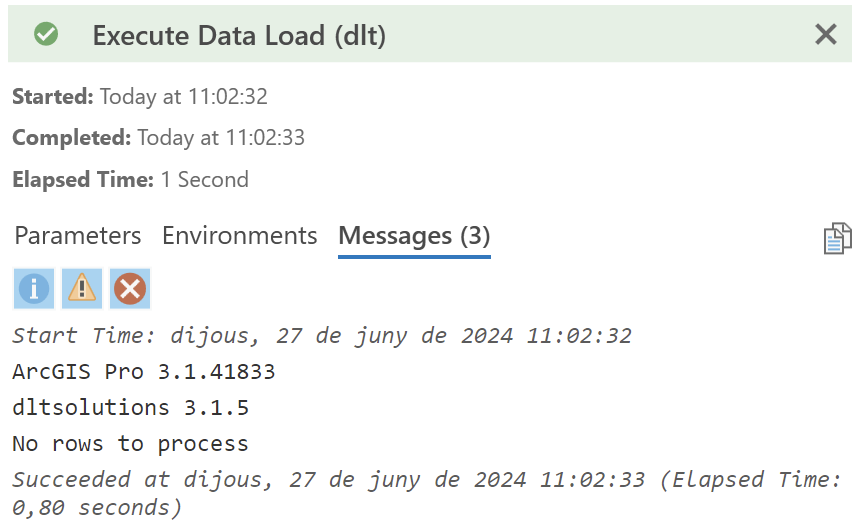
It shouldn't matter but I'm using Parallels on a M1 MacBook and I've also tried Mac and Widows paths to the data sources with similar results:
\\Mac\**unspecified**\Documents\ArcGIS\Packages\Water Data Loading Lesson_70892e\p20\water_source.gdb
C:\Proyectos\p20\water_source.gdb
On a further step I'd like to try this on ArcGIS Pro 3.2 or later since the DLT tools are included, but I'm not sure if the tutorial's older Excel workbooks will work on a newer version.
Thank you!!


