Hi,
I have a single feature layer that I've symbolized in a few different webmaps that all feed into an experience builder. In order to not lose the symbolization when updating the data, I understood (?) that I would need to truncate and append new data to the original feature layer. I tried this many times with this code and this data (but a backup) and it has repeatedly worked.
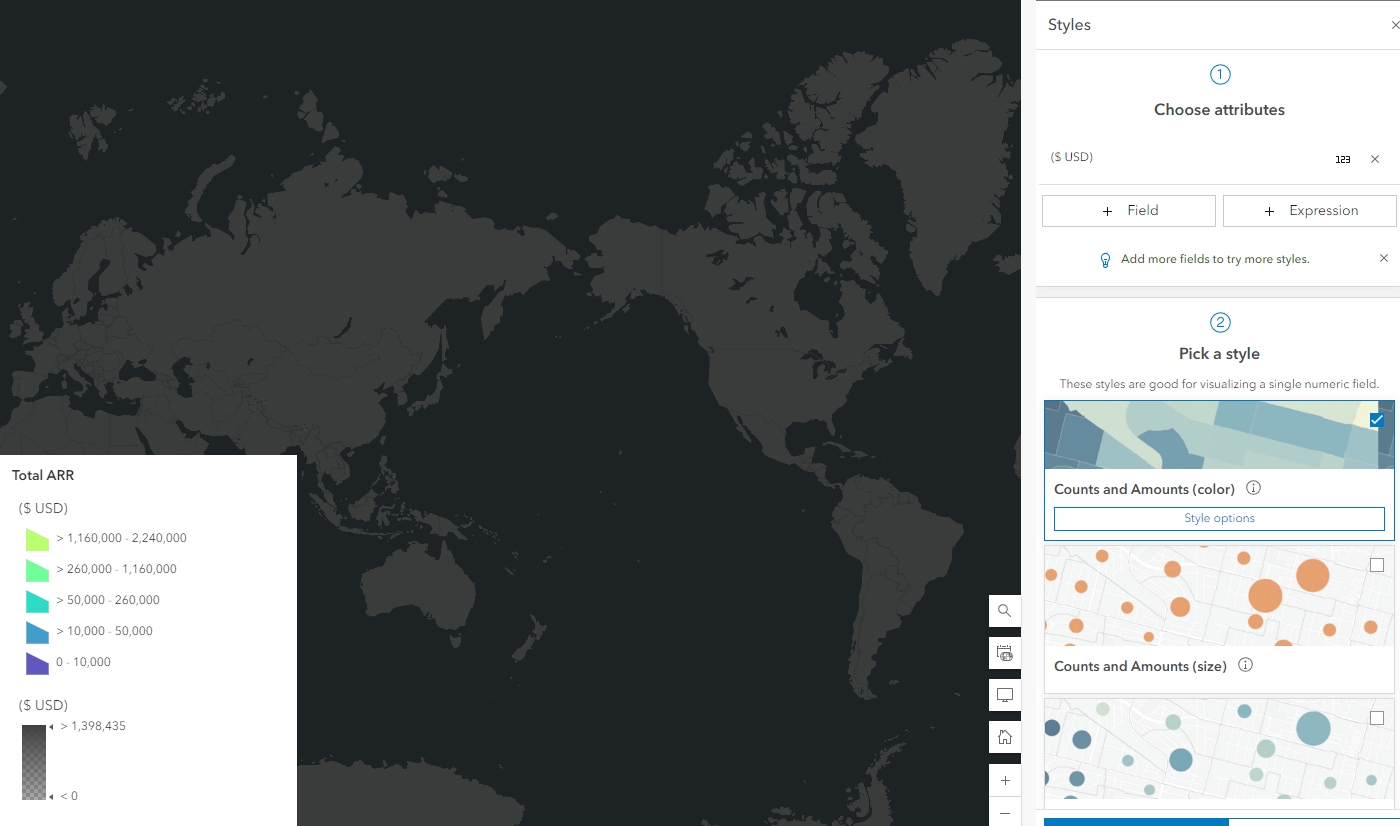
However!! I just tried to update the original feature layer now (the one that comprises my whole experience builder) after several test runs on backup layers, and all the data has transferred except all the features are invisible. It doesn't seem to help if I change the field being symbolized (which sometimes has 'refreshed' things i guess and made it work). I am really hoping I didn't just throw out a ton of time down the drain by losing all these products! Is anyone able to help?
Here is the code (after I have pulled the original and new feature layer items from my portal):
## flc = the original layer in feature layer collection format
## fLyr is the original layer in feature layer (item.layers[0])
print("Truncating Feature Service")
fLyr.manager.truncate()
print("target layer has " + str(len(fLyr.query()))+ " clients")
################################
##### UPDATING THE SCHEMA #####
################################
# these fields are in the original data layer I want to update
featureServiceFields = {}
for field in fLyr.manager.properties.fields:
if field.type != "esriFieldTypeOID" and "Shape_" not in field.name and 'GlobalID' not in field.name:
featureServiceFields[field.name] = field.type
# these are the fields in the new/updated data layer
featureClassFields = {}
for field in newFC.manager.properties.fields:
if field.type != "esriFieldTypeOID" and "Shape_" not in field.name and 'GlobalID' not in field.name:
featureClassFields[field.name] = field.type
## identifying which fields are missing from which layers and need updating in the original layer
minusSchemaDiff = set(featureServiceFields) - set(featureClassFields)
addSchemaDiff = set(featureClassFields) - set(featureServiceFields)
## deleting fields
update_dict={}
if len(minusSchemaDiff) > 0:
print("Deleting removed fields")
for key in minusSchemaDiff:
print(f"\tDeleting field {key}")
remove_field = {
"name": key,
"type": featureServiceFields[key]
}
update_dict = {'fields': [remove_field]}
print(update_dict)
fLyr.manager.delete_from_definition(update_dict)
print("Finished removing fields")
## adding new fields
if len(addSchemaDiff) > 0:
print("Adding additional fields")
for key in addSchemaDiff:
print(f"\tAdding field {key}")
new_field = {
"name": key,
"type": featureClassFields[key]
}
update_dict = {'fields': [new_field]}
print(update_dict)
fLyr.manager.add_to_definition(update_dict)
print("Finished adding additional fields")
#####
####################################
##### APPENDING THE NEW DATA #####
####################################
print("Adding data to the target layer now")
# shp_item is the shapefile format of the new data layer
fLyr.append(item_id=shp_item.id, upload_format="shapefile", upsert=False, field_mappings=[])
print("target layer now has " + str(len(fLyr.query()))+ " clients")
Here is what the feature layer in one of the webmaps looks now:
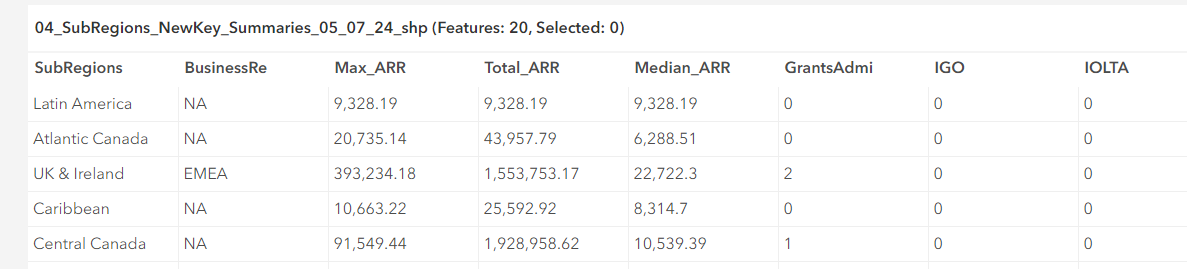
And here is the data table in the original feature layer, showing that the data did infact change and so did the necessary field names:
Thank you for your help!! Much appreciated!!

