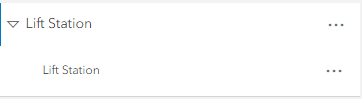
When we add a new Map Image Layer to a map, it shows the layer as if it is grouped or nested under itself. You have to click the arrow on the left to open the configurable layer under it. Is there a way to add the Map Image Layers without this drop-down so that only the configurable layer is displayed? Here is an example of what we are seeing. Only the bottom Lift Station layer can have its symbology, label, and pop-up configured. I'm not sure what the point of having it nested is, but we would like to remove this.