I have a python service that accesses an enterprise geodatabase via an SDE connection file. I can successfully run this script, however, when I analyze it in ArcPro before publishing it to the server I get "24032 Data source used by script <tool> is not registered to the server and will be copied to the server: <path_to_sde_file>". I am confused as to why I am getting this message because I have already taken the exact .sde file that the script references and registered it as a data store with the server. I can view the data store and validate it in the server manager. I don't want the data to be copied to the server, I want the service to reference the enterprise geodatabase. How can I get ArcPro to recognize that this .sde file in the script is registered as a data store for this service?
EDIT:
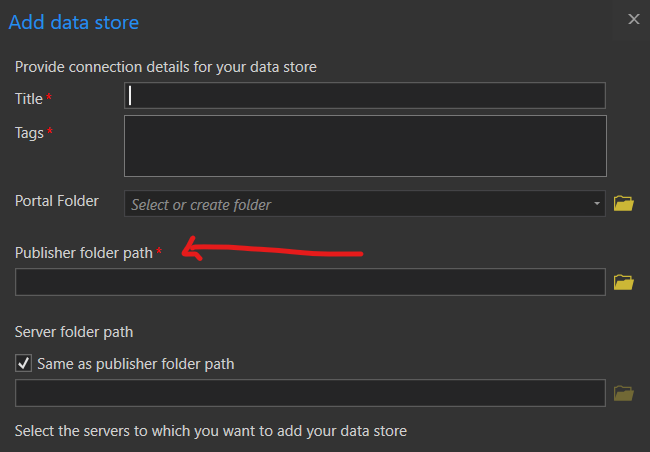
I believe that ArcPro thinks that this path in my python script is a folder, NOT an .sde file. When I click the "Register Data Source With Server" after analyzing the script, it pulls up the form to register a folder (screenshot below), which looks different than the form to register a database. I don't know why this would be happening as the path in my script is clearly an absolute path to the .sde file. The path in my script is below. The path does not include the <> characters, I have obfuscated some of the values.
connection_file = r'C:\Users\<user>\Documents\ArcGIS\Projects\<project>\<connection_name>.sde'
Register folder menu (This is what pops up when fixing via the 'analyze' results):
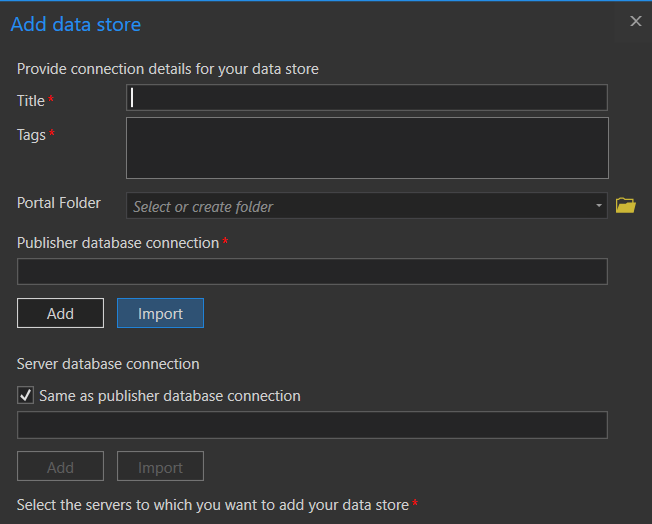
Vs Register Database menu: