Have you seen this problem? If so, please KUDO this question to help get ESRI's attention.
INTRO: A problem has started for me with ArcGIS Pro in Remote Desktop where the panes appear in the wrong location when you select a tab to open them. This happens for me on only one PC. Remote desktop to other PC's work normally. I have already worked with ESRI Tech Support and they said that because it's only one user login on one PC that there's nothing they will do.
DESCRIPTION =====================================================
Normally, when you select a tab to open a minimized pane, the pane will pop out with the upper right corner aligned with the upper right corner of the ArcGIS Pro canvas.
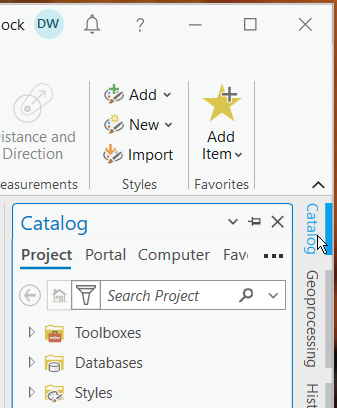
NORMAL: Here, when I select the Catalog tab, the Catalog pane pops out in the correct location.
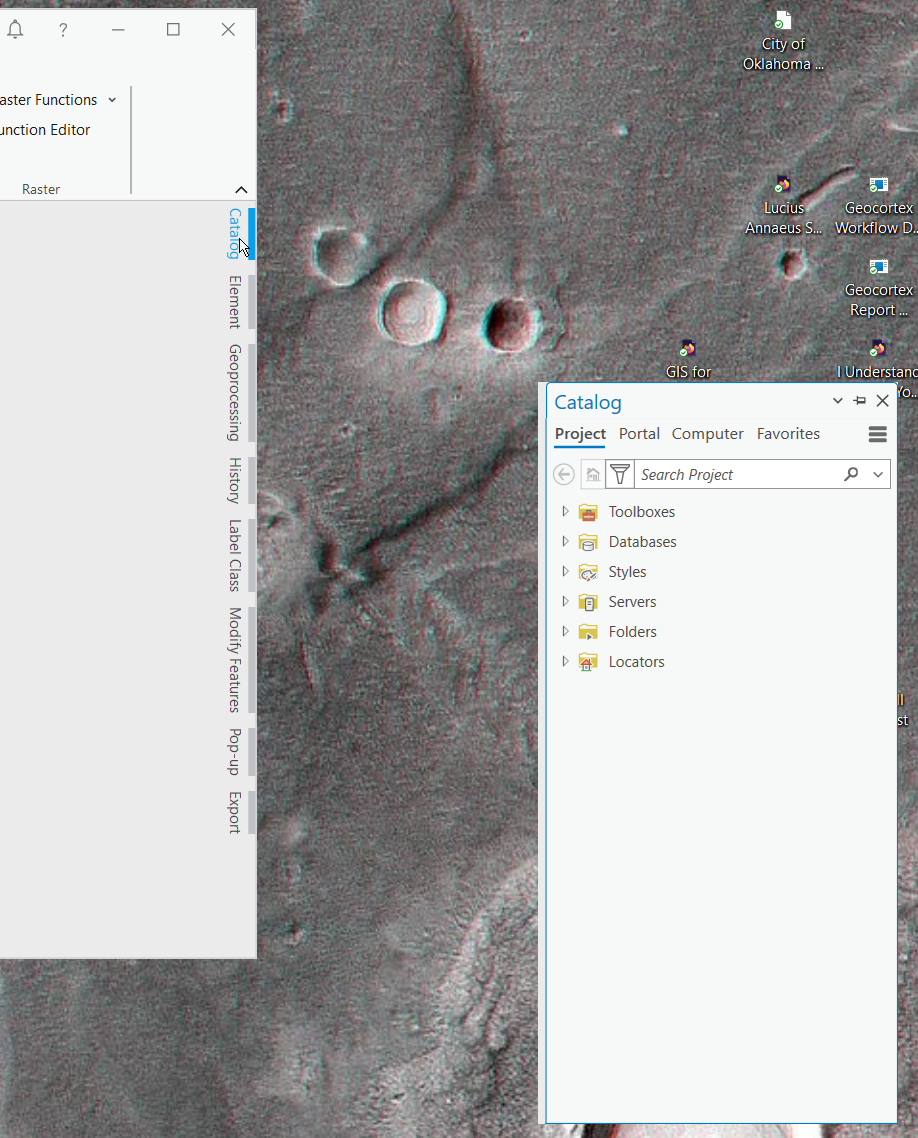
PROBLEM: Using Remote Desktop to access the PC with ArcGIS Pro, when I click on the Catalog tab, the Catalog Pane pops out down and to the right of the normal location. Sometimes, it can be far enough away that it is outside of the screen and can't be seen.
I'm currently using ArcGIS Pro version 3.2.2.

