I am deploying arcgis javascript library and sdk v4.6 in an IIS server locally (no internet connection) using this tutorial . While following the tutorial I have figured out that it might be only for v3.x because
While configuring
Javascript API CSS2 URL
to
http://myhost.example.com/arcgis_js_api/library/3.16/3.16/esri/css/esri.css
I realize that there is no esri.css file found in v4.x, rather I found main.css and view.css. So for now I use main.css as Javascript API CSS2 URL.
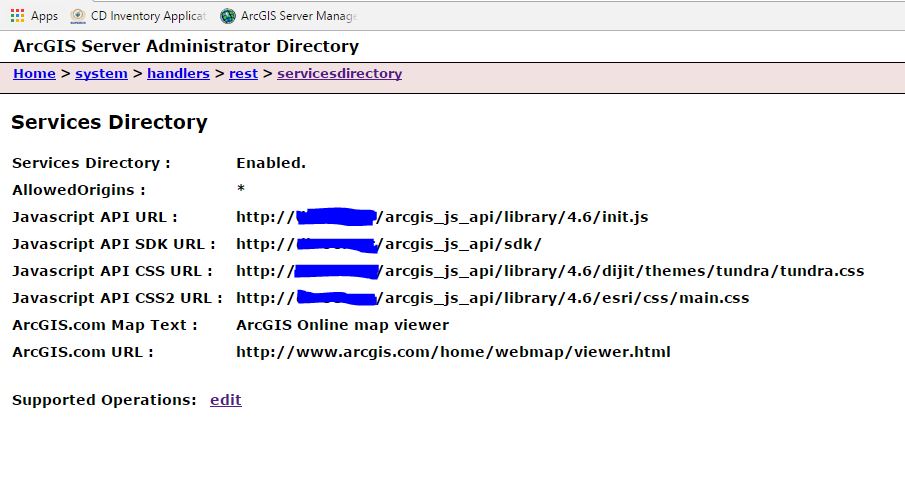
Now I publish a testService in arcgis server. When I try to view the service unfortunately I see blank page. Below is my network log having javascript loading errors
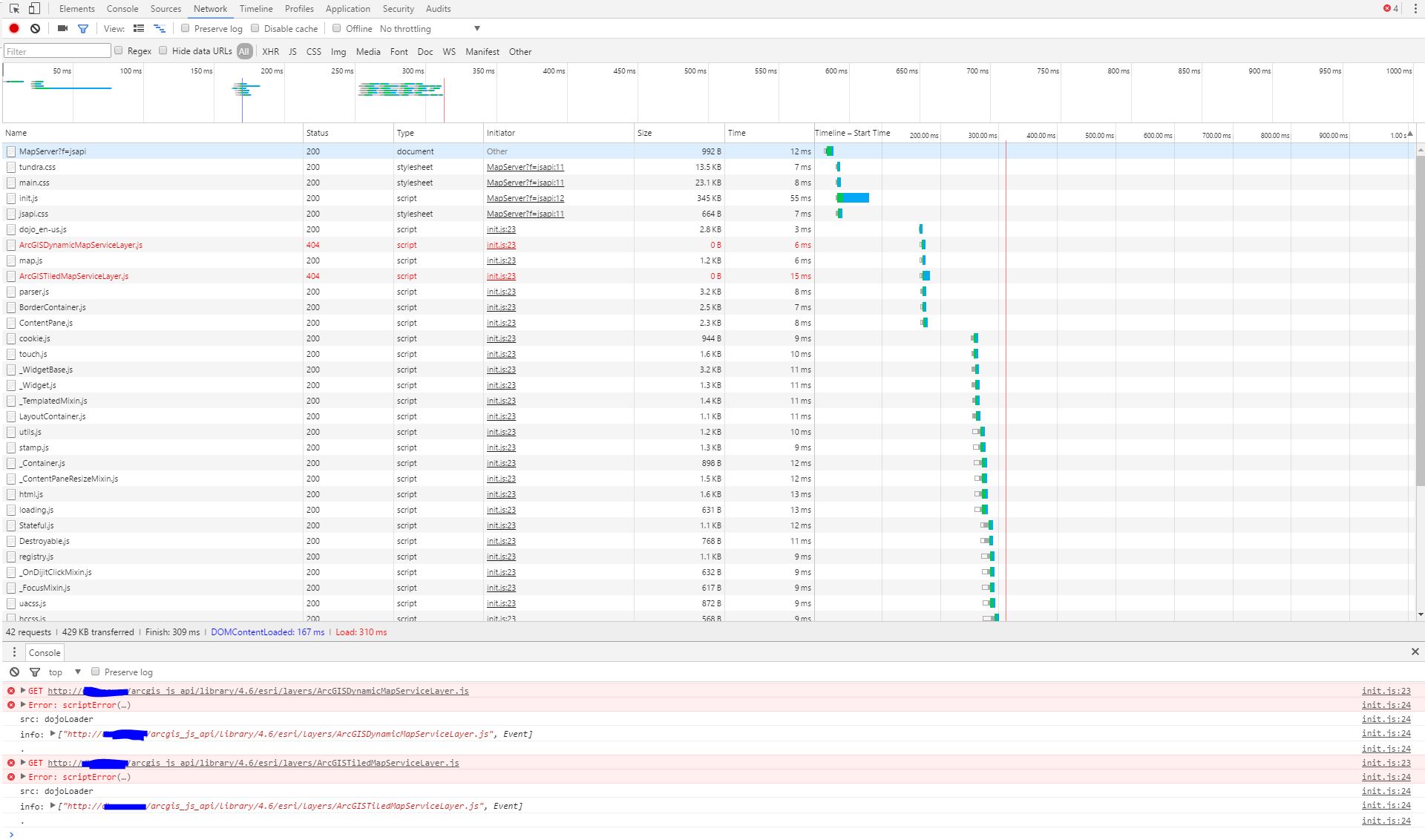
It seems that the two javascript (ArcGISDynamicMapServiceLayer.js and ArcGISTiledMapServiceLayer.js) files are missing. I checked that these files are only present in v3.x not in v4.x. Now if I copy these file from v3.x to v4.x I got many other errors w.r.t. other javascript files loading issue.
Question:
1) Can we deploy v4.x locally (no internet) on server ?
2) If yes then am I following right tutorial or am I missing any step while configuring ?
P.S. I downloaded v4.6 from here


