Hi all,
I am creating a web app based on external survey results for another team. Filtering the data is the most important feature of the app and I'm having difficulty configuring the Filter Widget.
For simplicity's sake, lets say the survey has a question called "Fruit Sold" and acceptable values are Apples, Oranges, and Grapes. This question is a "check all that apply" response, meaning respondents can select any, all, or some combination of the acceptable values - i.e. there are not discrete defined values. Results are given to me from the survey as individual columns... i.e. Store Name (text) - Apples (Y/N) - Oranges (Y/N) - Grapes (Y/N). So a Row might look like "Smith's Market" - "Y" - "Y" - "N"
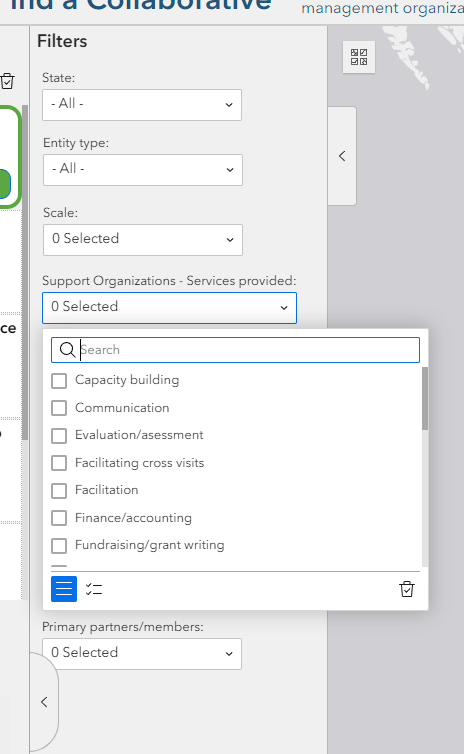
I would like to have the filter be formatted similarly to the survey question, so that the user can "check all that apply", similar to the attched screenshot. I can't figure out how to make one filter for several fields that uses a checkbox list. Apparently this is possible - How do I get started on this and/or do I need to reformat my survey data somehow? Is this a different widget altogether?
Thank you!