I am adapting a custom Python toolbox from ArcMap to ArcGIS Pro which assigns land use codes to parcels. This specific tool is for a special "Uncodable" label, so there is no user input besides clicking run.
In ArcMap, the code parameter appears filled in with the default value, but not editable:
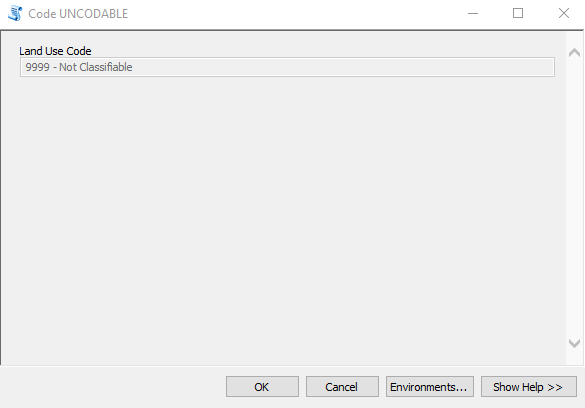
I would like to know if there is a way to do the same in Pro: can I have the parameter be visible, but disabled so it can't be changed?
I want this so coders can do a visual check that Yes, this is the right code that I want to apply. If it's not possible to do that, is there a way to just put descriptive text in the Parameters pane saying "You are going to code it such and such"? Or can I add a message that no action is required? Since there is a parameter, but disabled, I can't even get the "no parameters" message.
Thank you!


