Hello,
I am running Portal for ArcGIS 11.1 and I have been reported a weird behaviour by a user: he could not add a layer by URL either from the new MapViewer or directly in Portal for ArcGIS when adding a new item / URL / New item.
It hangs on "Retrieving Service Info". Looking at the network tab, it's an infinite loop hammering our Portal for ArcGIS !
1. https://myserver.onecompany.com/arcgis/rest/services/foo/MapServer?f=json => 200: no issue
2. https://myportal.company.com/geoportal/sharing/rest/portals/checkurl?url=https%3A%2F%2Fmyserver.onecoompany.com%2Farcgis%2Frest%2Fservices%2Ffoo%2FMapServer%3Ff%3Djson&f=json&token=mytoken
=> {"success":false,"error":{"message":"Error checking resource"}}
And it retries for ever...
I spent quite some time to understand the issue and found out that it seems to be related to the “allowedProxyHosts” security property which, following security best practice, was restricted to few URLs and of course "myserver.onecompany.com" was not one them. After I added it, it worked.
But according to the documentation of this parameter, this proxy server is used in the following situations:

https://enterprise.arcgis.com/en/portal/latest/administer/windows/restricting-the-portal-s-proxy-capability.htm
The thing is that "myserver.onecompany.com" has CORS enabled and is an open data one with no credentials involved so no need to use the Portal proxy:
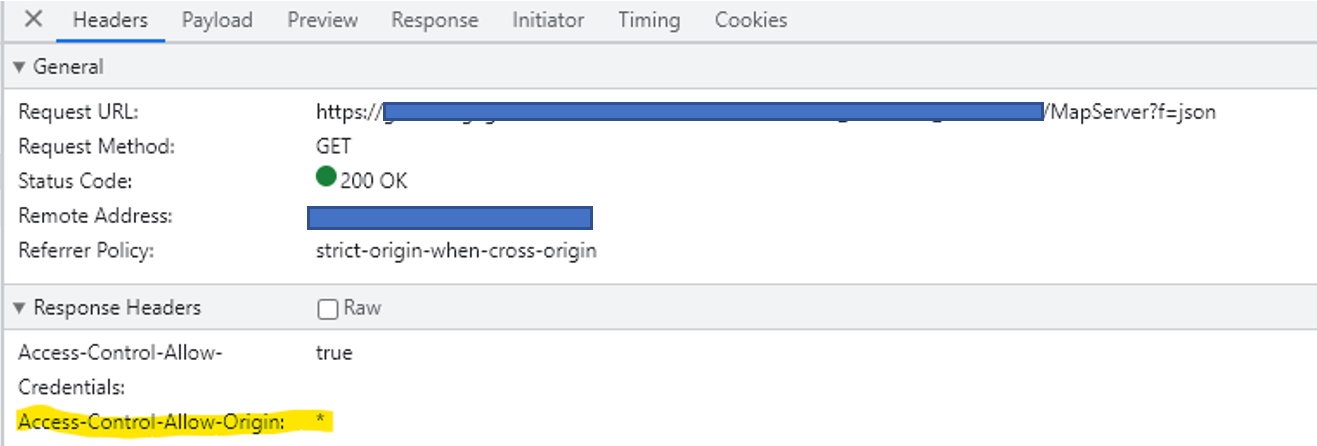
This means that every time a user wants to add a layer from URL, he will have to contact us to whitelist this domain even if CORS is enabled. Seems like a bug to me or did I miss anything ?
Also, it's not really nice that it hammers the Portal for ArcGIS like this.
Thanks for your feedback,
Nicolas


