I have an SQL 2016 geodatabase that has been registered to our Portal (10.9.1) on a Federated Server site for years. Until now, we have not done editing through the portal using a feature service (I've been editing through Pro directly on Default). It's now time to change that. We will be moving to the utility network so I need to become familiar with branch versioning.
In order to get this working for branch versioning, I had to add a new data store to the portal, although the default database was already registered to the portal. Was this because when it was originally registered it was set to traditional?
I created a branch versioned feature service with version management checked. I then brought the feature service into ArcGIS Pro, created a named version and switched to that. I could update and save attributes, but when I click on the map to create a new feature, the Create Feature tool pops up this error message:
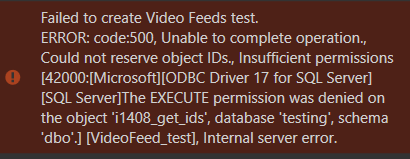
When I check the ArcGIS Server Manager logs, it shows:

Decided to try editing in a web map from Portal. I could update attributes in Default (I haven't figured out how to create a version for use in a web map, yet. One step at a time 🙂 ), but when I tried to save a new feature, the following would pop up (no more helpful than those 99999 error codes):
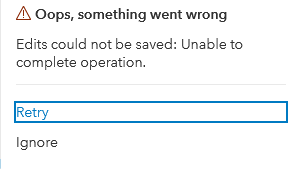
The Server Manager logs showed the following:

Where does the problem lie?
Cheryl


