Using ArcGIS Pro 3.0.3
I have defined Validation Attribute Rules on feature classes and non-spatial tables in my Enterprise gdb and published those datasets as feature service to our Portal.
After evaluating the Validation Rules, I can select an error feature in the error inspector and select the feature that caused the error with the "Features" button.
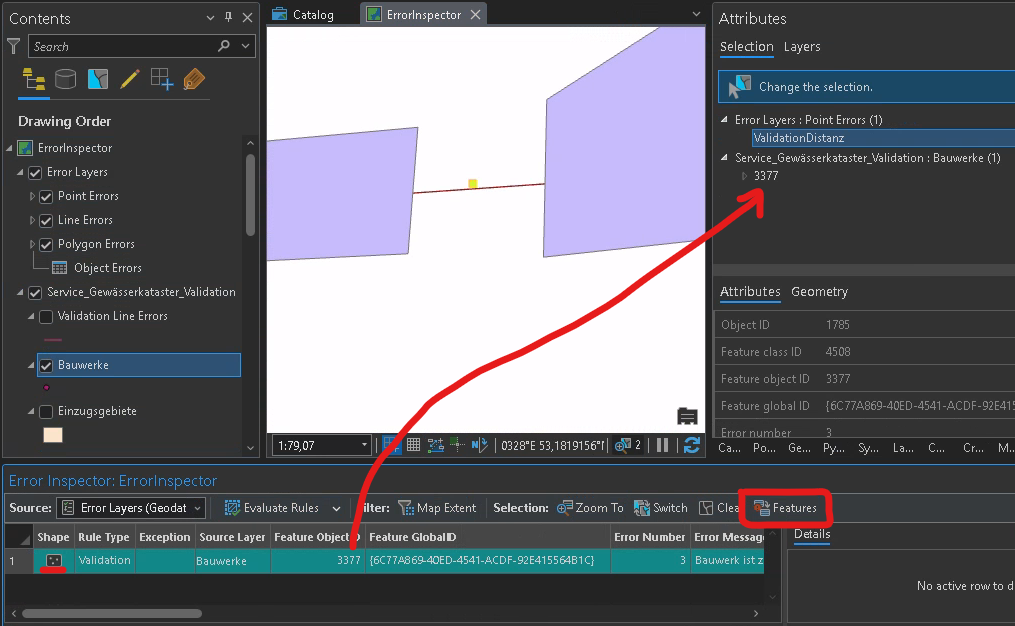
However, this does not work if the error is caused in a non-spatial table:
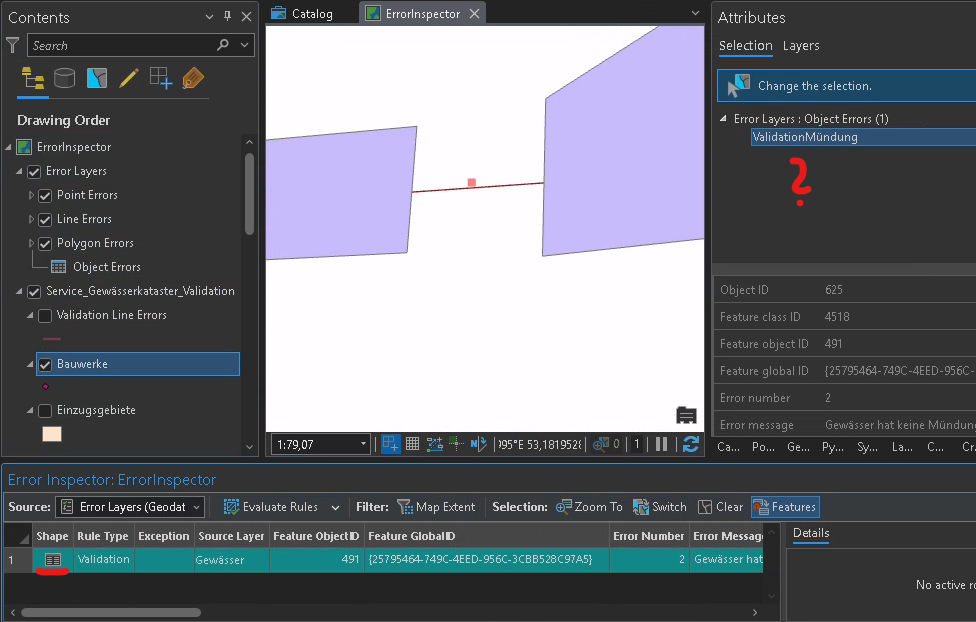
I can get to the table row by using the ObjectID, but that takes a lot of time and is a very bad user experience.
Please make the "Features" button also select rows in non-spatial tables.


