I am using ArcGIS Pro 3.0.2 with ArcGIS Roads and Highways and ArcGIS Enterprise 11.
At Time animation not working on LRS in Enterprise Geodatabase accessed via feature service I realized that I had created a lot of layers in ArcGIS Pro using a feature service from my LRS Network which had been inadvertently published without time enabled.
Those nine layers are needed to deal with how hatch mark intervals and labels should be presented at various scales and so their symbology is non-trivial to recreate on a freshly created feature service from my LRS Network which has been carefully published with time enabled.
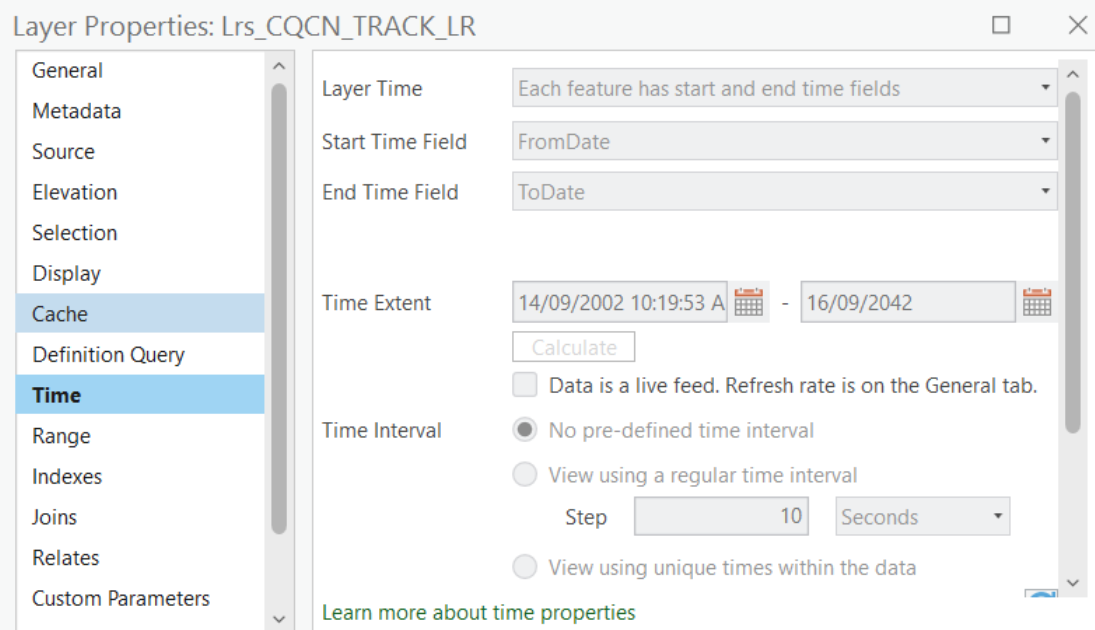
I had expected to fix these layers by simply changing their data source to the new feature service. First I just added that feature service to my map to make sure that the Layer Properties had the correct time properties and they did:
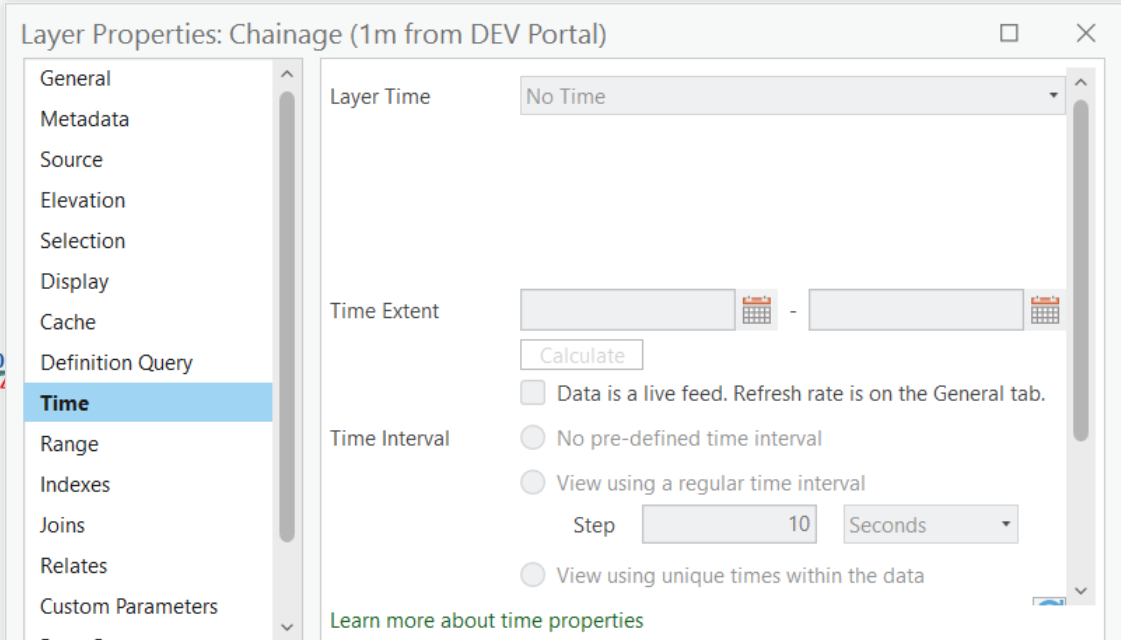
then I tried switching the data source of a layer with complex symbology to the time enabled feature service but the Time tab of its Layer Properties did not get those time properties:
Next I used the newly added layer (which had the correct time properties) and tried to Import Symbology from a layer with the complex symbology (but not the correct time properties). It imported the complex symbology well, but it wiped the time properties. That behaviour is documented at Apply Symbology From Layer (Data Management) where it says "In addition to symbology, the tool will also transfer time field, ..."
Is there any way to either:
- switch the data source of a layer and inherit its time properties; or
- keep the time properties while importing the symbology from another layer that does not have them?

