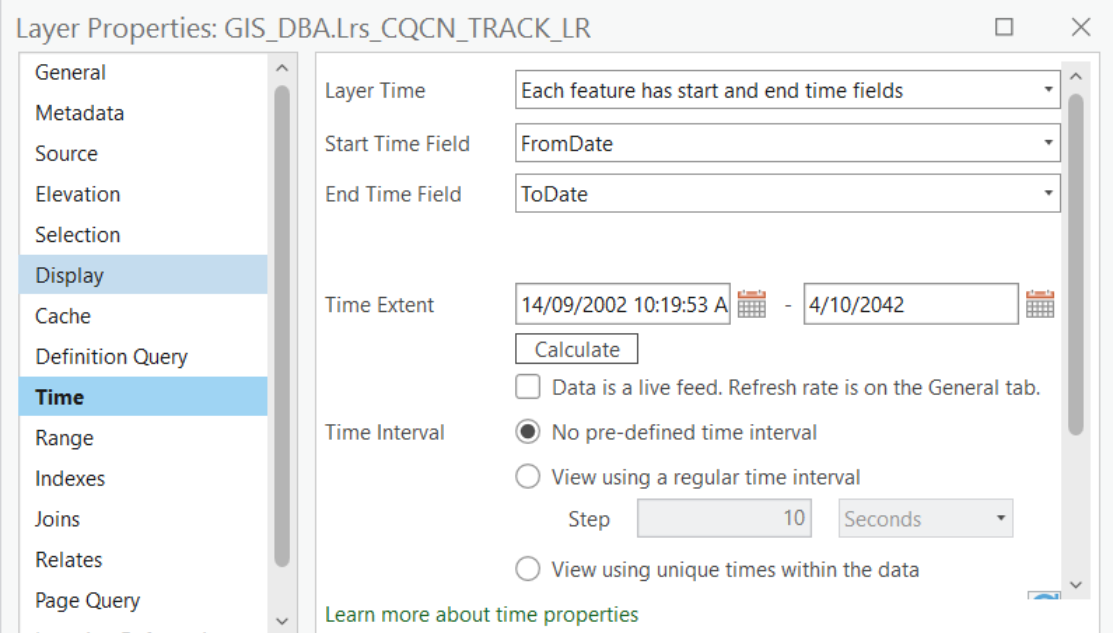
The picture below represents some LRS editing that I performed using centerline and route layers which have feature service feature classes as their source:
- 30 Sep 22 - created straight route from top right to bottom center
- 3 Oct 22 - split that route around 600m and extended it to center left
- 4 Oct 22 - retired bottom part of original route
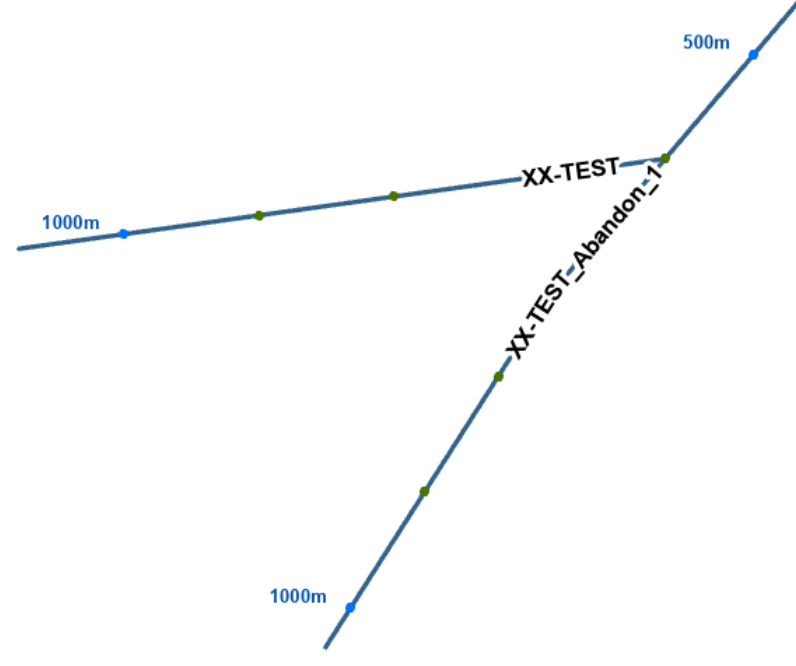
I've set my Time ribbon up like this:
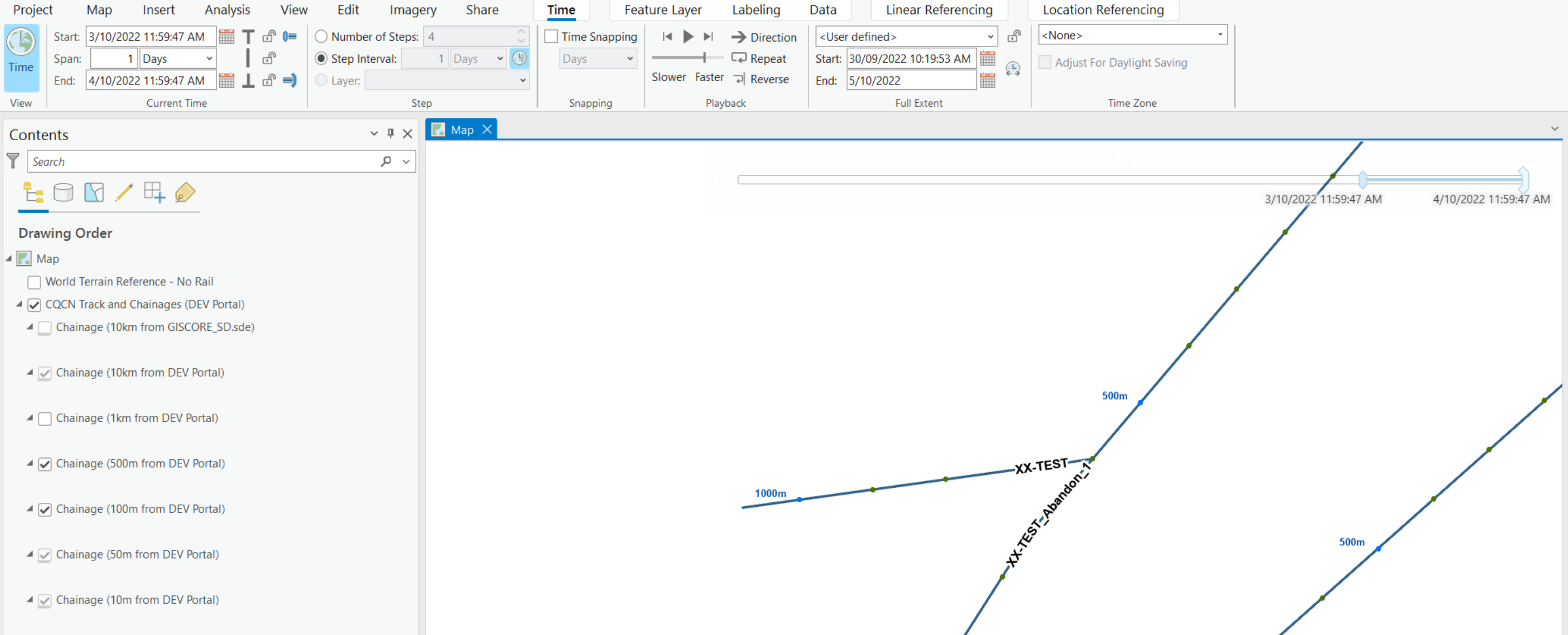
I expected to hit the Play button and see:
- First straight route appear
- Second deviated route appear
- Abandoned route disappear
Instead, all three routes were there from 30 Sep 22 to 5 Oct 22.
Something I noticed in the Layer Properties for the routes is that the Layer Time is set to No time and is grayed out so that I cannot change it.
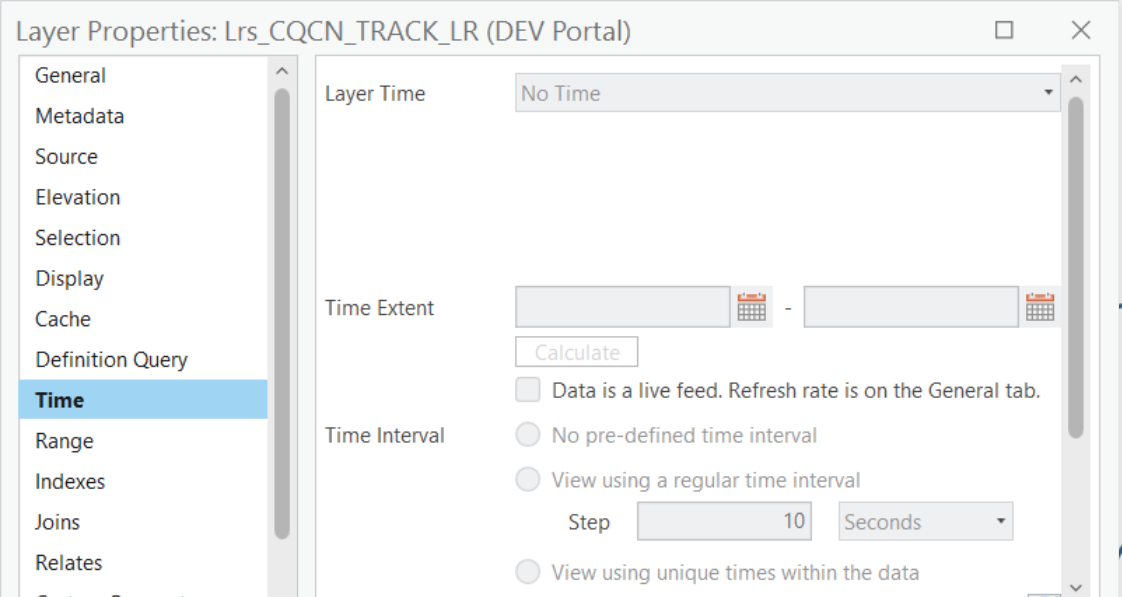
Is that to be expected and/or can you suggest why my time animation is not displaying as expected?
When I was editing an LRS in a file geodatabase the same workflow seemed to produce a time animation without a problem. However, since starting to edit an LRS in an Enterprise Geodatabase I have been unable to display a time animation.
As a final test I tried using a route layer that had the Enterprise Geodatabase feature class as its source direct and then the Leyer Properties looked like below and and the time animation worked as expected.