Hello! In the ArcGIS Change Log dated 8/2/2022, we were excited about a post, "Set a boundary for your content." Upon further investigation we could not figure out how to apply this new capability.
Something new on the “Hub Change Log” for 2 August 2022. Where is this capability?
ESRI said, "You can now set a boundary for content items. This boundary will be shown on maps as the default extent on Explore, and on content detail views. The more specific the boundary is, the better location search results will be."
"You can access this new boundary selector on the Content Details page for each content item (click the edit pencil from live view). You can use an item’s current extent, edit it, draw a new one altogether, or select “none” if location isn’t relevant for a particular content item."
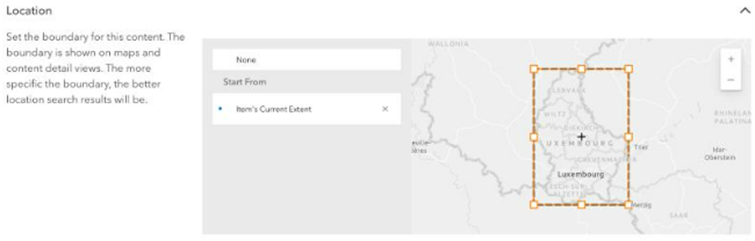
Questions:
Does this work for Hub Basic?
To get the pencil icon suggests editing capability, would the user need to be in the Core Group to do this?
Even for those of us in the Core Group, we cannot see the edit button, and we can't figure out how to do this. Could you provide some screenshots or some additional info to assist us in testing this new capability?
Thanks in Advance!


