There seem to be three different wordings for converting XY data to points:
1. Right click layer in TOC --> "Display XY Data"
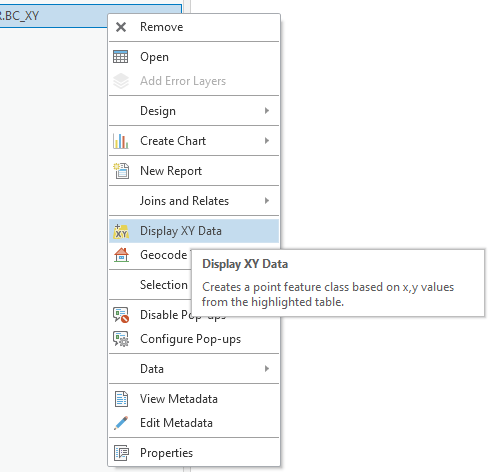
- I find that wording to be misleading. The word "display" makes it sound like we're creating a dynamic event layer, which isn't the case. It creates a new feature class.
- I know the info in the mouseover explains it a bit further. But I honestly don't usually think to hover/wait/read the mouseover text. Could the "Display XY Data" wording be improved?
2. Ribbon --> Map tab --> "XY Point Data":
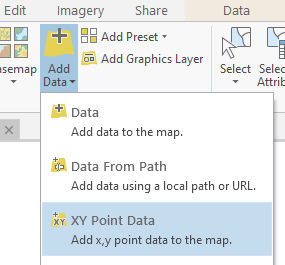
- The wording in the subscript is misleading. We're not simply "Adding x,y point data to the map". We're creating a feature class.
3. Ribbon --> Analysis --> Tools --> Search for "XY" --> "XY Table to Point" GP tool.
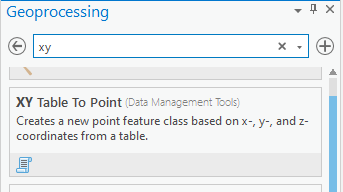
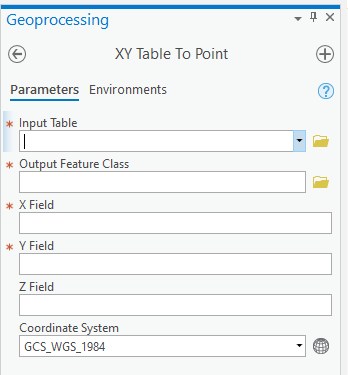
- This tool is pretty straightforward. It creates a new feature class, which is clearly stated in the tool description. And is obvious because we need to fill in the "Output Feature Class" parameter.
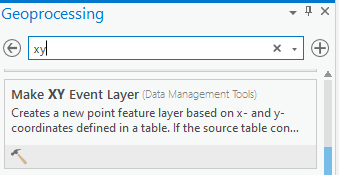
Note: The three options above are not to be confused with the "Make XY Event Layer" GP tool, which creates a dynamic event layer, not a feature class.
Idea:
If I understand correctly, all three options use the same underlying GP tool: "XY Table to Point".
If all three options do the same thing, then why not use consistent wording, to avoid confusion from the user? And why not make it crystal clear that all three options create a new FC?
Feel free to let me know if I've misunderstood something.
Cheers.




