Hi there!
We are currently migrating a lot of widgets from our older GIS-platform onto ArcGIS Enterprise, where we are building the new widgets from scratch in Web AppBuilder using ArcGIS JS API 3.
In that context, I want to know how to make use of the remaining space of the jimu-widget-frame.jimu-container view element. It holds a 398x373 in height and width including margin, but I can't seem to reference that or by any chance inherit the properties from my div's parent node. It can't even be detected, as it is injected by somewhere in the system... Is there any way to take up the remaining height of the injected jimu-container div? Many of our users use iPad, but we also have a lot who use desktop monitors that are 24" or 27", so responsive design is very important to add in these new widgets.
So far I've managed to make a layout that looks like this:
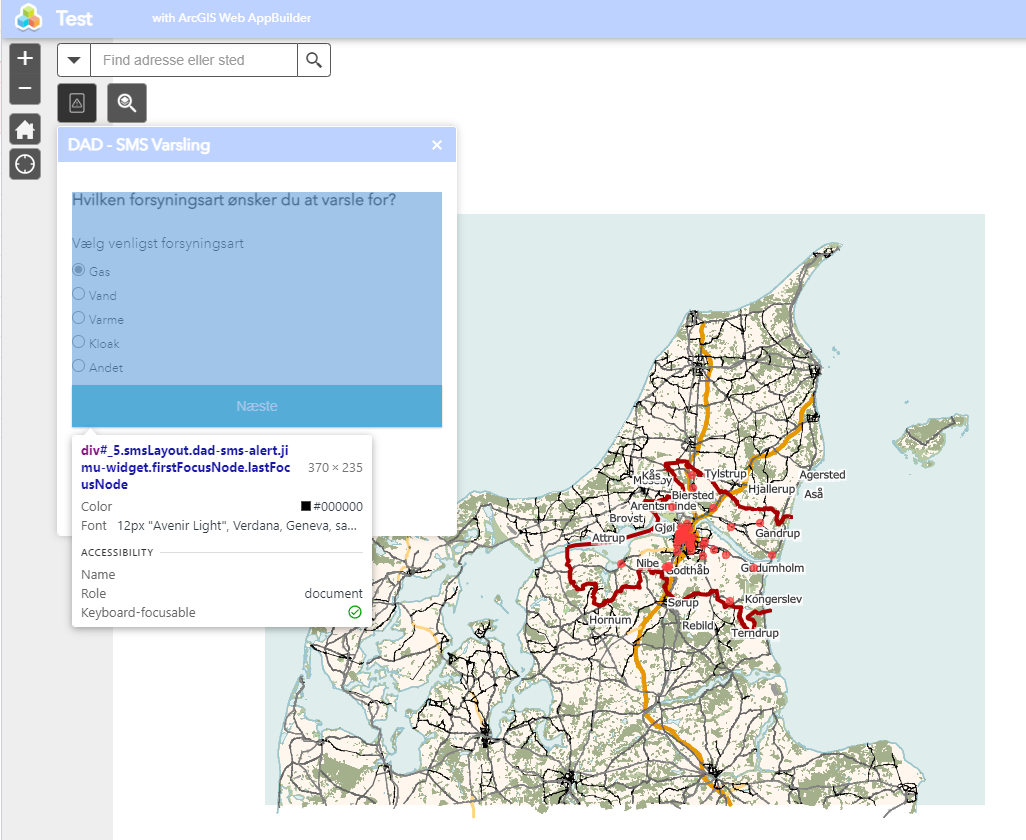
But the intention is to make my view's top level div take the remaining height space from its injected div, the jimu conatiner:
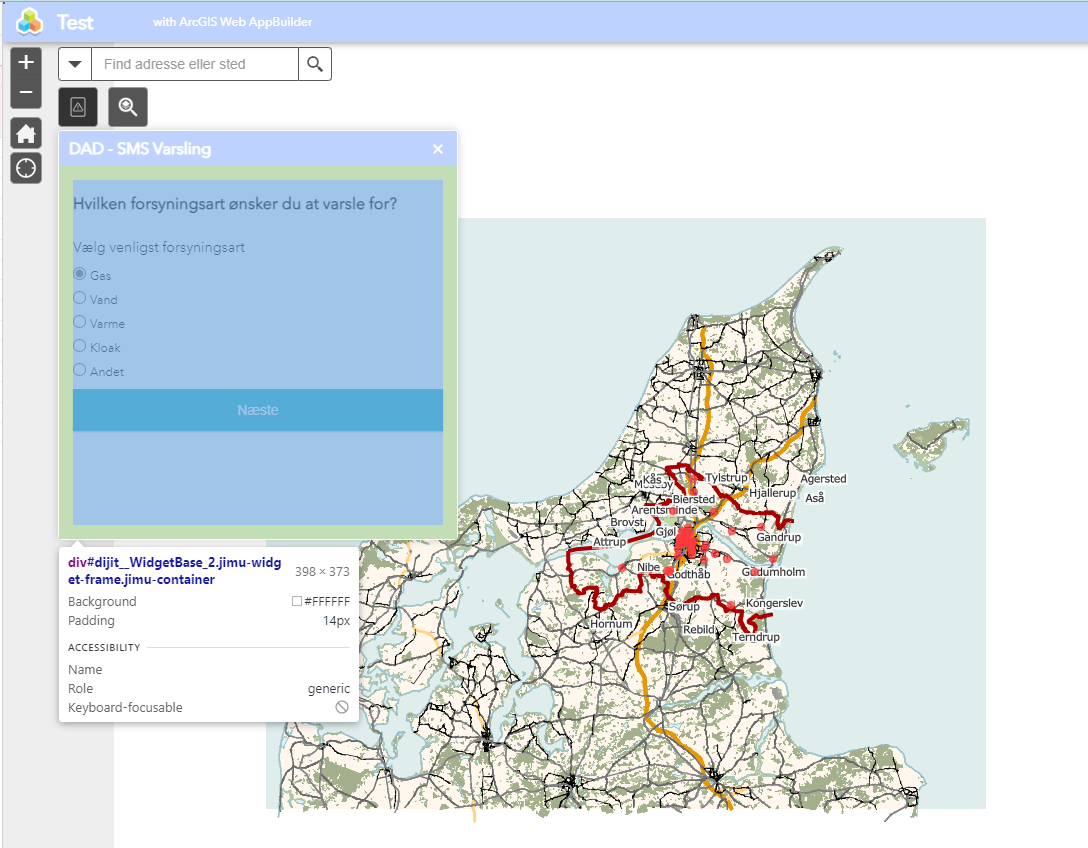
I've tried to do it with CSS-flexbox (even CSS-grid) as they recommend to use in their Web AppBuilder event videos (Web AppBuilder for ArcGIS: Developing for Mobile - YouTube) but I haven't found a working solution yet. My code is this:
CSS:
.dad-sms-alert .smsLayout {
display: flex;
    flex-direction: column;
}

.dad-sms-alert .smsLayoutItem {
margin-top: 10px;
    margin-bottom: 10px;
}

.smsLayout .smsLayoutBody {
flex: 1;
}HTML:
<div class="smsLayout">
    <h1 id="selectUtilityTypePrimaryTextView" class="boldTextView">Hvilken forsyningsart ønsker du at varsle
        for?</h1>
    <h2 id="selectUtilityTypeSecondaryTextView" class="regularTextView">Vælg venligst forsyningsart</h2>
    <div id="smsLayoutBody" class="smsLayoutItem">
        <form id="utilitiesForm">
            <label class="block"><input type="radio" name="utilities" value="gas" checked>Gas</label>
            <label class="block"><input type="radio" name="utilities" value="vand">Vand</label>
            <label class="block"><input type="radio" name="utilities" value="varme">Varme</label>
            <label class="block"><input type="radio" name="utilities" value="kloak">Kloak</label>
            <label class="block"><input type="radio" name="utilities" value="andet">Andet</label>
        </form>
    </div>
    <button type="button" id="submitSelectionButton" class="submitSelectionButton">Næste</button>
</div>
Hope to get some help here 🙂 thanks!

