Hello!
I want to add sub-layers from a WMTS URL as basemap items in my BasemapGallery widget.
My current "solution":
1. Create two WMTS layer from the same URL but with different activeLayer.
2. Use these two WMTS layer to create two basemap object.
3. Add above two basemap objects to BasemapGallery.
  // create two WMTS layers with different active layer
        const wmtsLayer1 = new WMTSLayer({
          url: "https://basemap.at/wmts/",
          activeLayer: {
            id: "bmapoverlay"
          }
        });
        const wmtsLayer2 = new WMTSLayer({
          url: "https://basemap.at/wmts/",
          activeLayer: {
            id: "geolandbasemap"
          }
        });
  // create base maps with WMTS layers above
        const basemap01 = new Basemap({
          baseLayers: [wmtsLayer1],
          title: "basemap.at",
          id: "myBasemap",
          thumbnailUrl:
            "https://maps4.wien.gv.at/basemap/bmapoverlay/normal/google3857/14/5707/8794.png"
        });

        const basemap02 = new Basemap({
          baseLayers: [wmtsLayer2],
          title: "basemap.at02",
          id: "myBasemap02",
          thumbnailUrl:
            "https://maps4.wien.gv.at/basemap/geolandbasemap/normal/google3857/14/5707/8794.png"
        });

   // add to basemap source
        const basemapGallery = new BasemapGallery({
          view: view,
          source: [
            Basemap.fromId("topo-vector"),
            Basemap.fromId("hybrid"),
            basemap01,
            basemap02
          ]
        });
In the output web map, user can switch between two base maps.
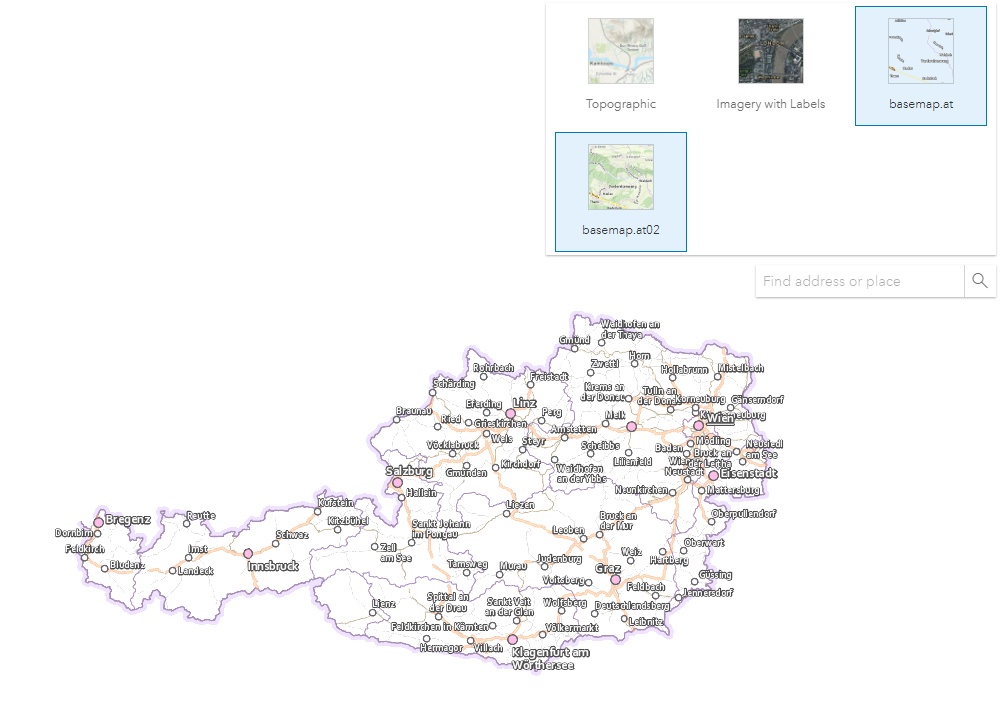
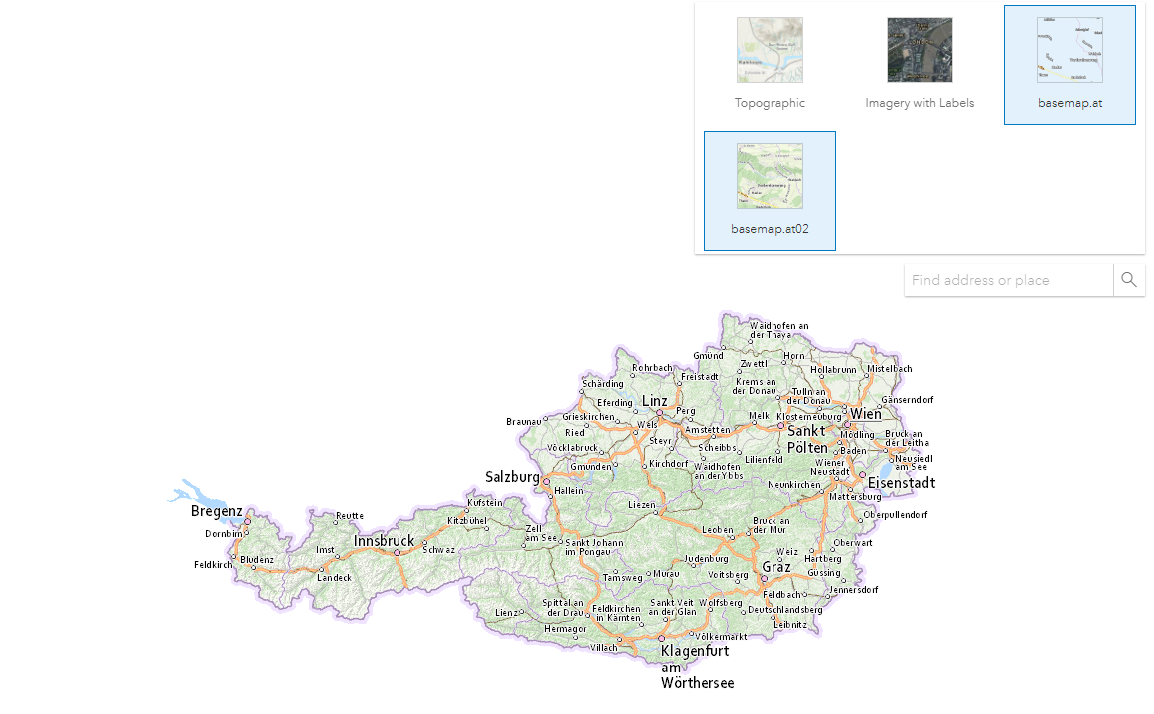
However, both options appear to be selected in the BasemapGallery widget, when only one is selected.
When option "basemap.at" is selected:
When "basemap.at02" is selected:
Is there any other way to do it? I tried to create only one WMTSLayer and then use multiple WMTSSublayer. But this doesn't work for me.
  const wmtsLayer = new WMTSLayer({
          url: "https://basemap.at/wmts/",
        });
  const wmtsubly01 = new WMTSSublayer({
          layer: wmtsLayer,
          id: "bmaporthofoto30cm"
        })
  const basemap03 = new Basemap({
          baseLayers: [wmtsubly01],
          title: "basemap.at03",
          id: "myBasemap03",
          thumbnailUrl:
            "https://maps4.wien.gv.at/basemap/geolandbasemap/normal/google3857/14/5707/8694.png"
        });
Thanks!