Hi,
I am currently putting together an ArcGIS Hub site to present work program-specific content that includes a mix of written content, images and ArcGIS apps. I have so far been able to achieve everything we need with a mix of the standard drag-and-drop and tweaking of HTML by frankensteining code snippets from various places.
One significant issue that I have encountered, however, is that my workplace has website style guidelines in place, which are packaged up into a product called Single Public Face (SPF) 2.0. There are example code snippets provided (e.g. link) to produce different features; the screenshot below is one example:
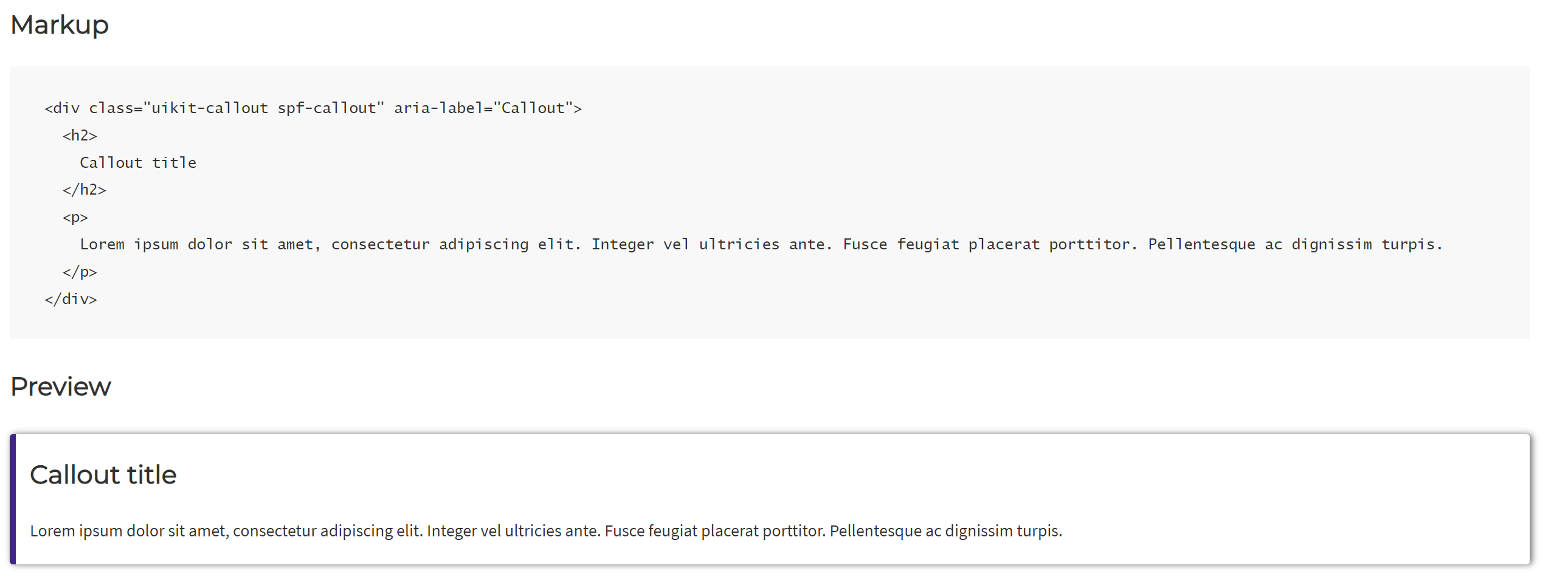
However, when I used this code block in ArcGIS Hub, this is what I got (i.e. without the fancy border):

Other examples result in more significant differences, particularly where there are dynamic elements involved, such as accordions. I figure that my issue lies in this line of code, where the "callout" is a specific reference within "uikit" or "spf":
<div class="uikit-callout spf-callout" aria-label="Callout">
To me the solution would be to somehow load this SPF 2.0 product as a package, coming from more of a background in python or R, but as I don't really understand the nuts and bolts of HTML I don't know if this is possible to do in ArcGIS Hub, and if so, how I would go about including this in my code blocks?
As some additional context, the following introduction is taken from the website resource provided by my workplace for SPF 2.0:
ACT Government single public face (SPF) UI Kit 1.0 is an iterative style guide that contains self-contained interface designs and related code. The purpose of the SPF UI Kit 1.0 is to create a consistent style and core functionality across the collective ACT Government online presence. The UI kit itself is structured using atomic design approach and is built in the open sourcePattern Labplatform.
Many thanks for taking the time to read this post - any assistance is much appreciated!


