Wait a minute, I think I'm about to crack it
Hi this is a follow up on my:
https://community.esri.com/t5/arcgis-cityengine-questions/create-list-index-from-values/m-p/1089507#M10261 post.
NOTE: this is a simple example I have a lot of buildings with architectural freedom.
I need to get shapes to be indexed depending on the distance to the ground or to each other.
The models are not created in CE but is CAD export to shp. It's one shape, but it contains floors:
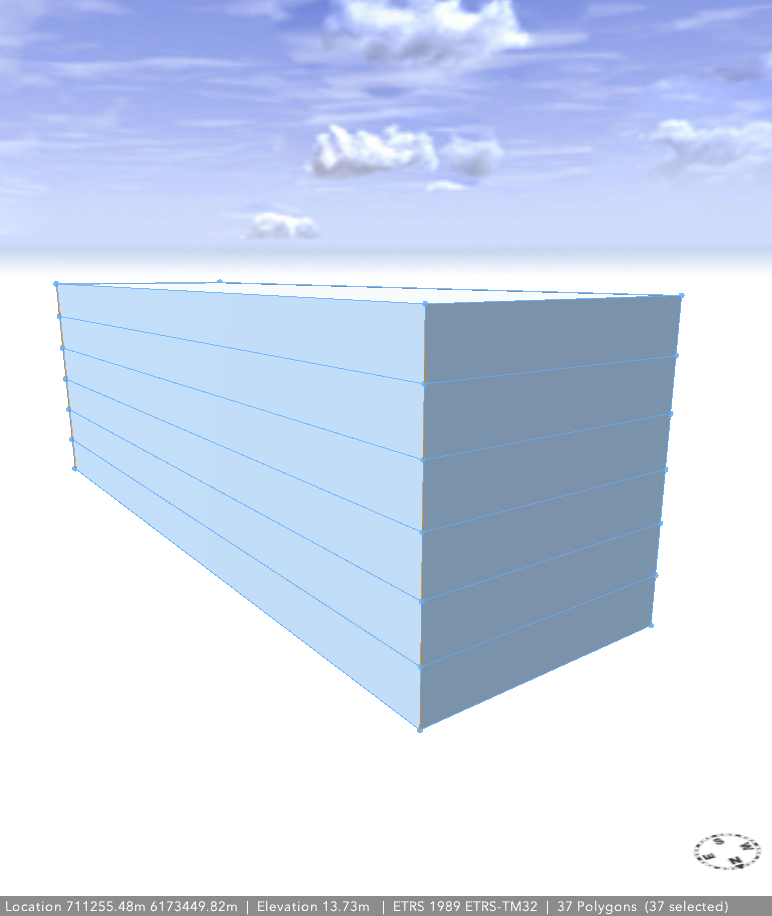
I'm able to do a component split and get the facades and floors isolated, but a building can have multiple floor parts in the same level, and in this simple example it get's confused on what's actually are the order of the comp.split.
So I need to be able to pick out a specific index, and therefor I need it to be indexed as below (likek we are use to)
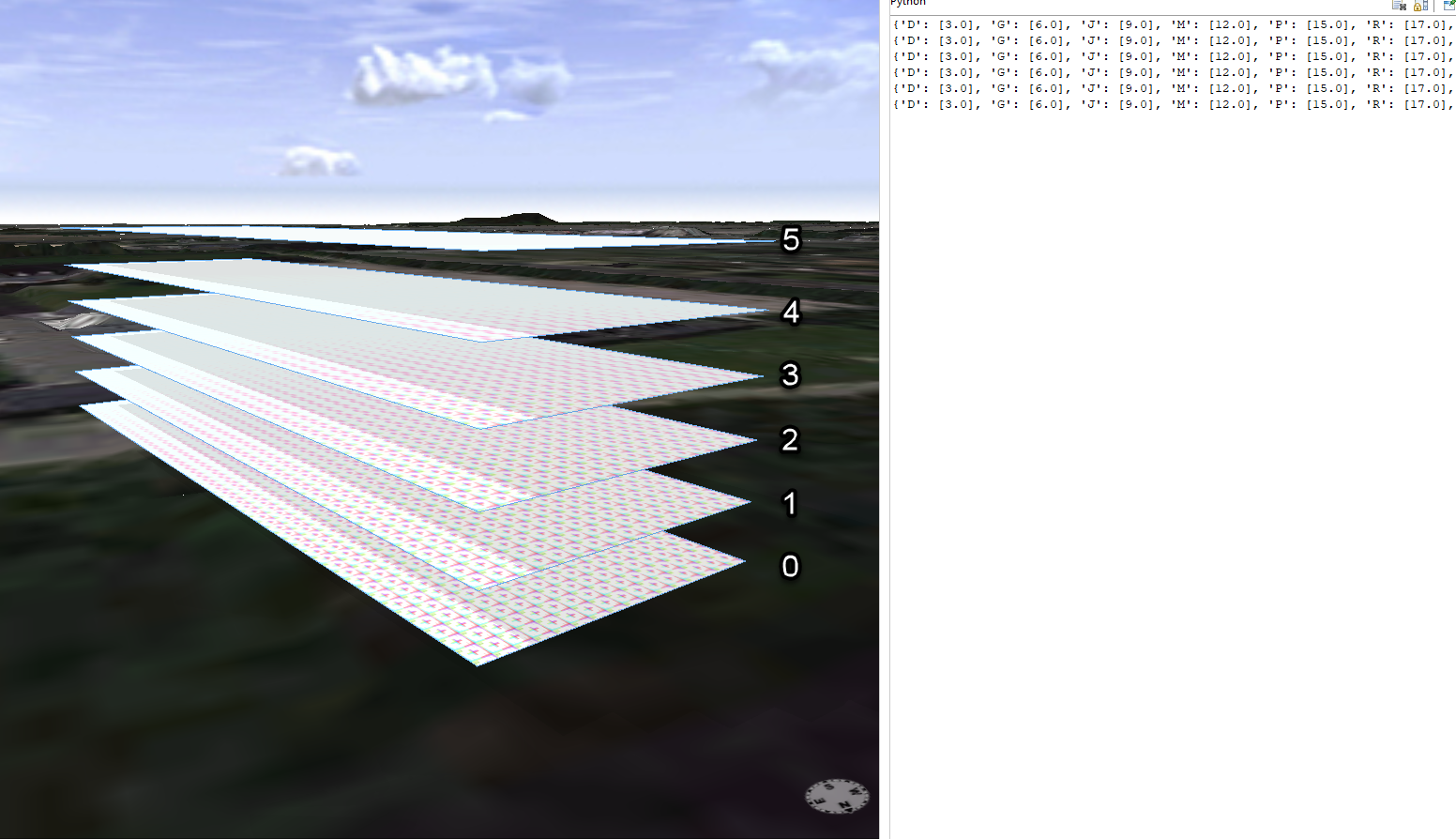
I've created a rint(scope.elevation-elevation) after a component split, and created a loop so I get it in the right sort order. Like elevation = 3,6,9,12 etc. but since it's an component split I can't compare them to each other, so CE don't know that in this case the elevation on 12 is equal index 3.
and if i have a building with a floor height on 4 meters the elevation 12 would be index 2.
If I could only get those elevation into a sorted list, and remove dublicated values, then I could use the list capabilities + the elevation information to pick the right floor.
Right now my thought is to create a rule:
Next(floorHeight,BlHeight,meterMeasure,ZeroIndex) -->

//print(listAdd(str(floorHeight),str(floorHeight)))
case	floorHeight	==	0	:	report("A",floorHeight)
case	floorHeight	==	1	:	report("B",floorHeight)
case	floorHeight	==	2	:	report("C",floorHeight)
case	floorHeight	==	3	:	report("D",floorHeight)
case	floorHeight	==	4	:	report("E",floorHeight)
case	floorHeight	==	5	:	report("F",floorHeight)
case	floorHeight	==	6	:	report("G",floorHeight)
case	floorHeight	==	7	:	report("H",floorHeight)
case	floorHeight	==	8	:	report("I",floorHeight)
case	floorHeight	==	9	:	report("J",floorHeight)
case	floorHeight	==	10	:	report("K",floorHeight)
case	floorHeight	==	11	:	report("L",floorHeight)
case	floorHeight	==	12	:	report("M",floorHeight)
case	floorHeight	==	13	:	report("N",floorHeight)
case	floorHeight	==	14	:	report("O",floorHeight)
case	floorHeight	==	15	:	report("P",floorHeight)
case	floorHeight	==	16	:	report("Q",floorHeight)
case	floorHeight	==	17	:	report("R",floorHeight)
case	floorHeight	==	18	:	report("S",floorHeight)
case	floorHeight	==	19	:	report("T",floorHeight)
case	floorHeight	==	20	:	report("U",floorHeight)
case	floorHeight	==	21	:	report("V",floorHeight)
case	floorHeight	==	22	:	report("X",floorHeight)
case	floorHeight	==	23	:	report("Y",floorHeight)
case	floorHeight	==	24	:	report("Z",floorHeight)

else : NIL
If a floor is 3 meters, I'll get a report called D, with the height.
In the first part of the tutorial 12 that will create a list like:
{'D': [3.0], 'G': [6.0], 'J': [9.0], 'M': [12.0], 'P': [15.0], 'R': [17.0]}
So if I can get that converted into a list like:
3;6;9;12;15;17 and add it to the object attribute of all my models so I can link it back to the attributes, then I'm sure I can get it to work.
I've been looking through tutorial 12 & @CherylLau guide: https://community.esri.com/t5/arcgis-cityengine-questions/using-python-to-create-an-object-attribute-from-a/m-p/539821
But I can't get it to work. If this can be done without Python, it's preferable, but I don't think so.
Thanks, Kenneth.

