Hello,
I'm having issues when it comes to editing a hosted feature layer in ArcGIS Pro. Screenshots are included below the text.
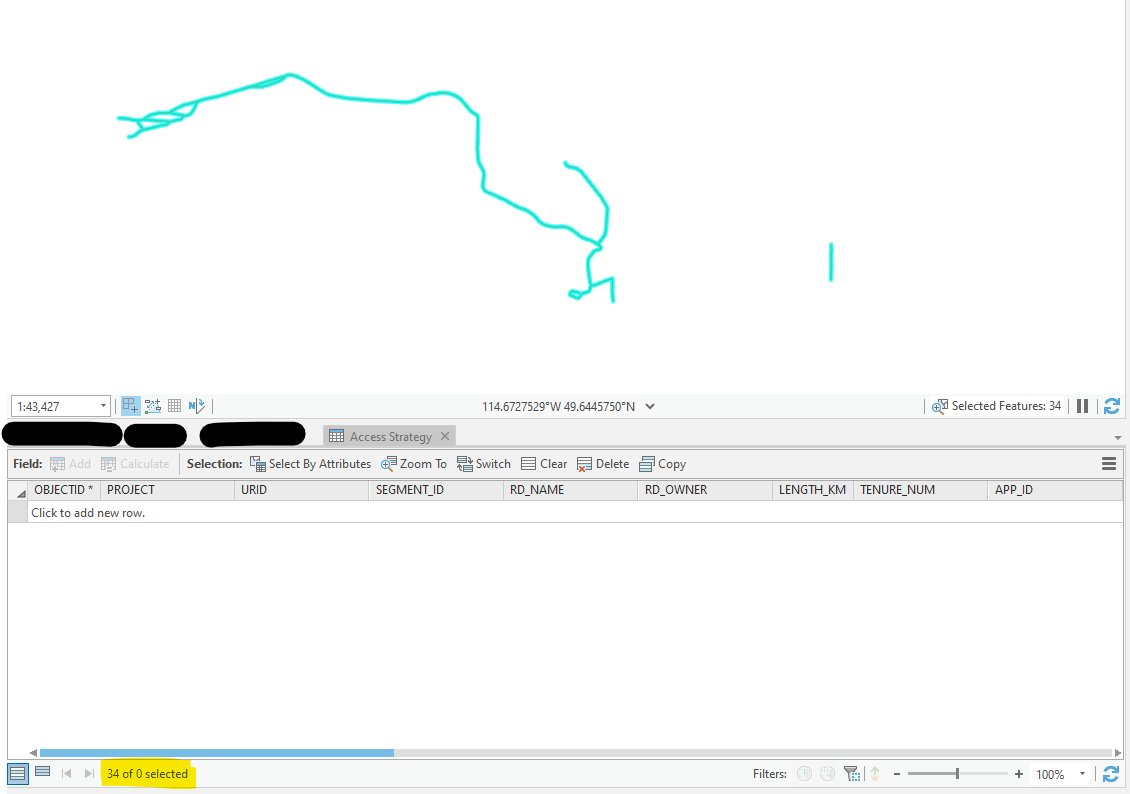
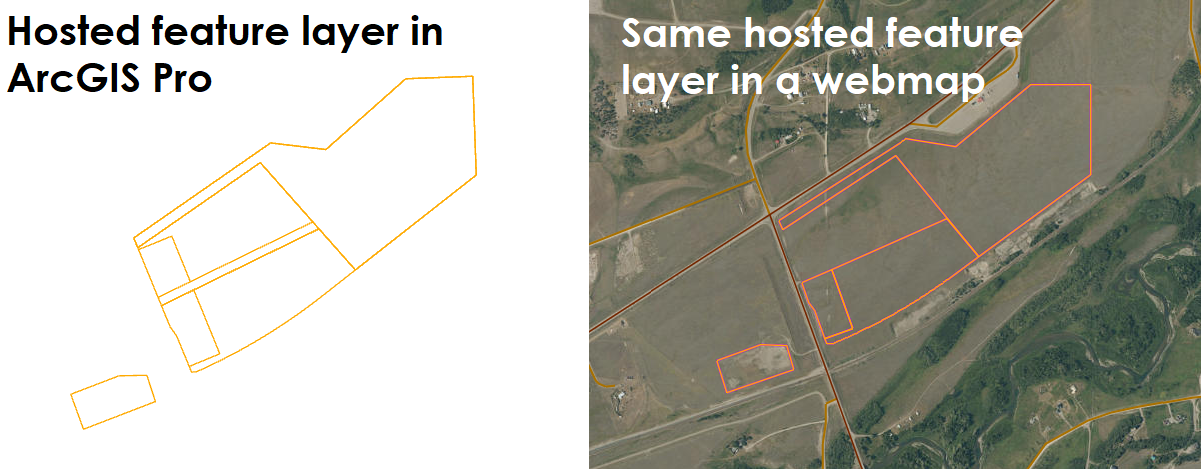
Essentially, when I make updates to some layers within a hosted feature layer, the edits will show in my map frame in ArcGIS Pro, but it won't show in that same hosted feature layer on a webmap. Additionally, despite the updates showing in my map frame, when I look at the attribute table, those records aren't even there. If I select the area where they should be, it'll say that those features are selected, but the attribute table doesn't actually show those records so they technically don't exist.
I've tried updating the layers via a simple copy and paste and via the append tool. Note that the schema's are the same (apart from the global ID in the online layer). I even tried exporting the online layer to a local feature class, pasting in the required updated features in that feature class (so the schema is exactly the same), but again - same issue.
Also note that no definition queries are set and symbology classes aren't defined (they're all set to single symbol) so these aren't the causes of the issue. Additionally in the settings for the item page of the hosted feature layer in question, editing is enabled. Lastly regarding the attribute table, I have tried closing and re-opening the table to force a refresh, but the result is the same.
Any help would be greatly appreciated!
Update 2021.06.03: Doing a "deep refresh" in ArcPro (Ctrl + F5) completely refreshes the layer and removes the features that are apparently in the feature layer despite not have attributes in the attribute table. This helps somewhat but doesn't answer any questions as to why appending data isn't working despite the append saying that it was successfully completed.
Update 2021.06.04: We also tried pulling an offline replica to add the desired data. We tried the append, ut as a geoprocessing tool, but also as a Python script that started and stopped an editing session in Pro, and lastly we tried a straight copy and paste. The features would draw in Pro and show in the replica's attribute table, but would not show up on the webmap or the data tab of the feature layer.
Example of the hosted feature layer displaying the update in ArcGIS Pro, but not carrying over to a webmap.
Second example where the features that have been appended are displaying fine in the map frame, yet they don't have any actual records associated with them in the attribute table and do not display in a webmap.

When selecting the visible features, the attribute table looks like this. Note the bottom left where it says, "34 of 0 selected"