Hello Everyone,
I've been working on a Java Desktop Application using the ArcGIS runtime SDK v100.7.0. There was a requirement where I had to display Point Graphics using Symbols from the MILSTD 2525D .stylx file. I was able to render these Graphic objects on the Map View just fine. Now, I've come across a requirement where I have to show these symbols with Speed Vectors. According to the official MILSTD 2525D documentation at MILSTD-2525D-PDF , it was mentioned here:
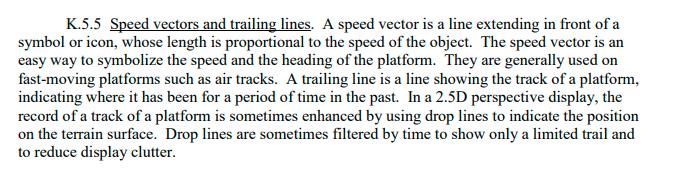
According to this, the speed vector arrow's length depends upon the speed of that object but I cannot manage to find any such attribute here https://github.com/Esri/military-symbology/tree/dev/military-overlay/mil2525d that can change the length of the "speed vector" present in the military symbol to be rendered.
My code snippet:
private Symbol getMilitarySymbol(String sidc, int speed, int direction) {
        Map<String, Object> attributes = new HashMap<>();

        attributes.put("sidc", sidc); // sidc
        attributes.put("direction", direction);
        attributes.put("speed", speed);

        try {
            // actually returns a MultiLayerPointSymbol with size of 85.333336
            MultilayerPointSymbol symbol = (MultilayerPointSymbol) symbolDictionary.getSymbolAsync(attributes).get();
            symbol.setSize(65.0f);
            return symbol;
        } catch (InterruptedException e) {
            e.printStackTrace();
            System.out.println("InterruptedException - failed to symbolize SIDC: " + sidc);
        } catch (ExecutionException e) {
            e.printStackTrace();
            System.out.println("ExecutionException - failed to symbolize SIDC: " + sidc);
        }

        return null;
    }
The Output on Map View:
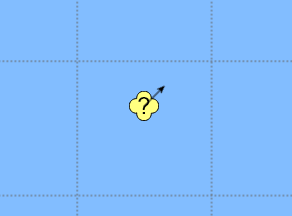
Note: The length of this arrow remains same no matter what speed value I specify (e.g. 1 or 11)
I want to know, how can I fulfill this requirement ? How do I make the arrow length reflect the speed of the object ?


