I have criteria which are already transformed to a common scale, how can I use them in Suitability Modeler to create a suitability map and find the most suitable locations?
We can use the Submodels input type and treat the transformed criteria as submodels and in so doing avoid the transformation step.
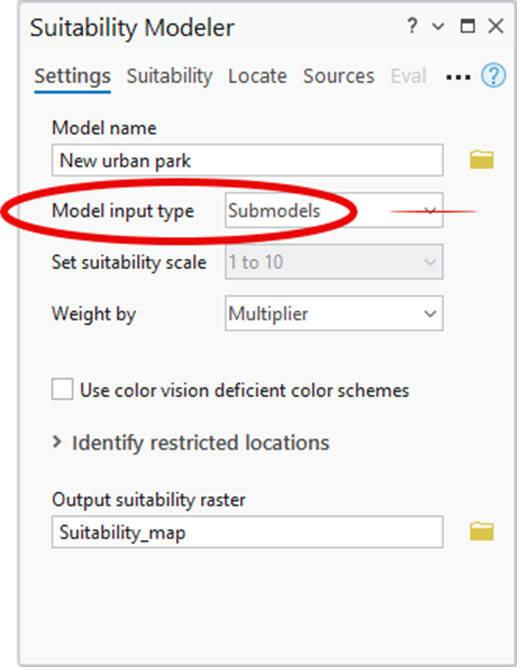
On the Settings tab of the Suitability Modeler, change the Model input type from Criteria to Submodels
Then on the Suitability tab, add the transformed criteria.
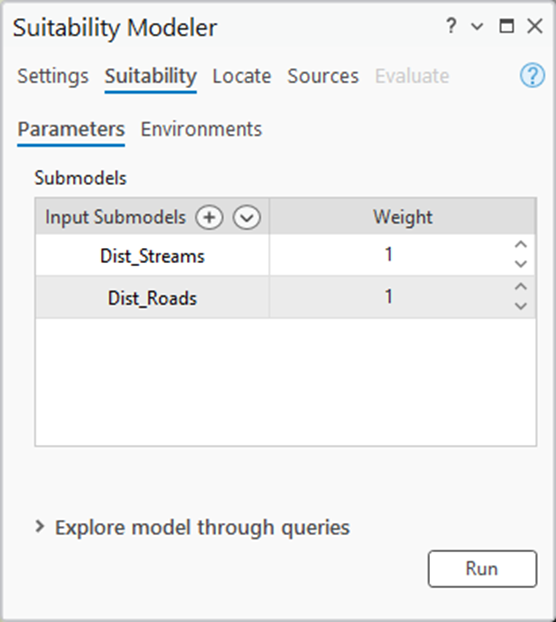
A suitability map is automatically created after each transformed criterion (or submodel), is added. Then click the Run button to convert the raster function suitability map to a persisted raster dataset. Then use the Locate tab to identify the best locations from the suitability map that was created by the transformed criteria.
