Is anyone able to run a script through Windows Task scheduler using ArcGIS Pro? As a test I have an extremely simple script (just copying a feature) that runs fine within ArcGIS Pro.
<SPAN class="keyword token">import</SPAN> arcpy
arcpy<SPAN class="punctuation token">.</SPAN>management<SPAN class="punctuation token">.</SPAN>CopyFeatures<SPAN class="punctuation token">(</SPAN><SPAN class="string token">"C:\CityScripts\ScheduledTasks\SafewatchCameras\Data\General.gdb\SafewatchCameras"</SPAN><SPAN class="punctuation token">,</SPAN> <SPAN class="string token">"C:\CityScripts\ScheduledTasks\SafewatchCameras\Data\General.gdb\SafewatchCamerastemp2"</SPAN><SPAN class="punctuation token">,</SPAN> None<SPAN class="punctuation token">,</SPAN> None<SPAN class="punctuation token">,</SPAN> None<SPAN class="punctuation token">,</SPAN> None<SPAN class="punctuation token">)</SPAN><SPAN class="line-numbers-rows"><SPAN></SPAN><SPAN></SPAN></SPAN>
I setup the Task Scheduler as recommended by the ArcGIS Pro help and while the Task completes successfully nothing happens with the script.
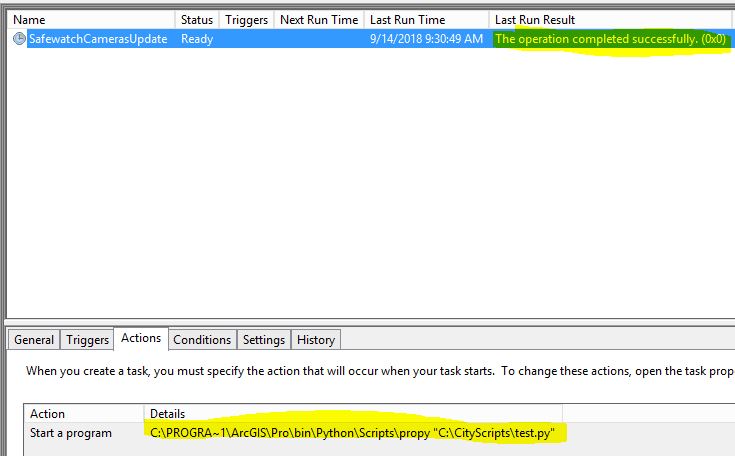

Put in a call to ESRI tech support but they said it was a Windows issue and therefore couldn't work on it.
Scott






.png)








