Hello, I am currently taking the Esri Python for Everyone course for my work since they slowly upgrading us to ArcGIS Pro, and I have ran into an issue trying to configure PyCharm to work with ArcGIS Pro ArcPy. I have used Python some with ArcMap and this is the first time using PyCharms, so I am not the most experienced with Python. I have selected the 3.6.2 python.exe for the system and project interpreter, but every time I open the Python Console in PyCharm, it cannot connect to the console process. I went back through the lesson two more times to make sure I set it up correctly, but to no avail. I got the interpreter from "C:\Program Files\ArcGIS\Pro\bin\Python\envs\arcgispro-py3\python.exe" just like the lesson said to.
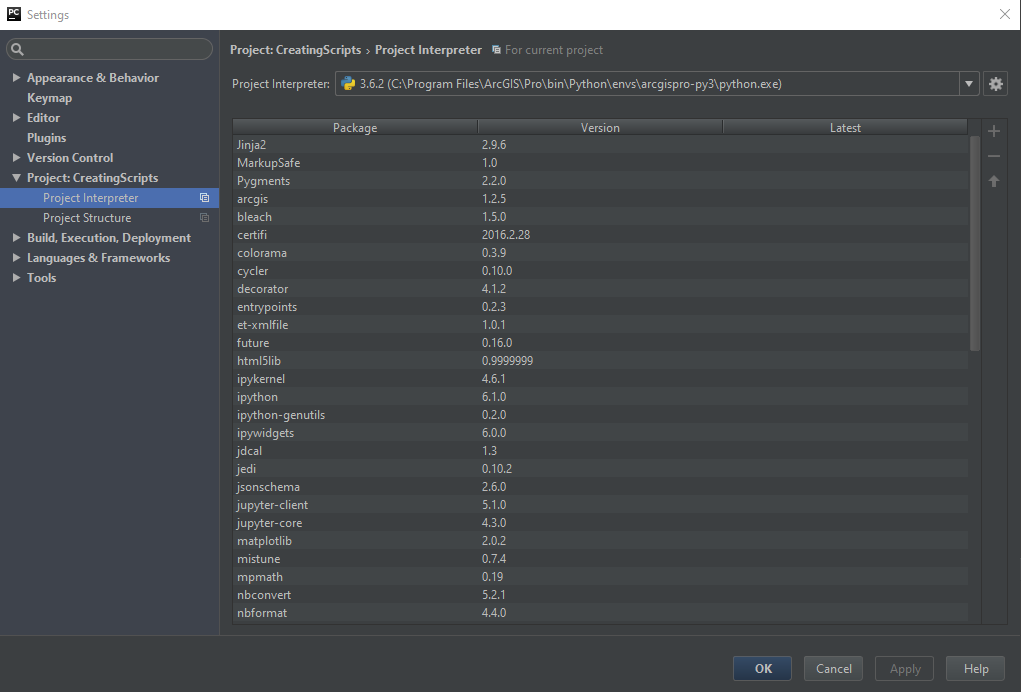
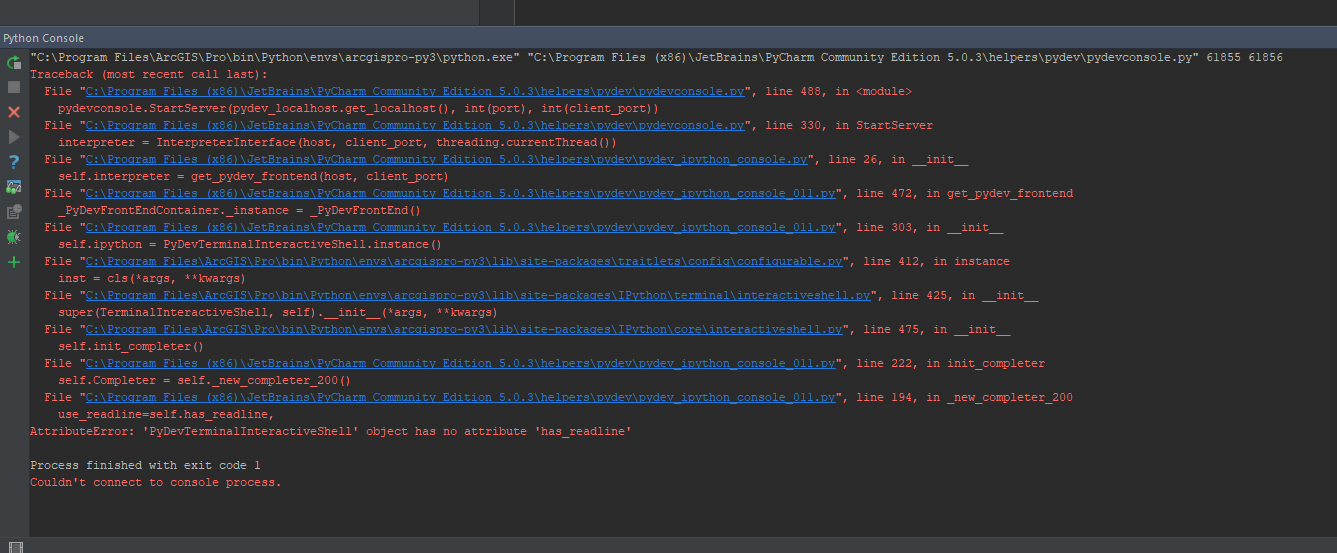
Out of curiosity, I decided to try and see if changing the interpreter to ArcMaps 2.7.13 ArcPy would work and it connected right away. After not being able to connect with ArcPy 3.6.2, I found this link Configure your Python IDE to work with ArcMap and ArcGIS Pro’s ArcPy and it was not any help either as I came across the same issues. My co-workers who are taking the same courses were able to connect and I seem to be the only one that is having issues connecting. Can anyone point me in the right direction in getting this solved so I can proceed with my python lessons! Figured I would ask here to see if it was an error on my end before asking IT to reinstall my programs.
Thanks!

